Chapter 16: Programming 448
These instructions control input to and output from a program during execution. They
allow you to enter values and display answers during program execution.
To return to the program editor without selecting an item, press ‘.
Displaying a Graph with Input
Displaying a Graph with InputDisplaying a Graph with Input
Displaying a Graph with Input
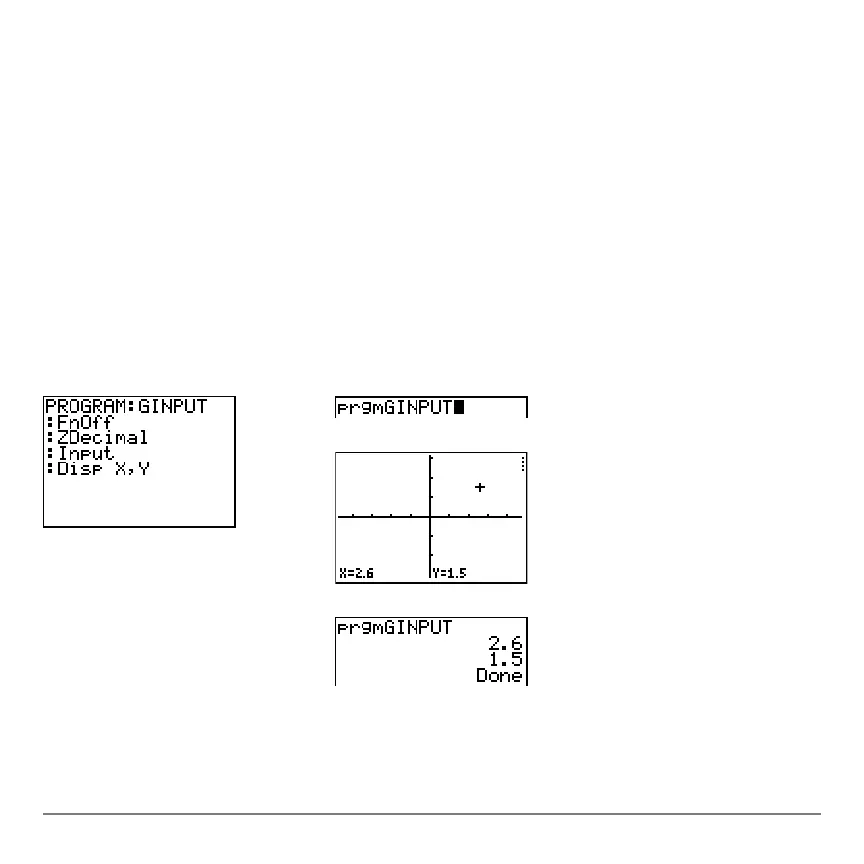
Input without a variable displays the current graph. You can move the free-moving
cursor, which updates X and Y (and R and q for
PolarGC format). The pause indicator is
on. Press Í to resume program execution.
Input
Program Output


 To Next Page
 Loading...














