Chapter 12: Statistics 328
5. Press ¢. Enter the list names, separated by commas.
6. Press ¢ y , | to display the
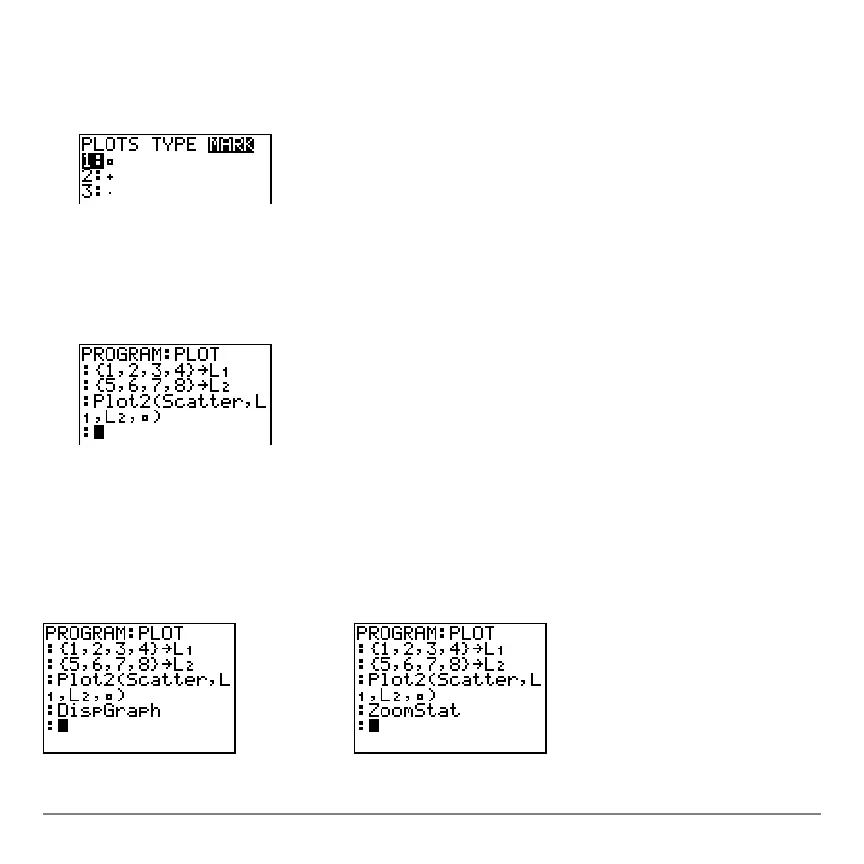
STAT PLOT MARK menu. (This step is not
necessary if you selected
3:Histogram or 5:Boxplot in step 4.)
Select the type of mark (› or
+ or ¦) for each data point. The selected mark symbol is
pasted to the cursor location.
7. Press ¤ Í to complete the command line.
Displaying a Stat Plot from a Program
Displaying a Stat Plot from a ProgramDisplaying a Stat Plot from a Program
Displaying a Stat Plot from a Program
To display a plot from a program, use the
DispGraph instruction (Chapter 16) or any of
the ZOOM instructions (Chapter 3).
















 To Next Page