Chapter 19: Communication Link 548
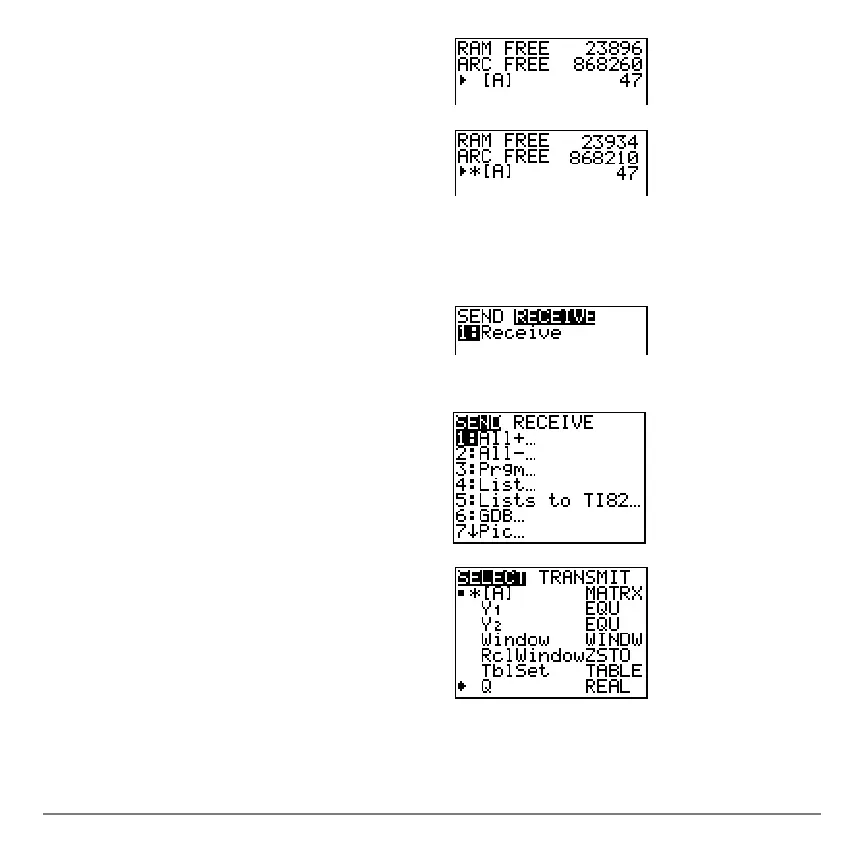
5. On the sending unit, press 5 to select
5:Matrix. The MATRIX editor screen is
displayed.
6. On the sending unit, press Í to
archive [A]. An asterisk (ä) will appear,
signifying that [A] is now archived.
7. Connect the graphing calculators with
the USB unit-to-unit cable. Push both
ends in firmly.
8. On the receiving unit, press y 8 ~
to display the
RECEIVE menu. Press 1 to
select
1:Receive. The message Waiting...
is displayed and the busy indicator is on.
9. On the sending unit, press y 8 to
display the
SEND menu.
10. Press
2 to select 2:AllN. The AllN SELECT
screen is displayed.
11. Press † until the selection cursor ( 4 ) is
next to [A]
MATRX. Press Í.
12. Press † until the selection cursor is next
to
QREAL. Press Í. A square dot
next to [A] and
Q indicates that each is
selected to send.



 To Next Page
 Loading...













