92
DISPLAYING THE MEASUREMENT RESULT
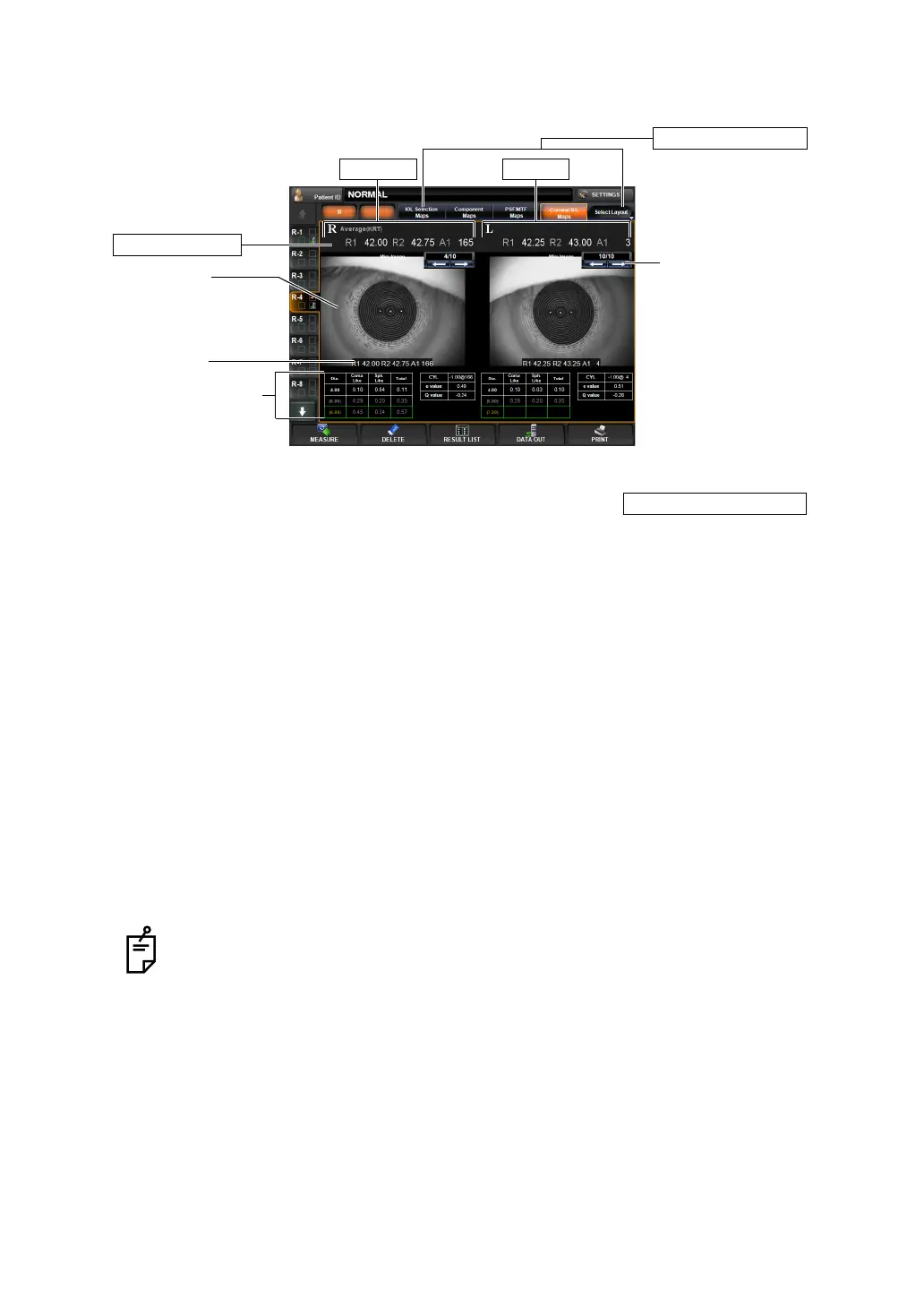
CORNEAL R/L MAP
The Corneal R/L map can be displayed.
To change display: Tap the Layout Select button, the rightmost button of layout
change buttons, and tap the
but-
ton of the displayed pull-down menu.
To change display to other map: Tap the Layout Change button.
(1) Mire Image (See "Mire image" on page 79.)
(2) Data Feed button Moves to the analysis result to the next data, or returns to the previ-
ous data.
(3) KRT value KRT Value of current displayed mire image.
(4) Measurement valueThe measured pupil diameter and tables showing the coma aberra-
tion, spherical aberration and total aberration, e-values and Q-values
in 4.00mm and 6.00mm analysis zones are displayed. (For e-values
and Q-values, see page
83.)
Operation: • When tapped, the image is enlarged. (See "ENLARGEMENT DIS-
PLAY" on page 94.)
• When dragged in the right direction, the overlay can be changed.
• TOPO MAP overlay can be displayed.(See page 100.)
Overlay information can be set to ON/OFF on the SETTINGS
screen "DISPLAY". See page
145.
When the TopoMap overlay (page 100) is applied to the corneal Mire image, a
color scale is displayed between the right and left corneal Mire images.
Right eye
Layout Change button
(1) Mire Image
(3) KRT value
(2) Data Feed button
Typical KRT value
Left eye
(4) Measurement value
CORNEAL R/L MAPS



 To Next Page