Configuring the Encompass 4 Reader
8-7
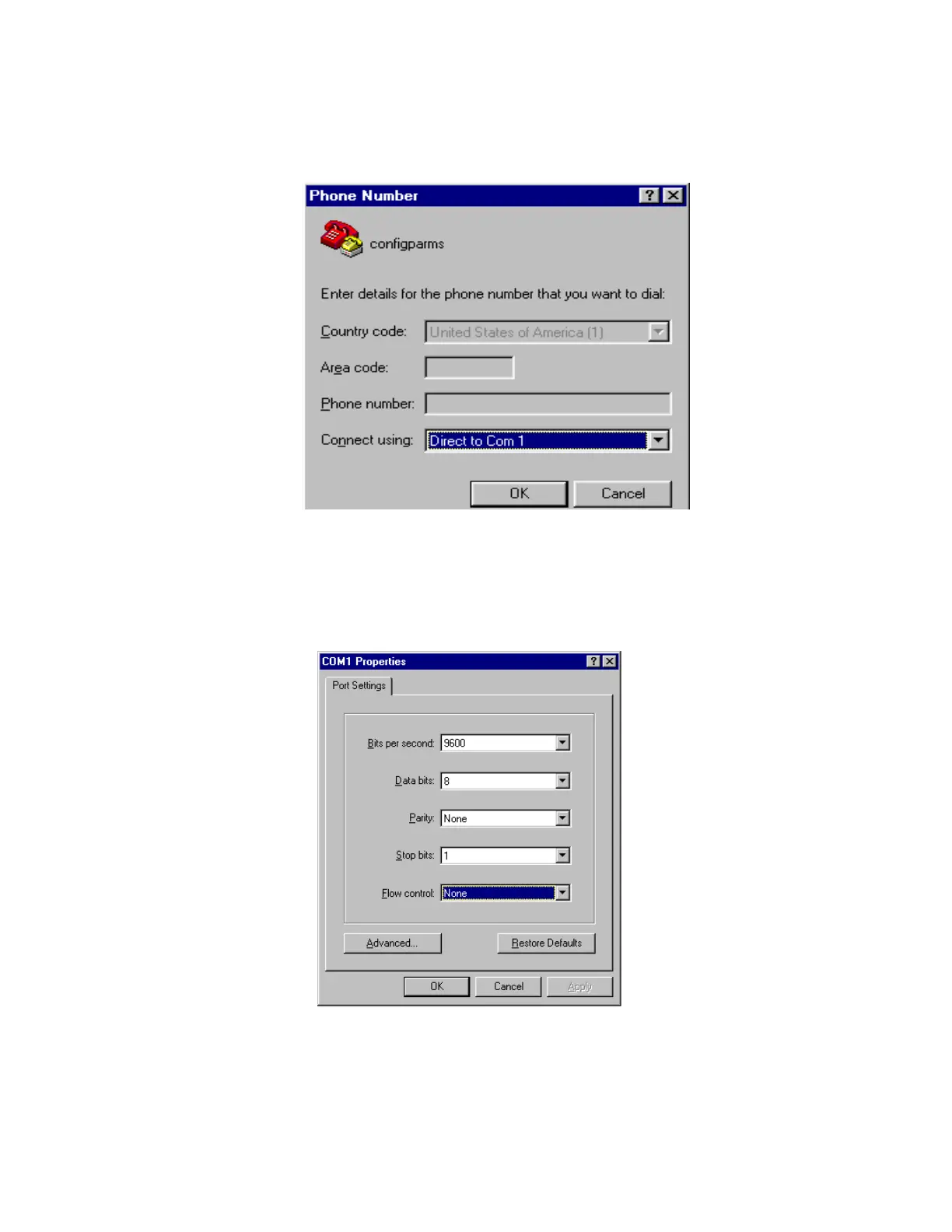
Figure 8-2 Phone Number Dialog Box
3. From the Connect using pull-down list, choose the Com 1 option (or whichever
com port on the PC to which the RS-232 cable is attached) and click OK.
The application displays the COM1
Properties dialog box as shown in
Figure 8-3.
Figure 8-3 COM 1 Properties Dialog Box
4. In the pull-down lists on the COM1 Properties dialog box, choose the following
values:



 To Next Page