Encompass 4 Reader System Guide
8-16
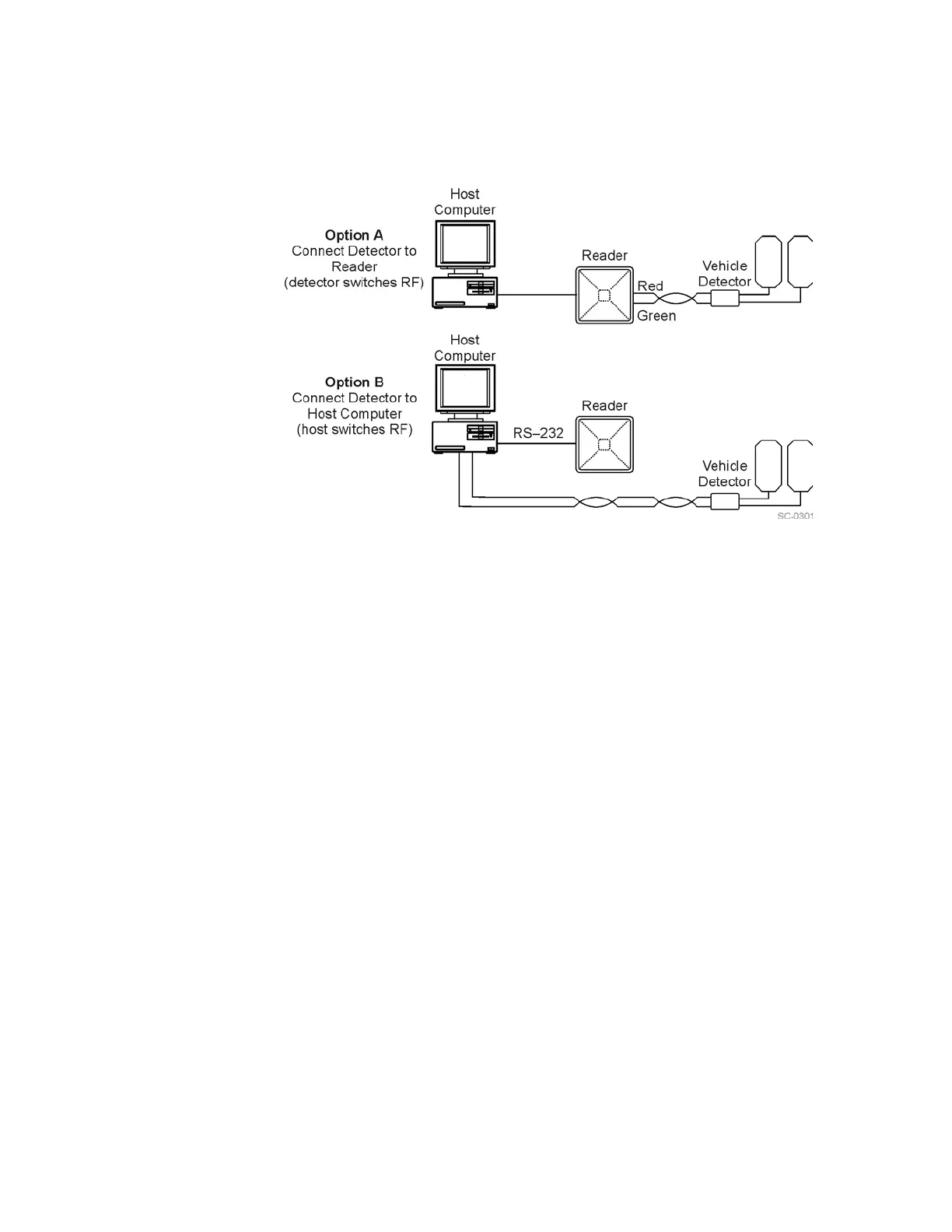
Figure 8-8 Encompass 4 Reader RF Control Options
Vehicle Detector Controlling RF Transmission
The vehicle detector can be a loop detector, an infrared sensor, or an ultrasonic detec-
tor that is connected to sense input0 to turn on the
Encompass 4 Reader RF transmit-
ter. In Figure 8-8, Option A shows a vehicle detector controlling the RF transmitter.
This operation is preferred because the RF transmits only
when a vehicle is in the
Encompass 4 Reader read zone. Command #641 Select RF-by-Input Control (factory
default) must be enabled.
To set the option of the vehicle detector controlling the Encompass 4
Reade
r
1. Ensure that the host computer is
in command mode.
2. Enter command #641. Pres
s ENTER.
Leave the setting on RF-by-input control
for normal operation.
Host Controlling RF Transmission
In Figure 8-8, Option B shows the host controlling the RF transmitter.
If the vehicle detector is connected to the host computer
, as shown in Option B, com-
mands #64
00 RF Off and #6401 RF On sent from the host computer turn on and off
the Encompass 4 Reader RF transmitter.
Continuous RF Transmission
In Figure 8-8, Option C shows the test configuration controlling the RF transmitter. To
test the Encompass 4 Reader
, as described in “Testing the Encompass 4 Reader Using
an Audible Circuit Tester” on page 4-5, you can turn on the Encompass 4 Reader RF
transmitter continuously by issuing command #
6401.



 To Next Page