Installing the Encompass 4 Reader
4-11
section contains wiring instructions and pin ass
ignments followed by step-by-step
connection procedures.
The Encompass 4 Reader can remain powered up while connec
ting reader-to-host PC
communications.
Connecting for Bench Testing with RS–232 Interface
RS–232 interface signals are supplied by three or five wires from the Encompass 4
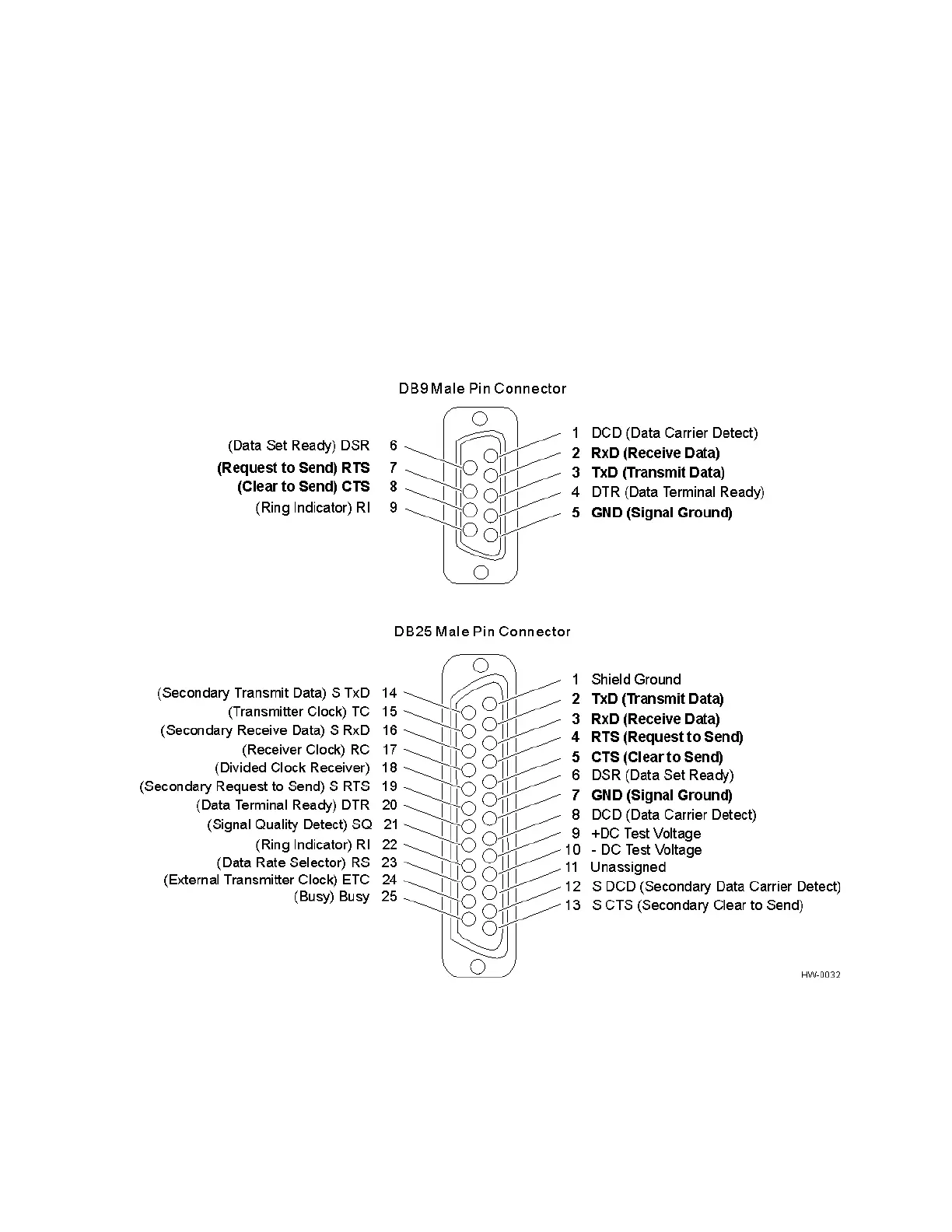
communications cable. The pin assignments for the signal to the host male DB9 and
DB25 connectors are shown in boldface in Figure 4-5.
Figure 4-5 Pin Assignments for Signal to Host Connectors
Note: In Figure 4-5 supported pin assignments are in boldface.



 To Next Page