Configuring the Encompass 4 Reader
8-9
puter to which the Encompass 4 Reader will be connected
after testing and configura-
tion are completed.
2. Cycle the power on the Encompass 4 Reader.
Upon startup, the Encompass 4 Re
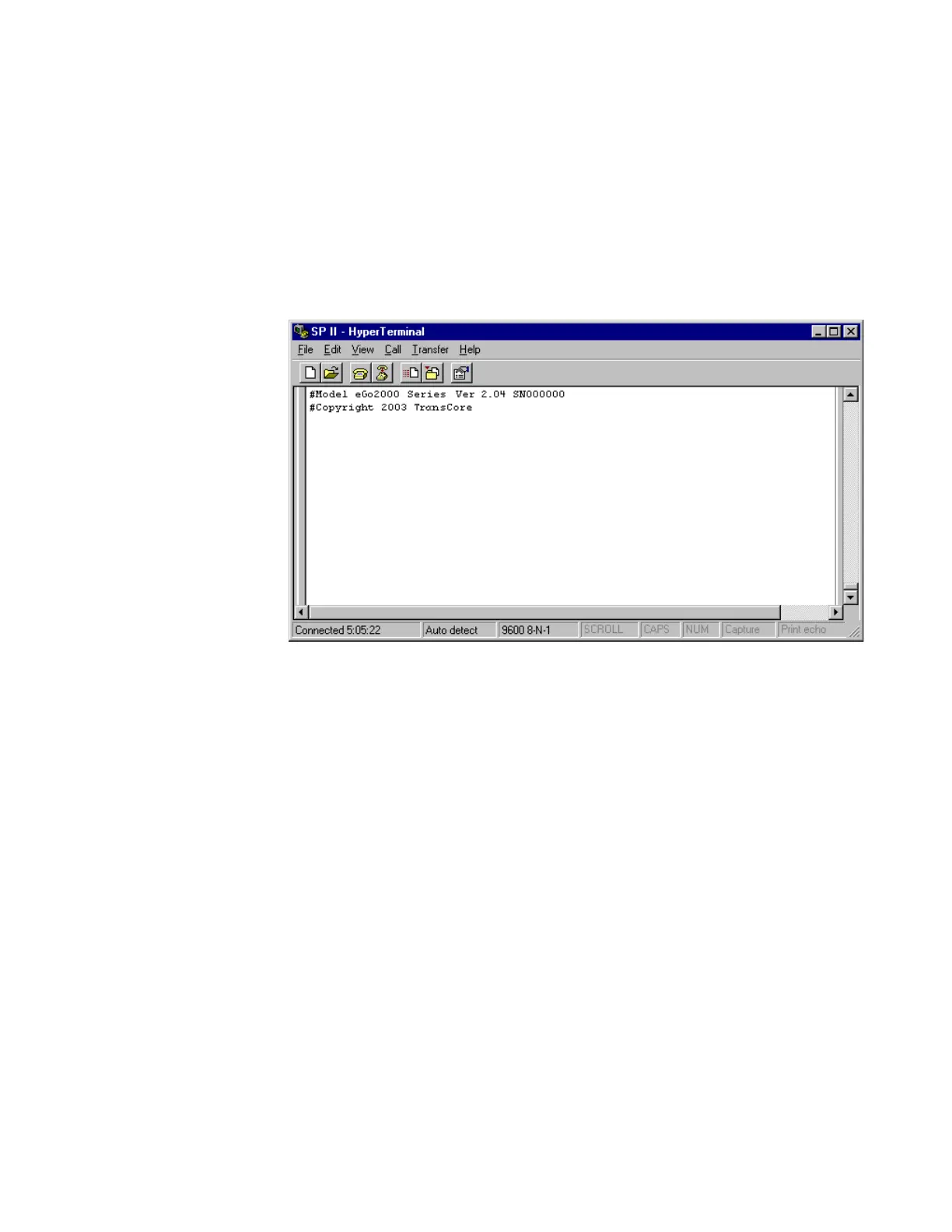
ader transmits a sign-on message, displayed on
the terminal emulation screen as shown in Figure 8-5, o
r a boot ROM failure
message.
Figure 8-5 Sign-on Message
The sign-on message appears as follows:
Model [software version] SNYYYYYY
[Copyright notice]
where Y
YYYYY is the serial number assigned to the Encompass 4 Reader skipping
the fourth character printed on the reader product label.
Serial number 00000
0 is the default setting and is not a valid number. If this
number appears in the sign-on message, the serial number has never been stored
into reader memory. Contact TransCore Technical Support.
If the flash memory checksum is not verifia
ble, the sign-on message appears as
follows:
Model [E4 BOOT] Ver 0.00 A
[Copyright notice]
If the failure message version number equa
ls 0.00 E and no serial number exists,
the flash memory checksum has failed, and the Encompass 4 Reader is operating
out of boot ROM. In this case, the Encompass 4 Reader automatically enters
download mode and waits for a new program to be loaded into the flash memory.
Follow the instructions in “Program Download” on page 5-5.
Communications can also be verified by using the command sequence in



 To Next Page