Connecting Audio Inputs
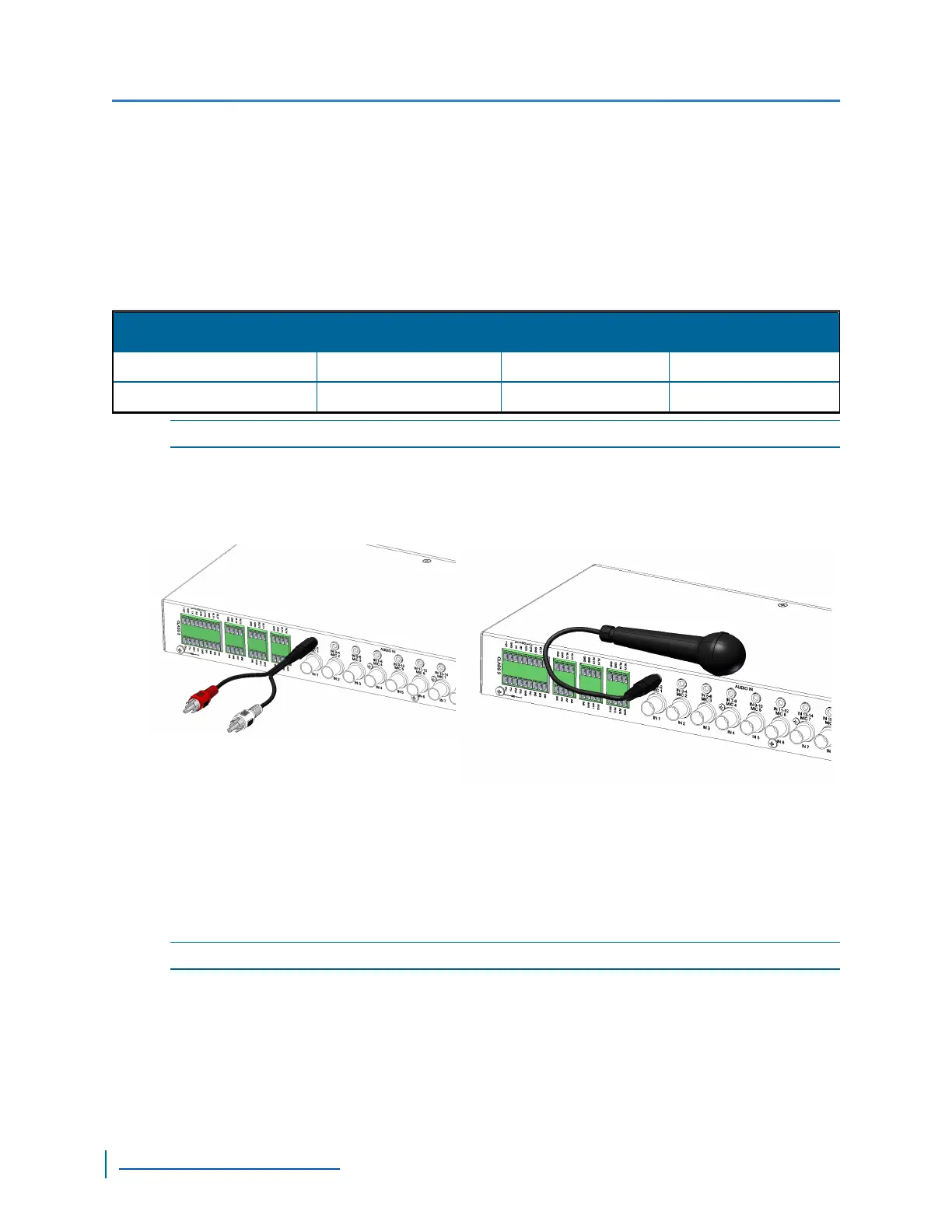
This section explains how to connect audio devices to the S1800e multiport encoders. The
audio-in connectors support two audio-mono line-in or one microphone. For the line-in, you can use
a RCA mono 3.5 mm stereo adapter.
The S1800e multiport encoders support the following audio formats:
Codec
Sampling Frequency Bits per Sample Bitrate
PCM (no compression) 8 kHz 16bits/data 28 kbits/sec (8kHz)
G.711/μ-Law (8 bits) 8 kHz 14 bits signed/data 64 kbits/sec
NOTE: The S1816e-SPand S1816e-SRmodels do not support audio in.
► Perform the following steps:
1. Insert a microphone, single cable or Yconnector into the Audio In connector on the rear.
2. Plug the audio cable from the audio source to the Y connector.
Connecting Audio Output
The S1800e multiport encoders an be configured to communicate requests, instructions, or other
information to a site.
NOTE: The S1816e-SPand S1816e-SR models do not support audio out.
► Perform the following steps:
1. Insert the cable of the speaker into Audio Out audio output connector on the rear.
Connecting Audio Inputs
50
www.verint.com/video_solutions


 To Next Page
 Loading...