Configuring the Encoder Properties
For each video input, the S1800e series devices can send video with different sets of parameters to
different locations. The single/dual port devices support quad-stream encoding with three streams
using H.264 compression and one using MJPEG compression. The multiport devices support triple-
stream encoding provides two streams using H.264 compression and one using MPEG4
compression. You can customize each device in terms of frame rate and resolution to meet each
system requirements.
► Perform the following steps:
1. Start the Web Interface.
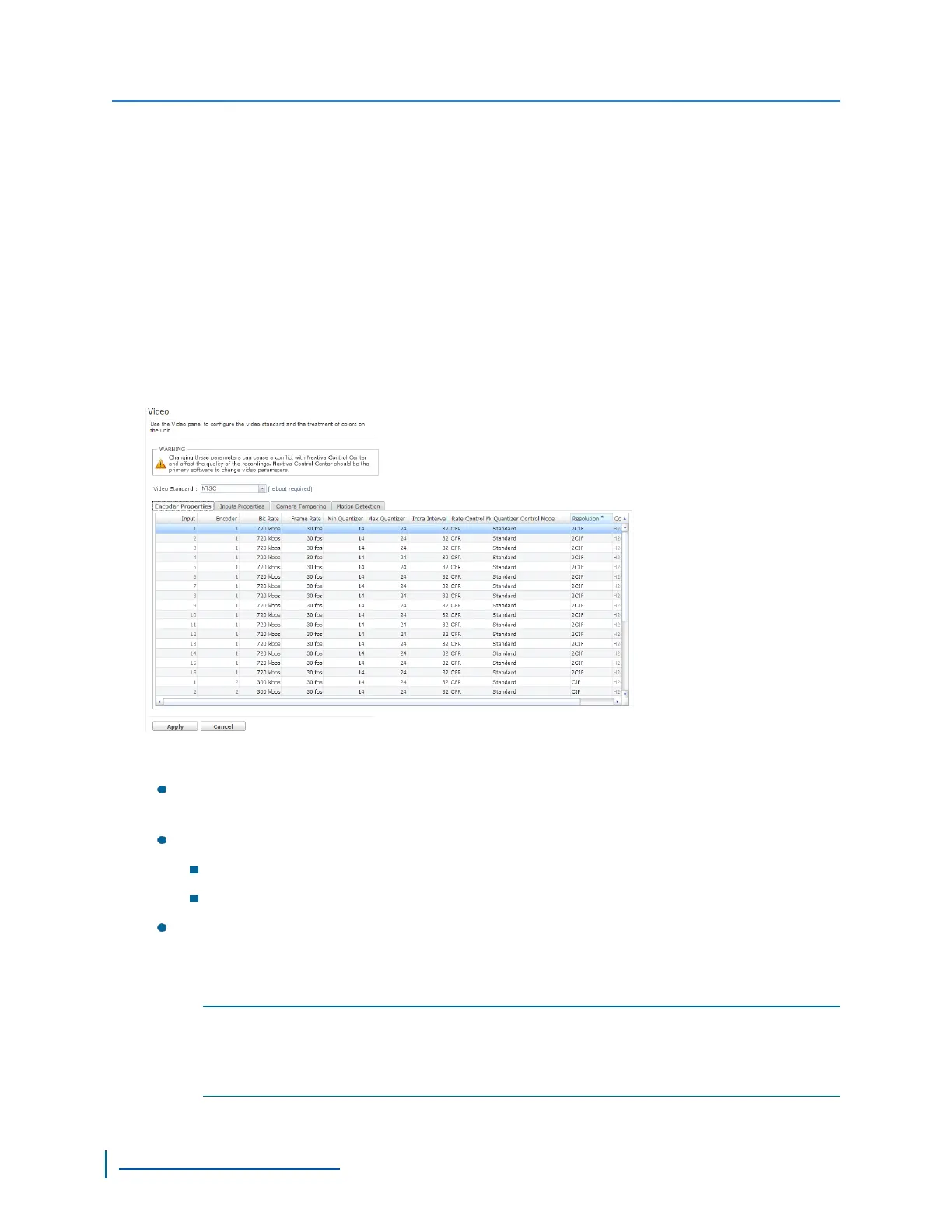
2. From the tree, select Configuration >Video.
3. From the Encoder Properties tab, set the values for the following parameters:
Bit Rate:The rate in kbps at which the device sends data. Use a higher bit rate to record
movements, noise and details. The bit rate can range from 9 kbps to 6000 kbps.
Frame Rate:The number of frames captured or recorded each seconds.
NTSC:select from: 1, 2, 3, 3.75, 5, 6, 7.5, 10, 15, or 30 fps.
PAL:select from: 1, 2.5, 5, 6.75, 8.33, 12.5, or 25 fps
Quantizer (Minimum and Maximum):The process of safely discarding information from
a video without a significant loss in visual quality. Using a higher quantizer value decreases
video quality and creates a smaller file size. Using a low quantizer value increases video
quality and creates a larger file size. The available range is between 2 and 31.
NOTE: To maintain the video frame rate, you should set the maximum quantizer to 31. If the
quality of each frame is more important, you should reduce the quantizer value; for
example, a maximum quantizer of 5 keeps a good image quality, but skips frames when
motion is high.
Video Profile
83
www.verint.com/video_solutions


 To Next Page
 Loading...