Step 3 — Configuring IP Settings 17
Step 3 — Configuring
IP Settings
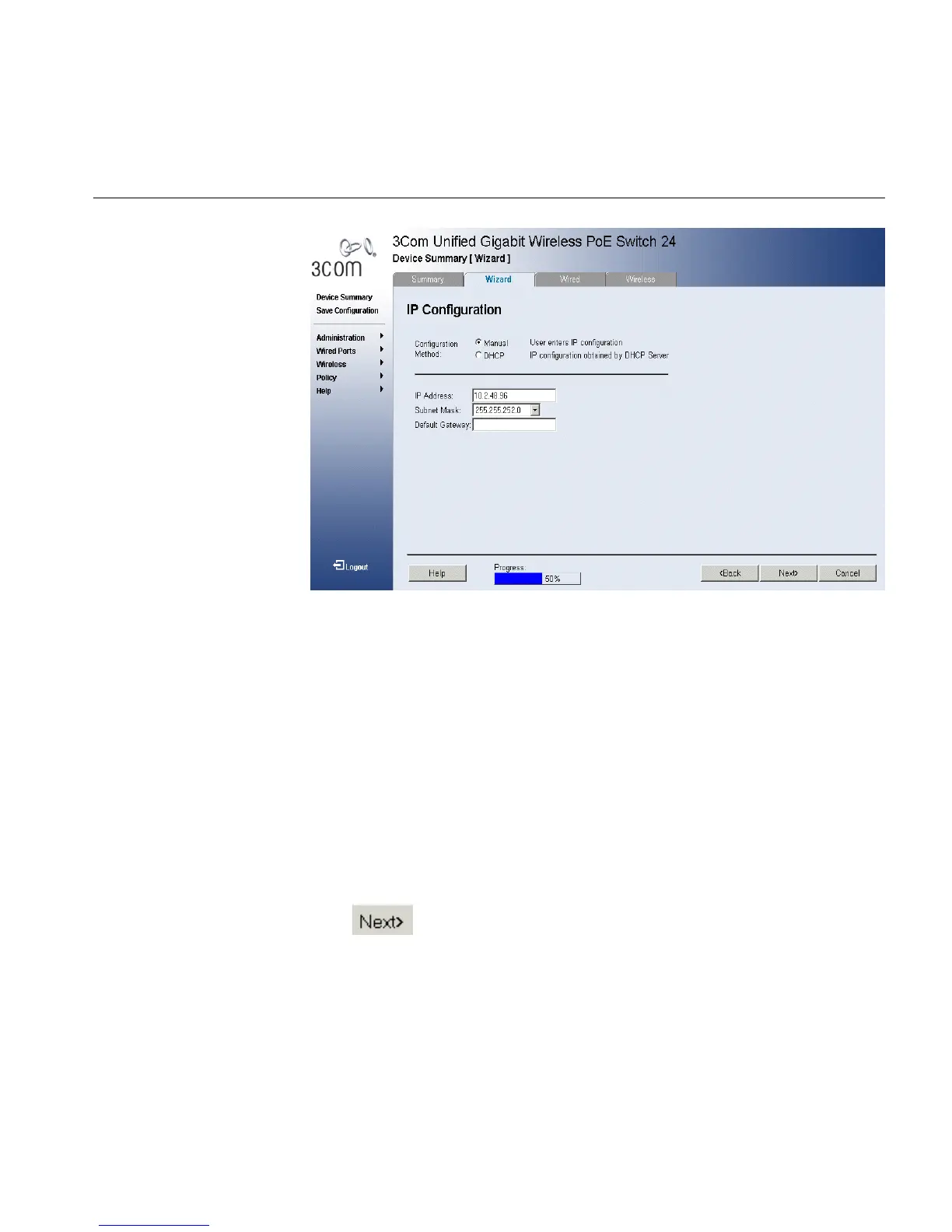
Figure 3 IP Configuration Page
The IP Configuration Page contains the following fields:
■ Configuration Method — Indicates if the IP address has been
configured statically or added dynamically. The possible field values
are:
■ Manual — Indicates that the IP Interface is configured by the user.
■ DHCP — Indicates that the IP Interface is dynamically created.
■ IP Address — Displays the currently configured IP address.
■ Subnet Mask — Displays the currently configured IP address mask.
■ Default Gateway — Displays the currently configured default
gateway.
5 Define the fields.
6 Click to move to the next stage.
The Wireless Configuration Page opens:
Note: The Wireless Configuration Page appears only if the Master Radio
Enable checkbox was selected on the System Setup Page.












 To Next Page