Defining MSTP Port Settings 239
Defining MSTP Port
Settings
Network Administrators can assign MSTP port settings in the Multiple STP
Modify Port Page.
To define Multiple STP Port settings:
1 Click Policy > Spanning Tree > Multiple STP > Modify Port. The
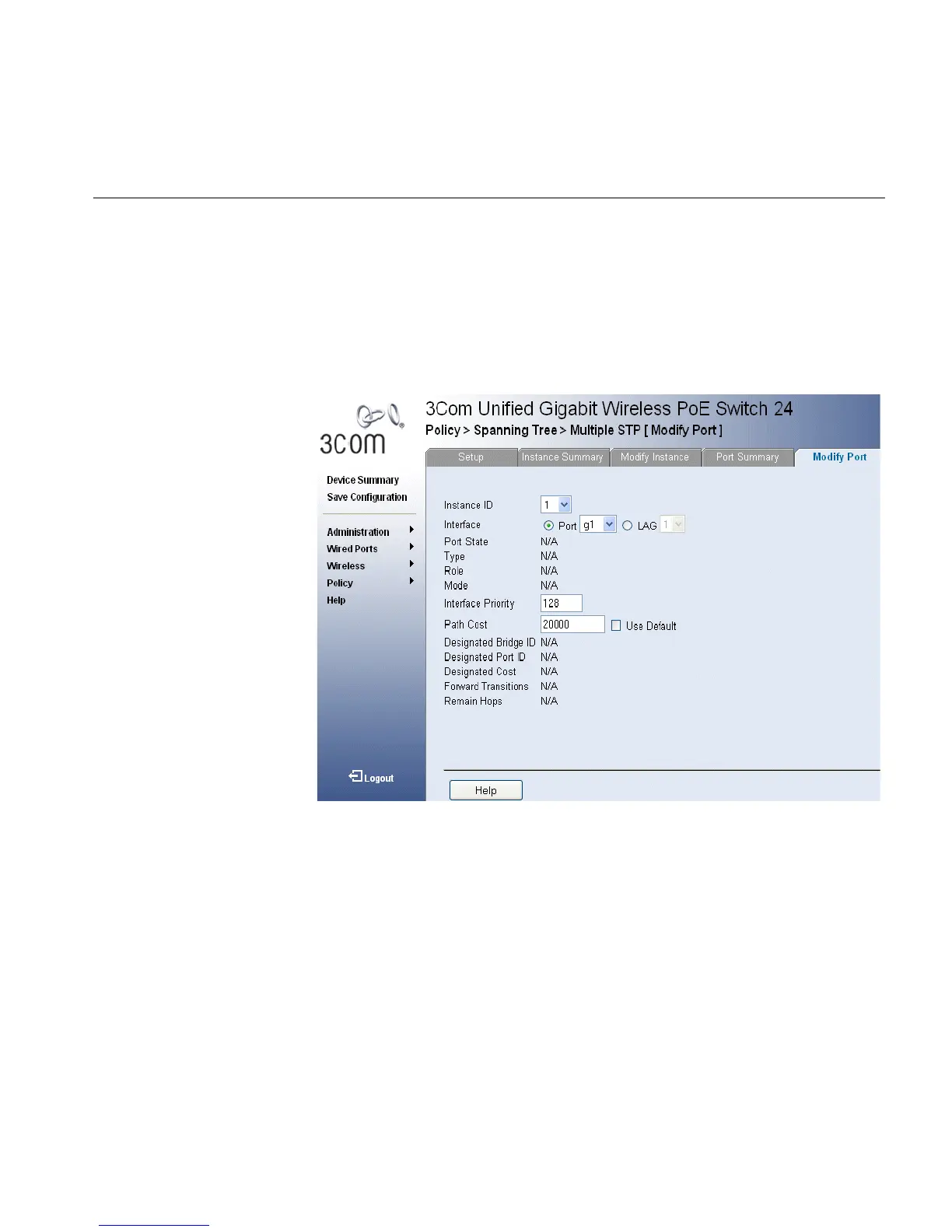
Multiple STP Modify Port Page opens:
Figure 123 Multiple STP Modify Port Page
The
Multiple STP Modify Port Page
contains the following fields:
■ Instance ID — Lists the MSTP instances configured on the device.
Possible field range is 0-15.
■ Port State— Indicates whether the port is enabled for the specific
instance. The possible field values are:
■ Enabled — Enables the port for the specific instance.
■ Disabled — Disables the port for the specific instance.
■ Type — Indicates whether the port is a Boundary or Master port. The
possible field values are:
■ Boundary Port — Indicates that the port is a Boundary port. A
Boundary port attaches MST bridges to LANs in an outlying region.












 To Next Page