Defining ARP Interface Settings 195
Defining ARP
Interface Settings
To configure ARP Entries:
1 Click Administration > IP Addressing > ARP Settings > Setup. The
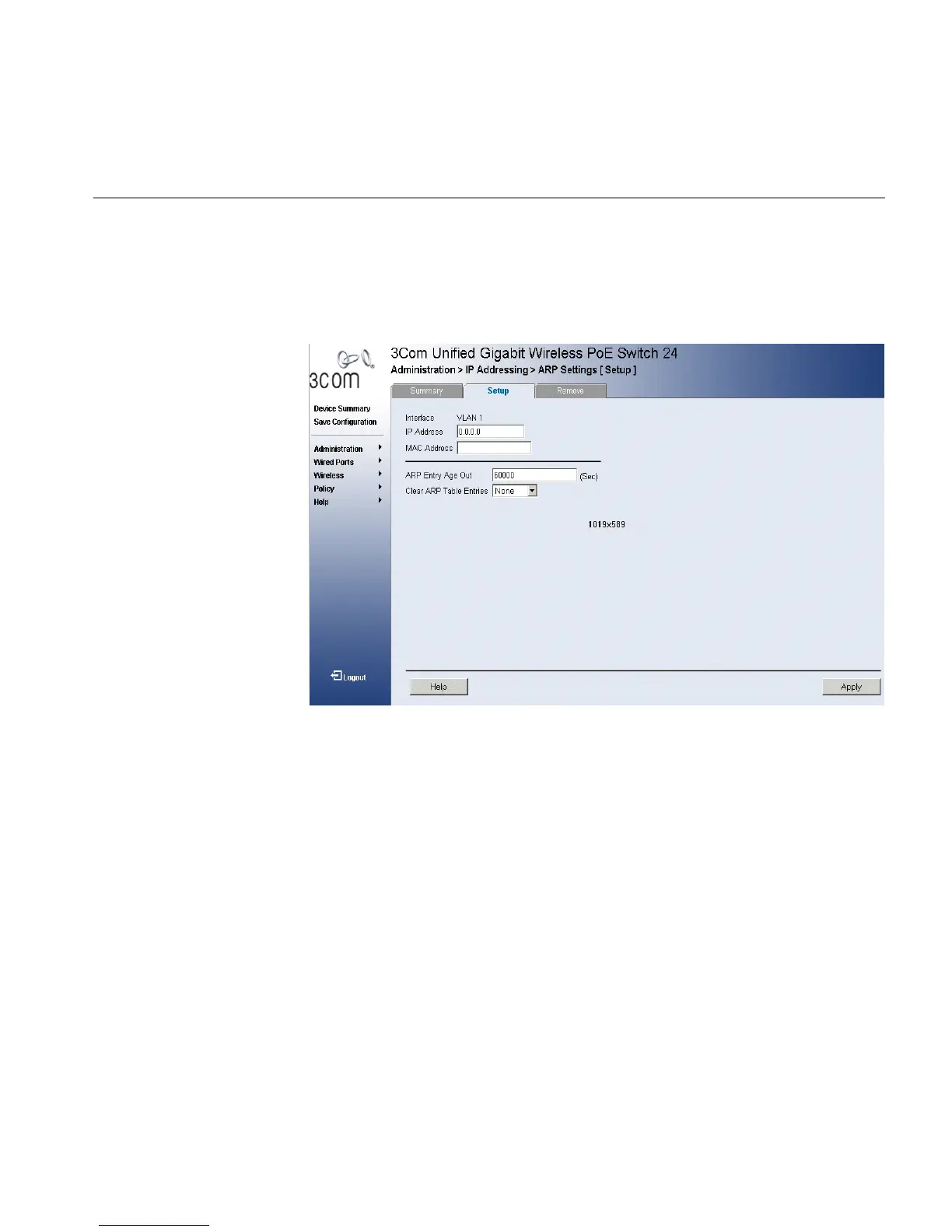
ARP Settings Setup Page opens:
Figure 100 ARP Settings Setup Page
The ARP Settings Setup Page allows network managers to define ARP
parameters for specific interfaces. The ARP Settings Setup Page contains
the following fields:
■ Interface — Displays the interface type for which ARP parameters are
displayed. The possible field value is:
■ VLAN — Indicates the VLAN for which ARP parameters are
defined.
■ IP Address — Indicates the station IP address, which is associated
with the MAC address filled in below.
■ MAC Address — Displays the station MAC address, which is
associated in the ARP table with the IP address.
■ ARP Entry Age Out — Specifies the amount of time (in seconds) that
passes between ARP Table entry requests. Following the ARP Entry
Age period, the entry is deleted from the table. The range is 1 -
40000000. The default value is 60000 seconds.












 To Next Page