Step 5 — Saving Configured Settings 19
Protocol (TKIP). In addition, WPA improves authentication using
EAP. EAP ensures that only authorized network users access the
network though secure encryption systems.
■ WPA2-PSK — Indicates that WPA2-PSK is the selected WLAN
security method. WPA2-PSK improves system security by
encrypting signals at a higher bit rates.
■ Passphrase/Key — Indicates the encryption key type.
■ VLAN ID — Specifies the VLAN ID.
7 Define the fields.
8 Click to move to the final stage.
Step 5 — Saving
Configured Settings
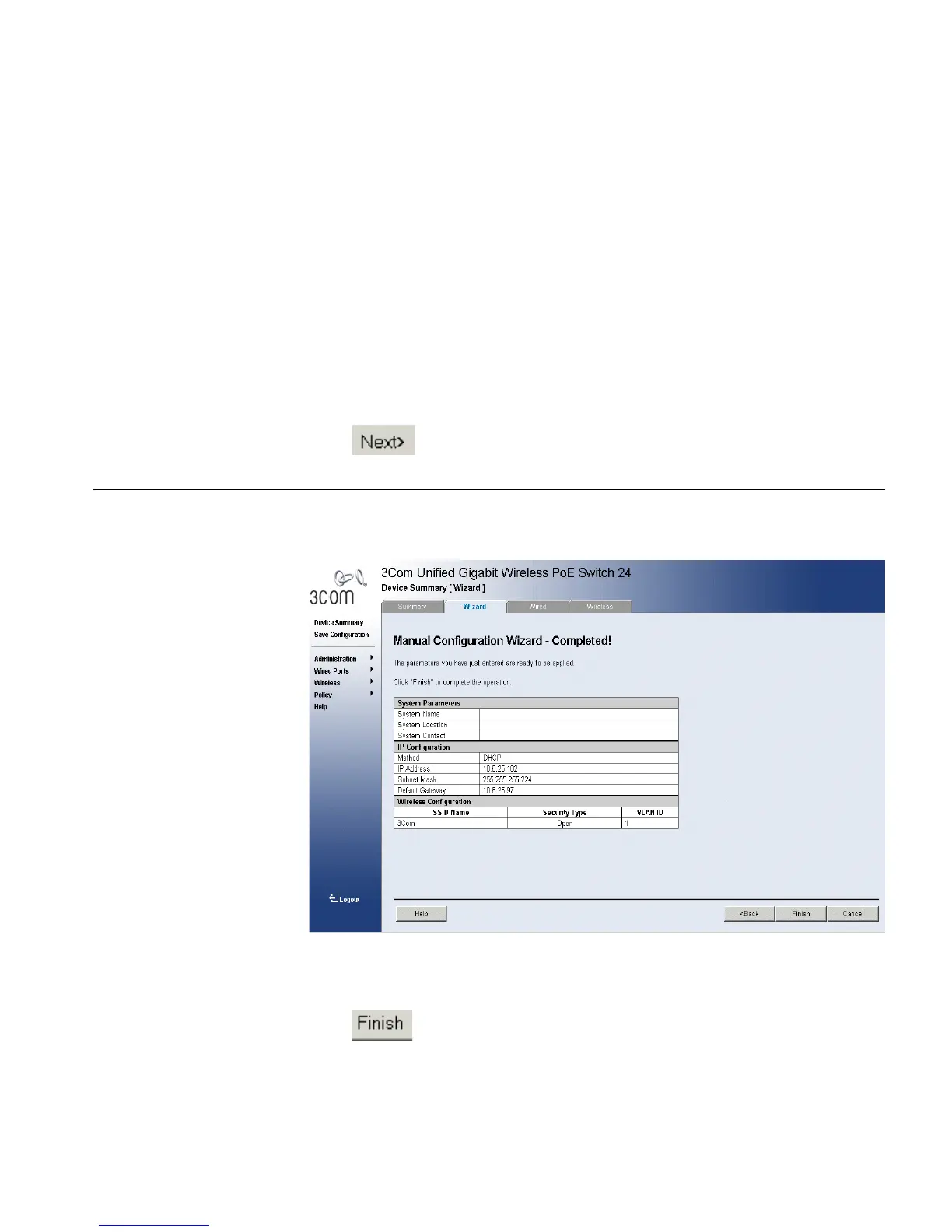
The Manual Configuration Wizard - Completed Page opens:
Figure 5 Manual Configuration Wizard - Completed Page
The Manual Configuration Wizard - Completed Page displays the
manually configured settings. The system administrator can choose to go
back and edit the parameters or,
9 Click . The manually configured settings are saved, and the device
is updated.












 To Next Page