182 CHAPTER 8: DEFINING WLAN
Modifying WLAN
Profiles
To Modify the Profiles Page:
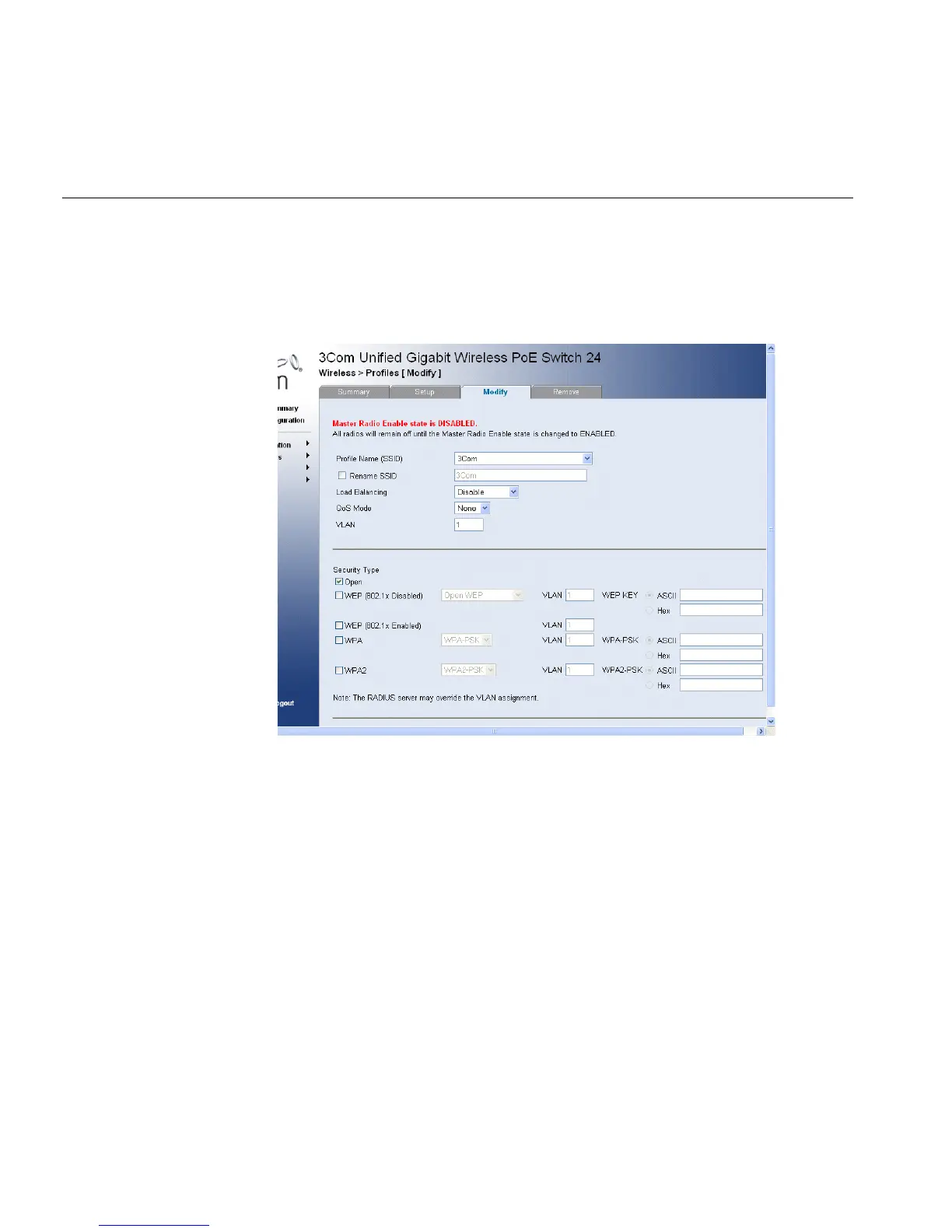
1 Click Wireless > Profiles > Modify. The Profiles Modify Page Profiles
Modify Page opens:
Figure 93 Profiles Modify Page
The Profiles Modify Page contains the following fields:
■ Profile Name (SSID) — Displays the user-defined WLAN profile
name.
■ Rename SSID— Enables renaming of SSID.
■ Load Balancing — Enables the even distribution of data or
processing packets across available network resources. For example,
load balancing may distribute the incoming packets evenly to all
servers, or redirect the packets to the next available server.
■ Disable — Indicates that load balancing is not enabled for the
wireless network. If load balancing is not enabled, the system
autonomously provides services to stations. However, this may
result in uneven stations distribution between AP.












 To Next Page