Viewing RMON Statistics 271
Viewing RMON
Statistics
The RMON Statistics Page contains fields for viewing information about
device utilization and errors that occurred on the device. To view RMON
statistics:
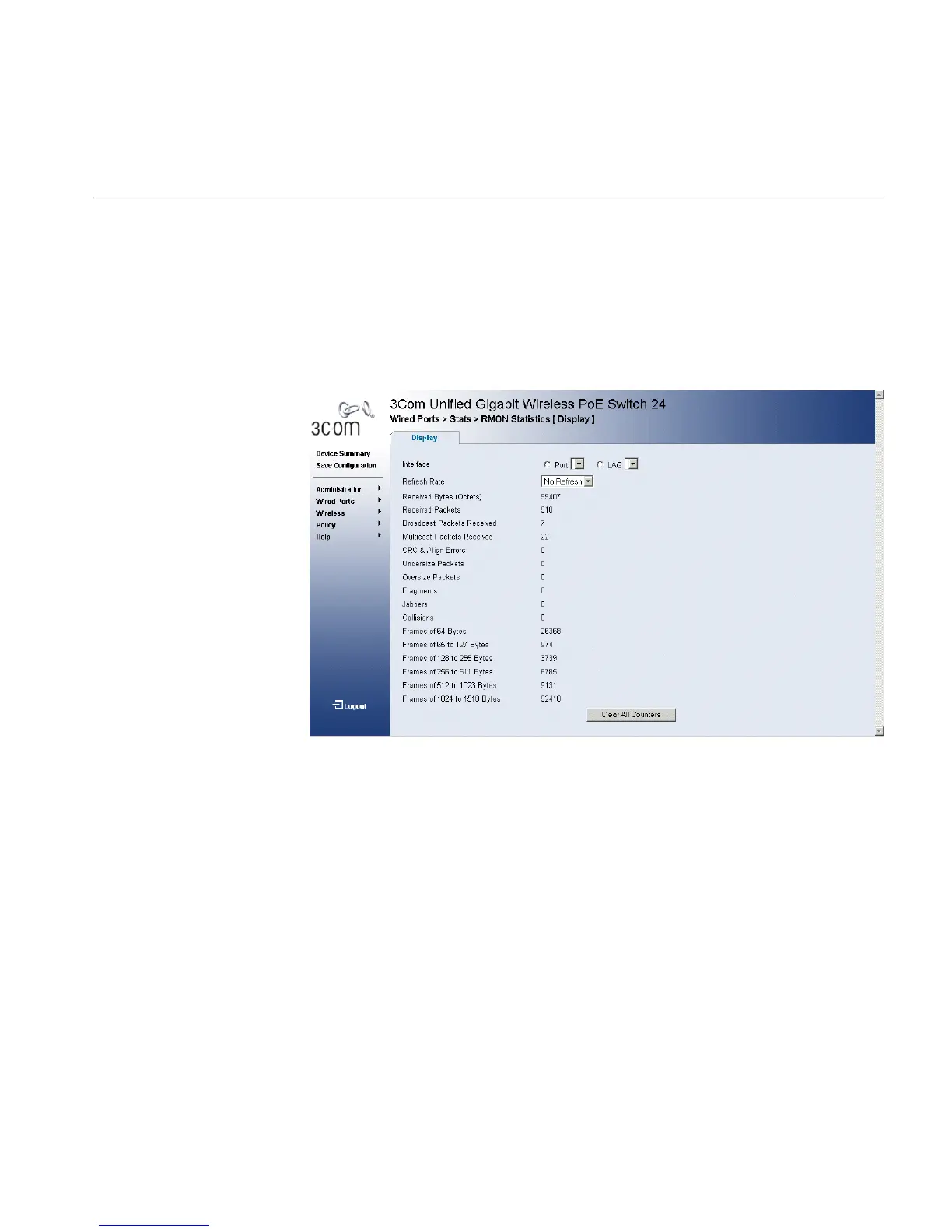
1 Click Wired Ports > Stats > RMON Statistics > Display. The RMON
Statistics Page opens:
Figure 141 RMON Statistics Page
The RMON Statistics Page contains the following fields:
■ Interface — Indicates the device for which statistics are displayed.
The possible field values are:
■ Port — Defines the specific port for which RMON statistics are
displayed.
■ LAG — Defines the specific LAG for which RMON statistics are
displayed.
■ Refresh Rate — Defines the amount of time that passes before the
interface statistics are refreshed. The possible field values are:
■ No Refresh — Indicates that the RMON Statistics are not refreshed.
■ 15 Sec — Indicates that the RMON statistics are refreshed every 15
seconds.
■ 30 Sec — Indicates that the RMON statistics are refreshed every 30
seconds.












 To Next Page