32 CHAPTER 2: GETTING STARTED
To Restore the device:
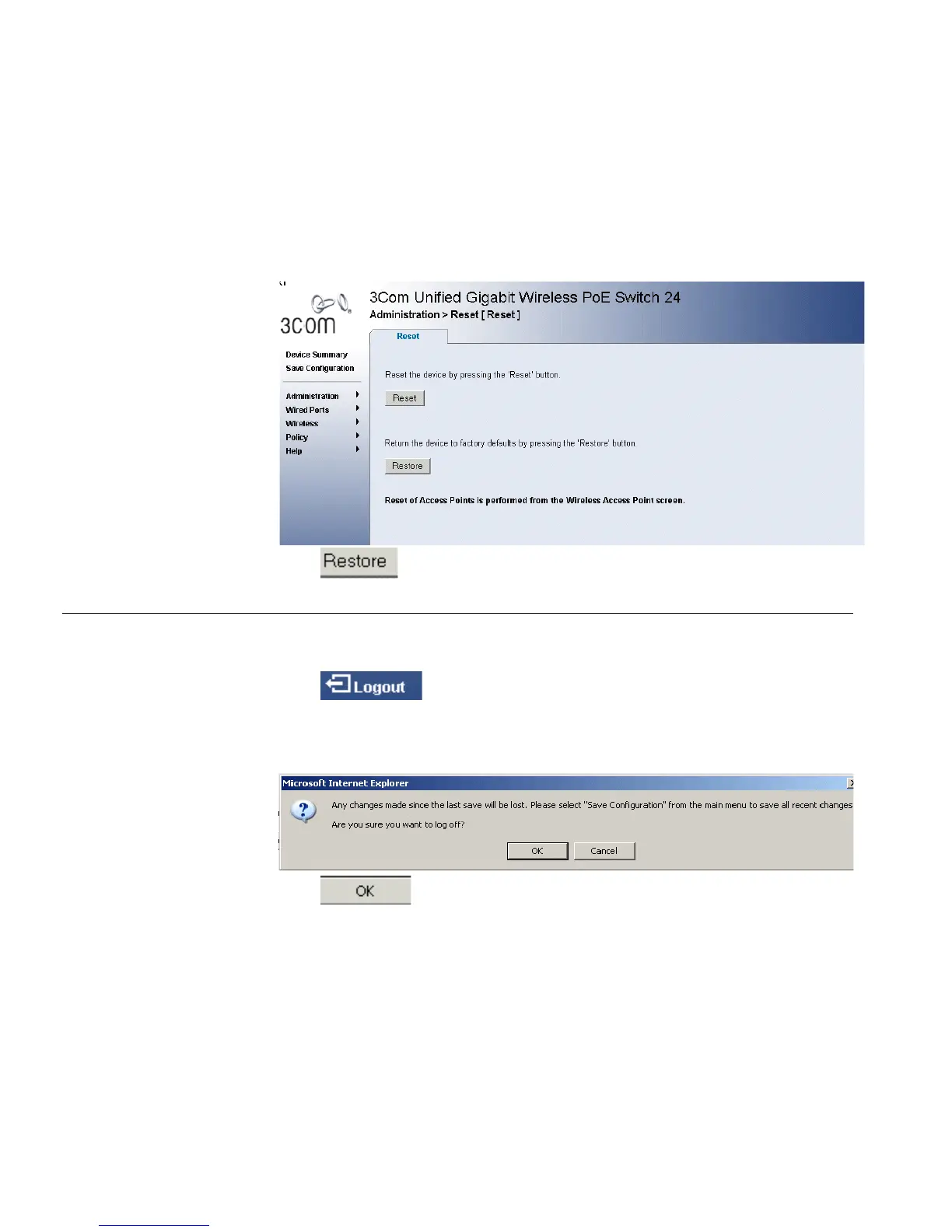
1 Click Administration > Reset. The Reset Page opens:
Figure 16 Reset Page
2 Click . The system is restored to factory defaults.
Logging Off the
Device
To log off the device:
1 Click . The Logout Page opens.
2 The following message appears:
3 Click . The 3Com Embedded Web Interface Home Page
closes.












 To Next Page