Downloading the Software Image 267
Downloading the
Software Image
The Get Image Page permits network managers to retrieve the device
software or the device boot code.
To download the software image:
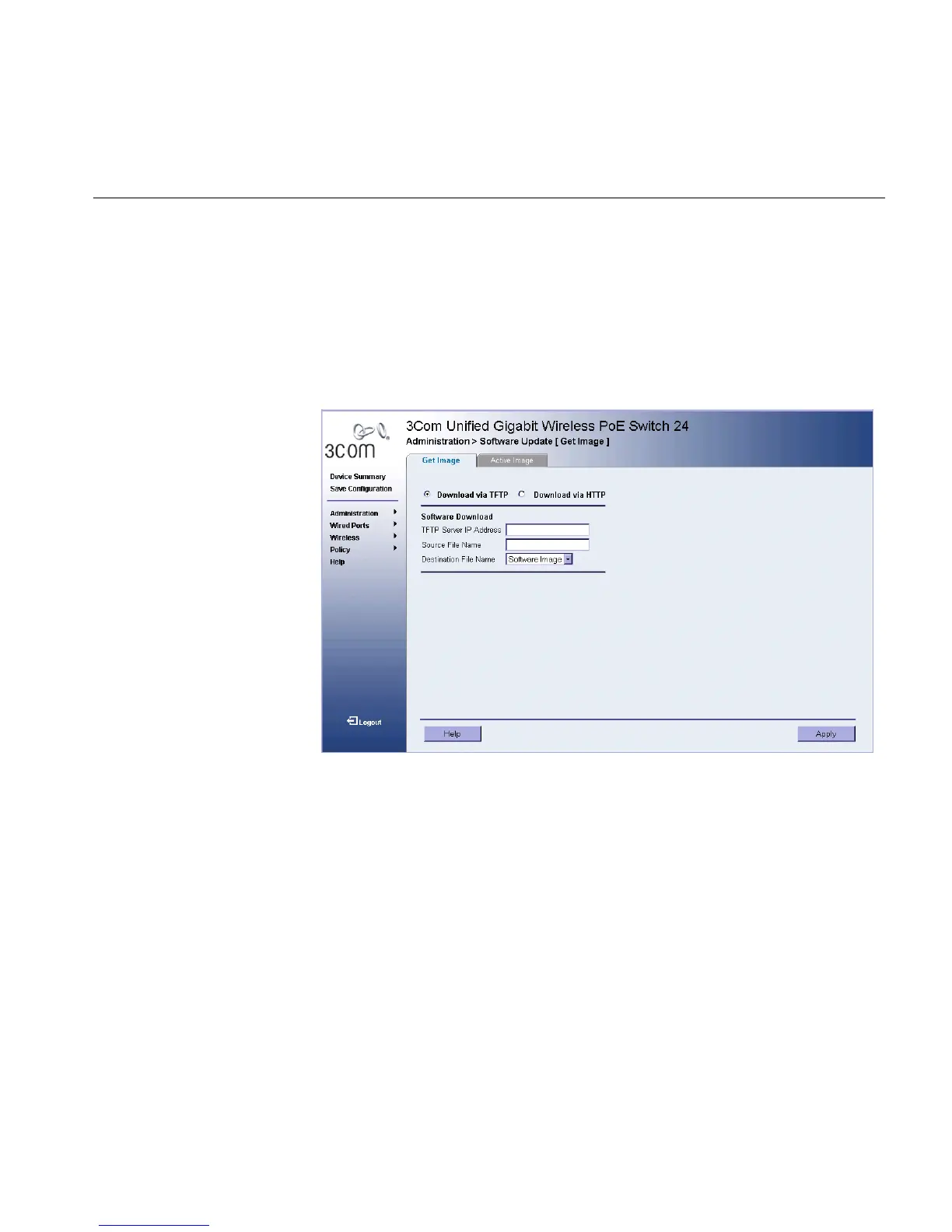
1 Click Administration > Software Update. The Get Image Page opens:
Figure 139 Get Image Page
The Get Image Page contains the following fields:
■ Download via TFTP — Enables initiating a download via the TFTP
server.
■ Download via HTTP — Enables initiating a download via the HTTP
server or HTTPS server.
■ TFTP Server IP Address — Specifies the TFTP Server IP Address from
which the configuration files are downloaded.
■ Source File Name — Specifies the configuration files to be
downloaded.
■ Destination File — Specifies the destination file to which to the
configuration file is downloaded. The possible field values are:












 To Next Page