Defining Classic Spanning Tree for Ports 219
Defining Classic
Spanning Tree for
Ports
Network administrators can assign STP settings to specific interfaces
using the Classic STP Summary Page. The Global LAGs section displays
the STP information for Link Aggregated Groups. To assign STP settings
to an interface:
To view Classic STP:
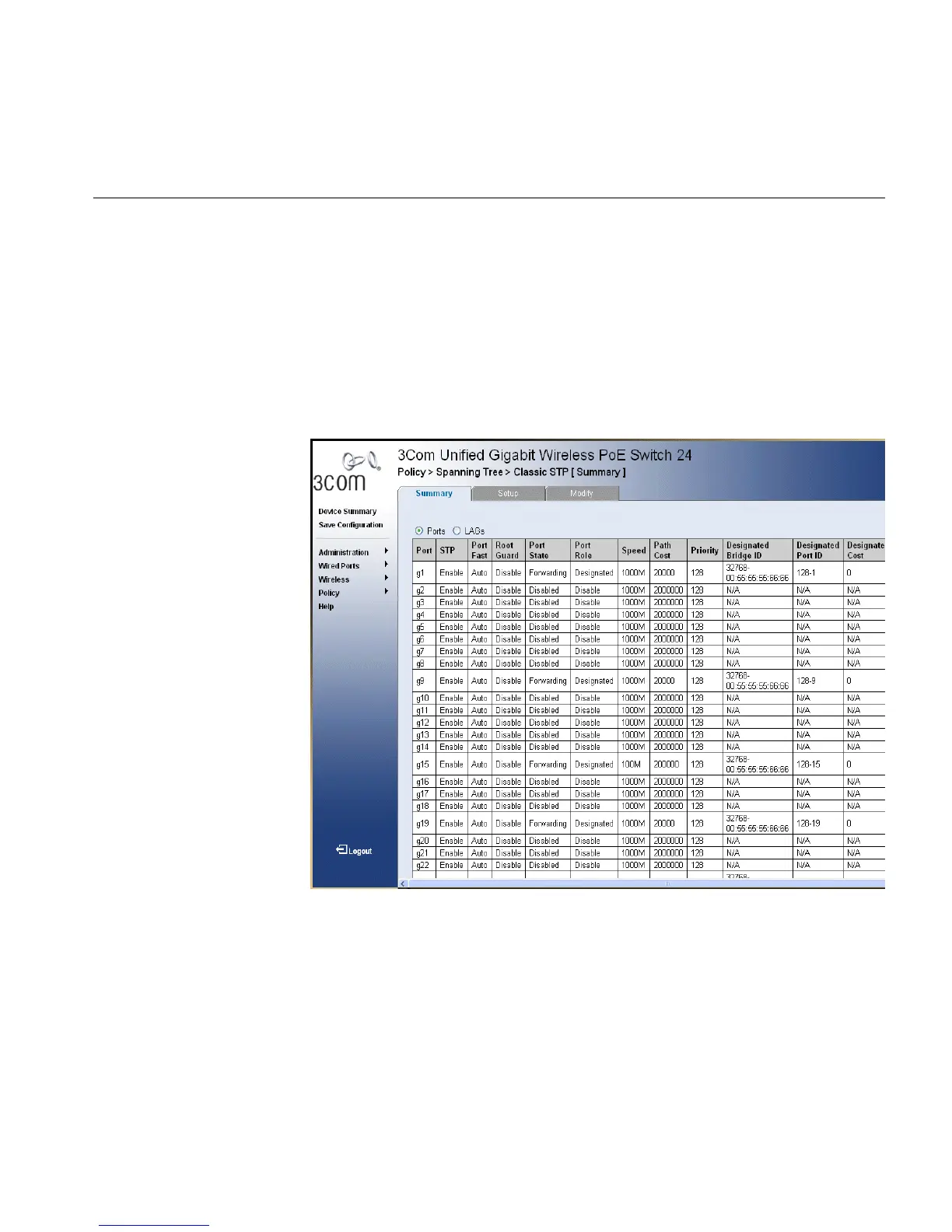
1 Click Policy > Spanning Tree > Classic STP > Summary. The Classic STP
Summary Page opens:
Figure 114 Classic STP Summary Page
The Classic STP Summary Page contains the following fields:
■ Port — The interface for which the information is displayed.
■ STP — Indicates if STP is enabled on the port. The possible field values
are:
■ Enable — Indicates that STP is enabled on the port.
■ Disable — Indicates that STP is disabled on the port.
■ Port Fast — Indicates if Fast Link is enabled on the port. If Fast Link
mode is enabled for a port, the Port State is automatically placed in












 To Next Page