Defining IP Addressing 191
Defining IP
Addressing
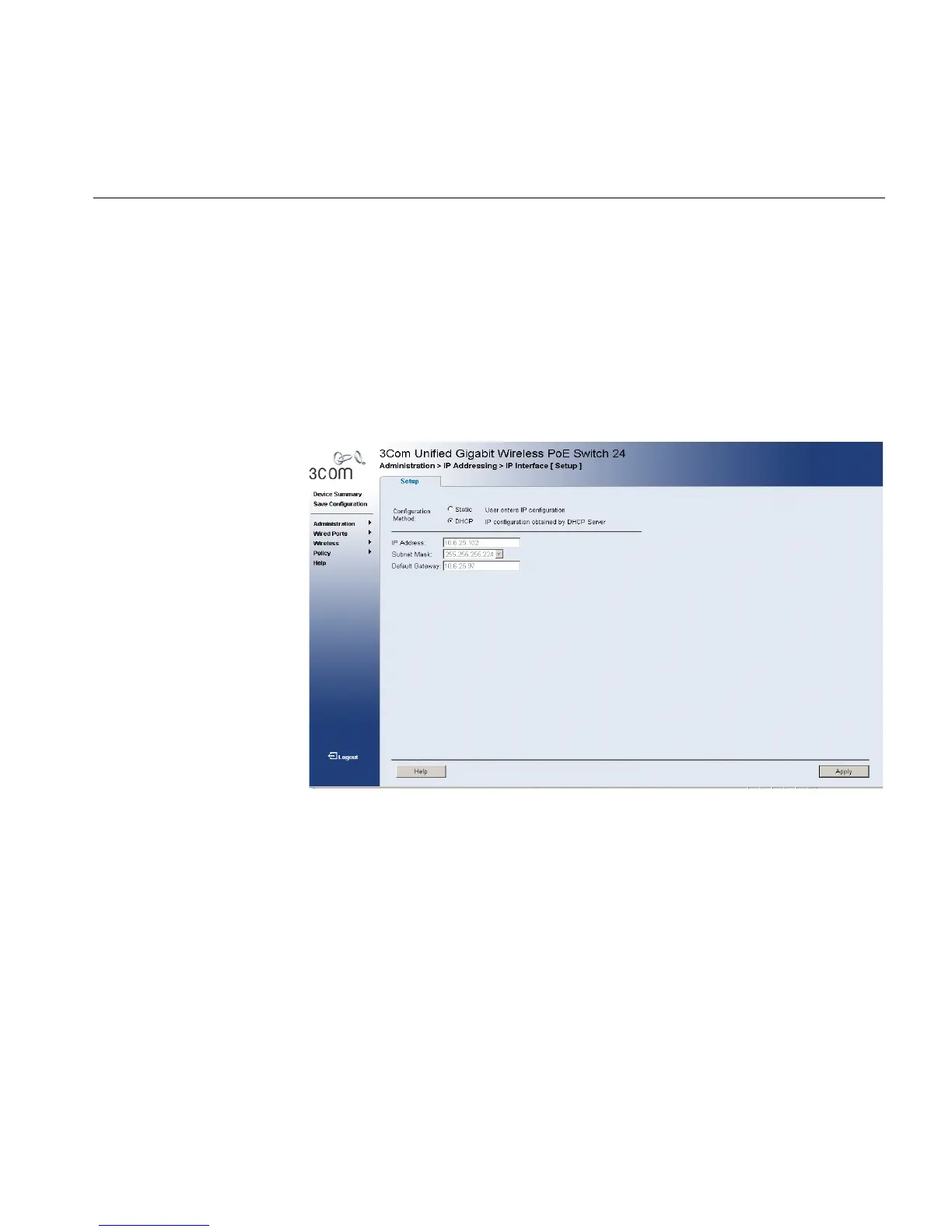
The IP Interface Setup Page contains fields for assigning IP addresses.
Packets are forwarded to the default IP when frames are sent to a remote
network. The configured IP address must belong to the same IP address
subnet of one of the IP interfaces.
To define an IP interface:
1 Click Administration > IP Addressing > IP Interface > Setup. The IP
Interface Setup Page opens:
Figure 98 IP Interface Setup Page
The IP Interface Setup Page contains the following fields:
■ Configuration Method — Indicates if the IP address has been
configured statically or added dynamically. The possible field values
are:
■ Static — Indicates that the IP Interface is configured by the user.
■ DHCP — Indicates that the IP Interface is dynamically created.
■ IP Address — Displays the currently configured IP address.
■ Subnet Mask — Displays the currently configured IP address mask.
■ Default Gateway — Displays the currently configured default
gateway.
2 Select Manual or DHCP mode.












 To Next Page