Modifying Spanning Tree Settings 225
Modifying
Spanning Tree
Settings
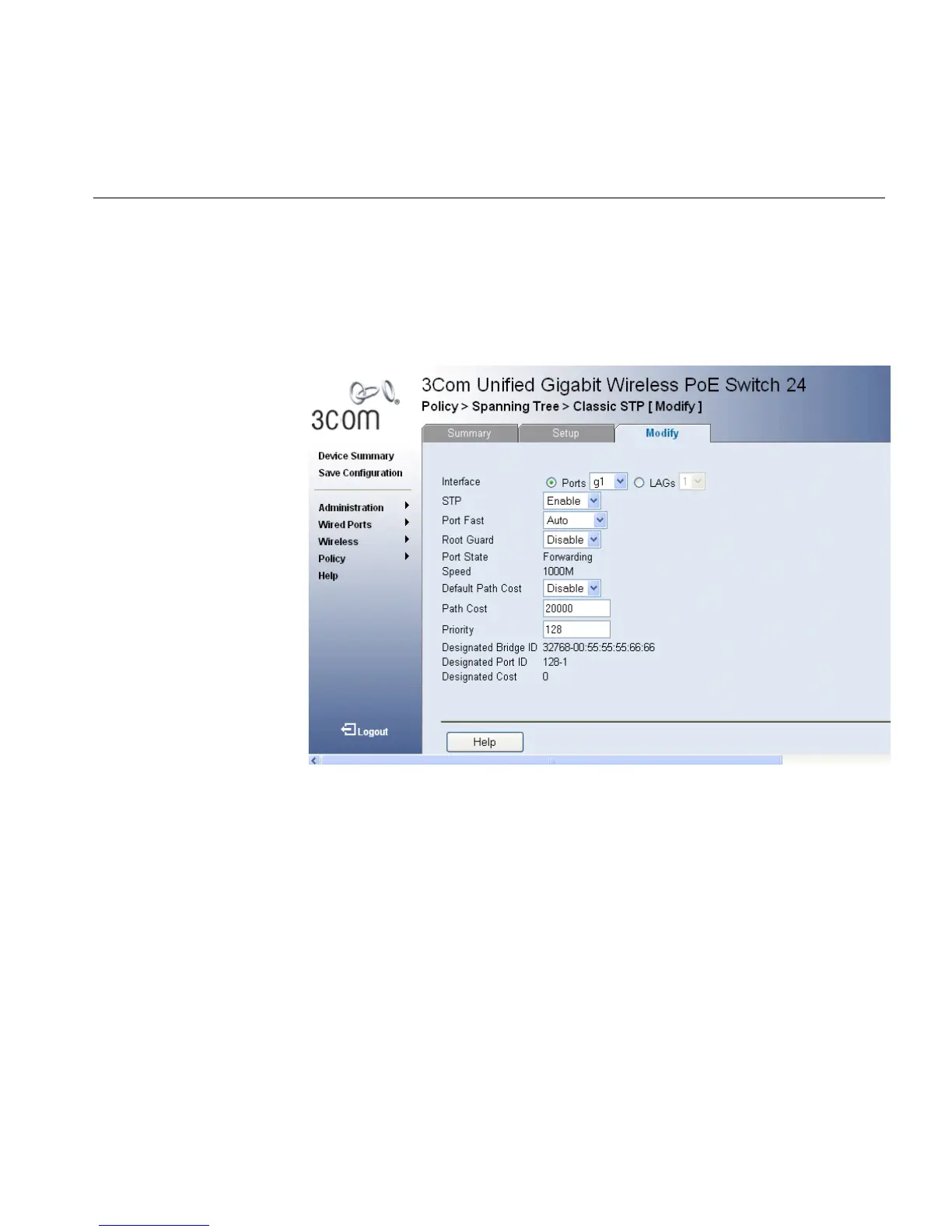
To modify Classic STP:
1 Click Policy > Spanning Tree > Classic STP > Modify. The Classic STP
Modify Page opens:
Figure 116 Classic STP Modify Page
The Classic STP Modify Page contains the following fields:
■ Interface — The interface for which the information is displayed.
■ STP — Indicates if STP is enabled on the port. The possible field values
are:
■ Enabled — Indicates that STP is enabled on the port.
■ Disabled — Indicates that STP is disabled on the port.
■ Port Fast — Indicates if Fast Link is enabled on the port. If Fast Link
mode is enabled for a port, the Port State is automatically placed in
the Forwarding state when the port link is up. Fast Link optimizes the
STP protocol convergence. STP convergence can take 30-60 seconds
in large networks.
■ Root Guard — Restricts the interface from acting as the root port of the
switch.












 To Next Page