80 CHAPTER 3: MANAGING DEVICE SECURITY
Removing
MAC-based ACLs
To remove MAC-based Class Maps:
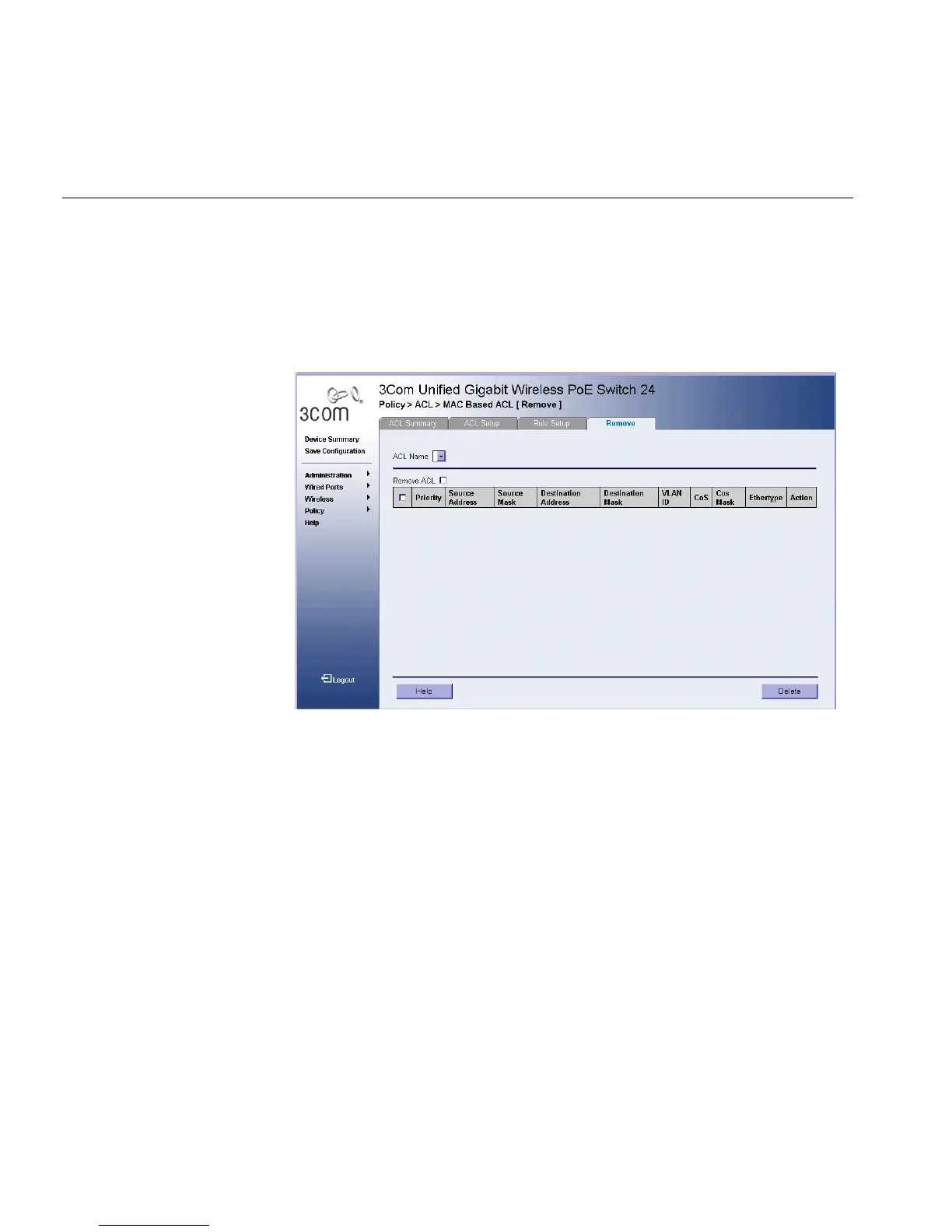
1 Click Policy > ACL > MAC Based ACL > Remove. The MAC-based ACL
Remove Page opens:
Figure 43 MAC-based ACL Remove Page
The MAC-based ACL Remove Page contains the following fields:
■ ACL Name — Contains a list of the MAC-based ACLs.
■ Remove ACL — Enables the ACL to be removed.
■ Priority — Defines the rule priority for the MAC-based ACL.
■ VLAN ID — Specifies the VLAN ID.
■ CoS — Classifies Class of Service of the packet.
■ CoS Mask — Defines the wildcard bits to be applied to the CoS.
■ Ethertype — Provides an identifier that differentiates between
various types of protocols.
■ Action — Indicates the ACL forwarding action. Possible field values
are:
■ Permit — Forwards packets which meet the ACL criteria.
■ Deny — Drops packets which meet the ACL criteria.












 To Next Page