34 CHAPTER 3: VIEWING BASIC SETTINGS
Viewing Device
Settings
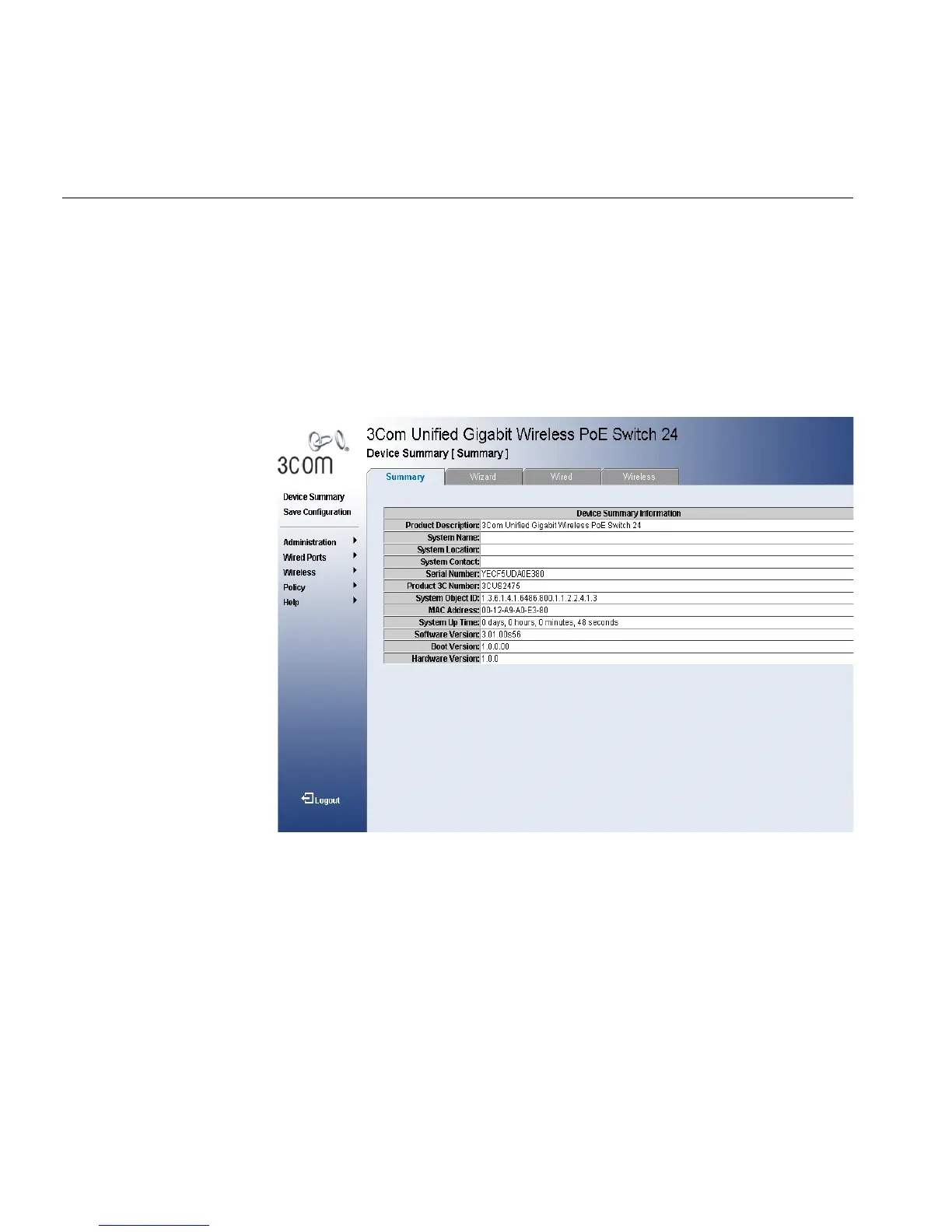
The Device Summary Page displays parameters for configuring general
device information, including the system name, location, and contact, the
system MAC Address, System Object ID, System Up Time, and MAC
addresses, and both software, boot, and hardware versions.
To view the Device Summary Page:
1 Click Device Summary. The Device Summary Page opens:
Figure 17 Device Summary Page
The Device Summary Page contains the following fields:
■ Product Description — Displays the device model number and name
■ System Name — Defines the user-defined device name. The field
range is 0-160 characters.
■ System Location — Defines the location where the system is
currently running. The field range is 0-160 characters.
■ System Contact — Defines the name of the contact person. The field
range is 0-160 characters.
■ Serial Number — Displays the device serial number.
■ Product 3C Number — Displays the 3Com device serial number.












 To Next Page