Configuring RMON History 275
■ Current Number of Samples — Displays the current number of
samples taken.
■ Owner — Displays the RMON station or user that requested the
RMON information. The field range is 0-20 characters.
To configure RMON History:
1 Click Wired Ports > Stats > RMON History > Control Setup. The
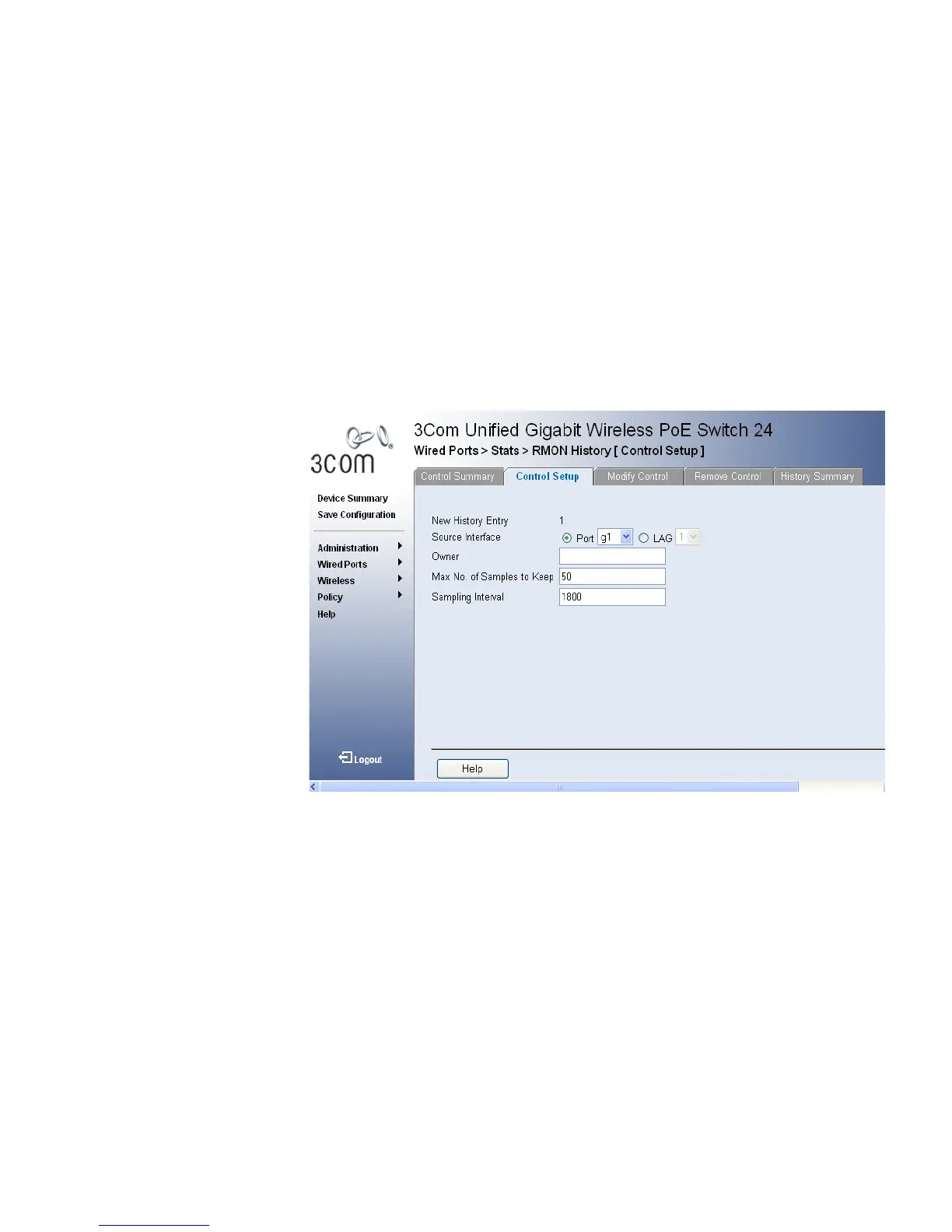
RMON History Control Setup Page opens:
Figure 143 RMON History Control Setup Page
The RMON History Control Setup Page contains the following fields:
■ New History Entry No. — Displays the new entry number for the
History Control Table page.
■ Source Interface — Displays the interface from which the history
samples were taken. The possible field values are:
■ Port — Specifies the port from which the RMON information was
taken.
■ Owner — Displays the RMON station or user that requested the
RMON information. The field range is 0-20 characters.
■ Max No. of Samples to Keep — Number of samples to be saved.
The default value is 50.












 To Next Page