36 CHAPTER 3: VIEWING BASIC SETTINGS
To view Wired Settings:
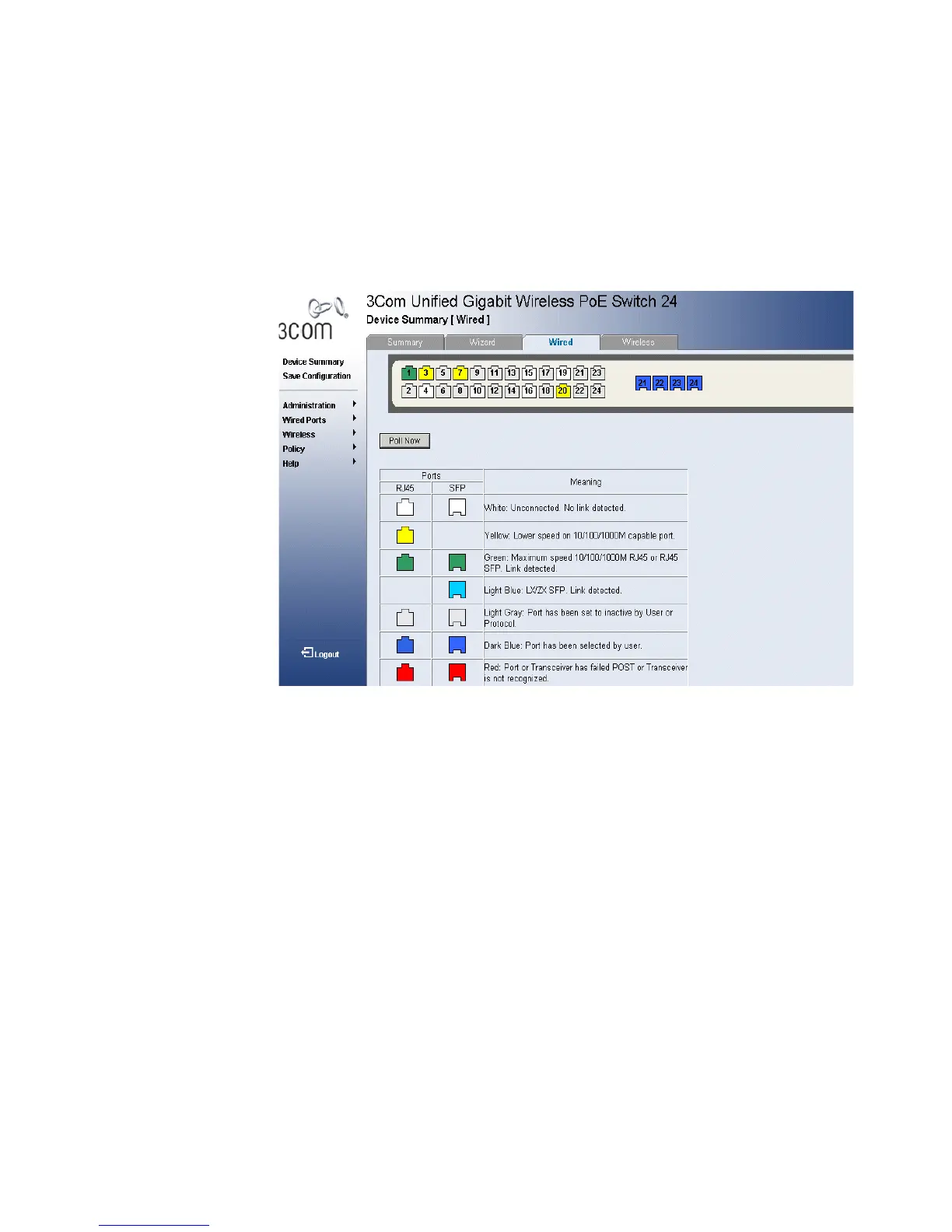
1 Click Device Summary > Wired. The Device Summary Wired Page opens:
Figure 18 Device Summary Wired Page
The Device Summary Wired Page contains the following fields:
■ Poll Now — Enables polling the ports for port information including
speed, utilization and port status.
■ RJ45 — Displays the port status of the RJ45 (Registered Jack 45)
connections which are the physical interface used for terminating
twisted pair type cable.
■ SFP — Displays the port status of the Small Form Factor (SFP) optical
transmitter modules that combine transmitter and receiver functions.
The table includes the color and the port status:
■ White — Unconnected. No link detected.
■ Yellow — Lower speed on 10/100/1000M capable port.
■ Green — Maximum speed 10/100/1000M RJ45 or RJ45
SFP. Link detected.
■ Light Blue — SX/LX SFP. Link detected.












 To Next Page