Managing Port Security 65
To view Port Security:
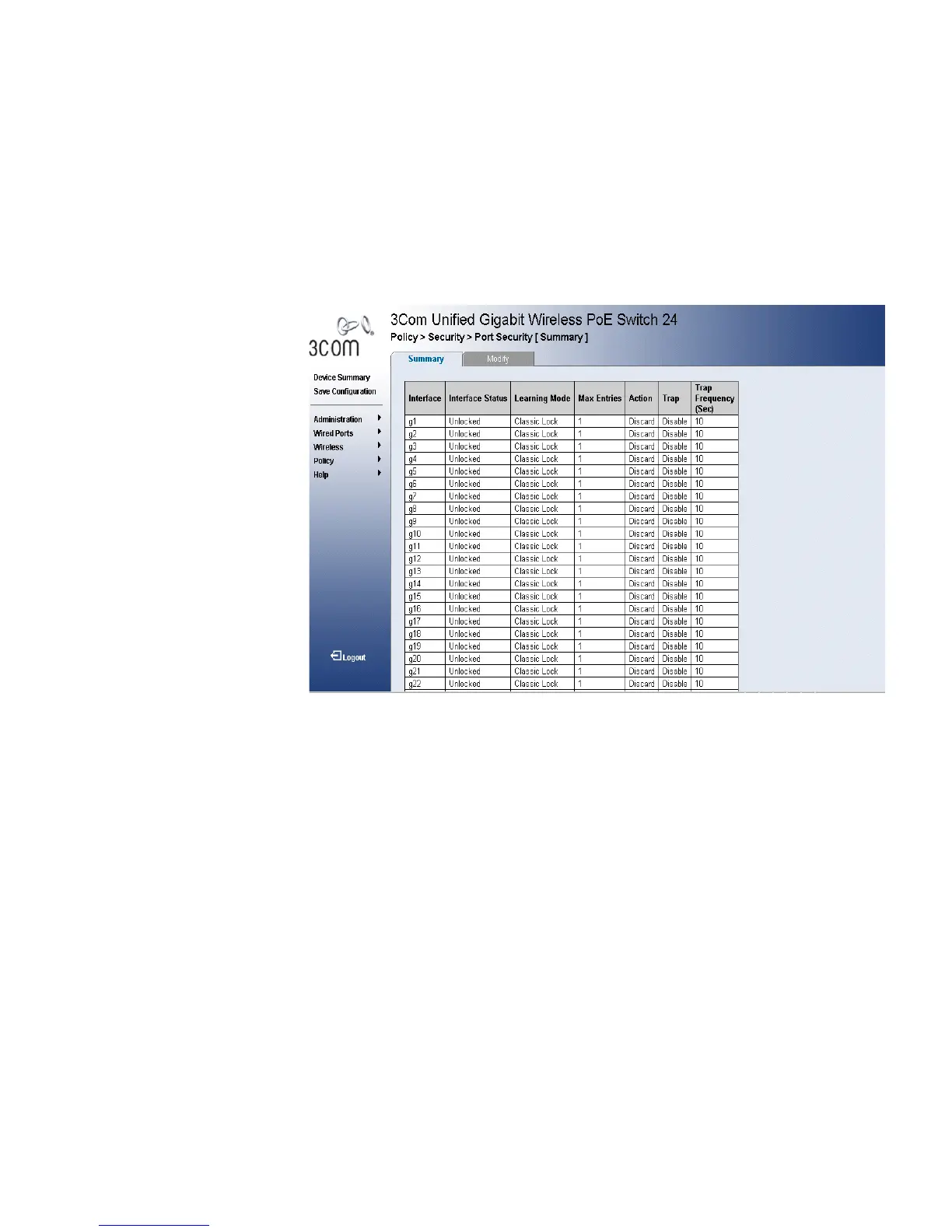
1 Click Policy > Security > Port Security > Summary. The Port Security
Summary Page opens:
Figure 35 Port Security Summary Page
The Port Security Summary Page contains the following fields:
■ Interface — Displays the port or LAG name.
■ Port-based — Indicates the port operational status. Possible field
values are:
■ Unlocked — The port is currently active and is currently receiving
and transmitting traffic.
■ Locked — The port is currently disabled, and is not currently
receiving or transmitting traffic.
■ Learning Mode — Defines the locked port type. The Learning Mode
field is enabled only if Locked is selected in the Set Port field.The
possible field values are:
■ Classic Lock — Locks the port using the classic lock mechanism.
The port is immediately locked, regardless of the number of
addresses that have already been learned.
■ Limited Dynamic Lock — Locks the port by deleting the current
dynamic MAC addresses associated with the port. The port learns












 To Next Page