8210-00020 R1 35
3.14. Attach the S-Drive
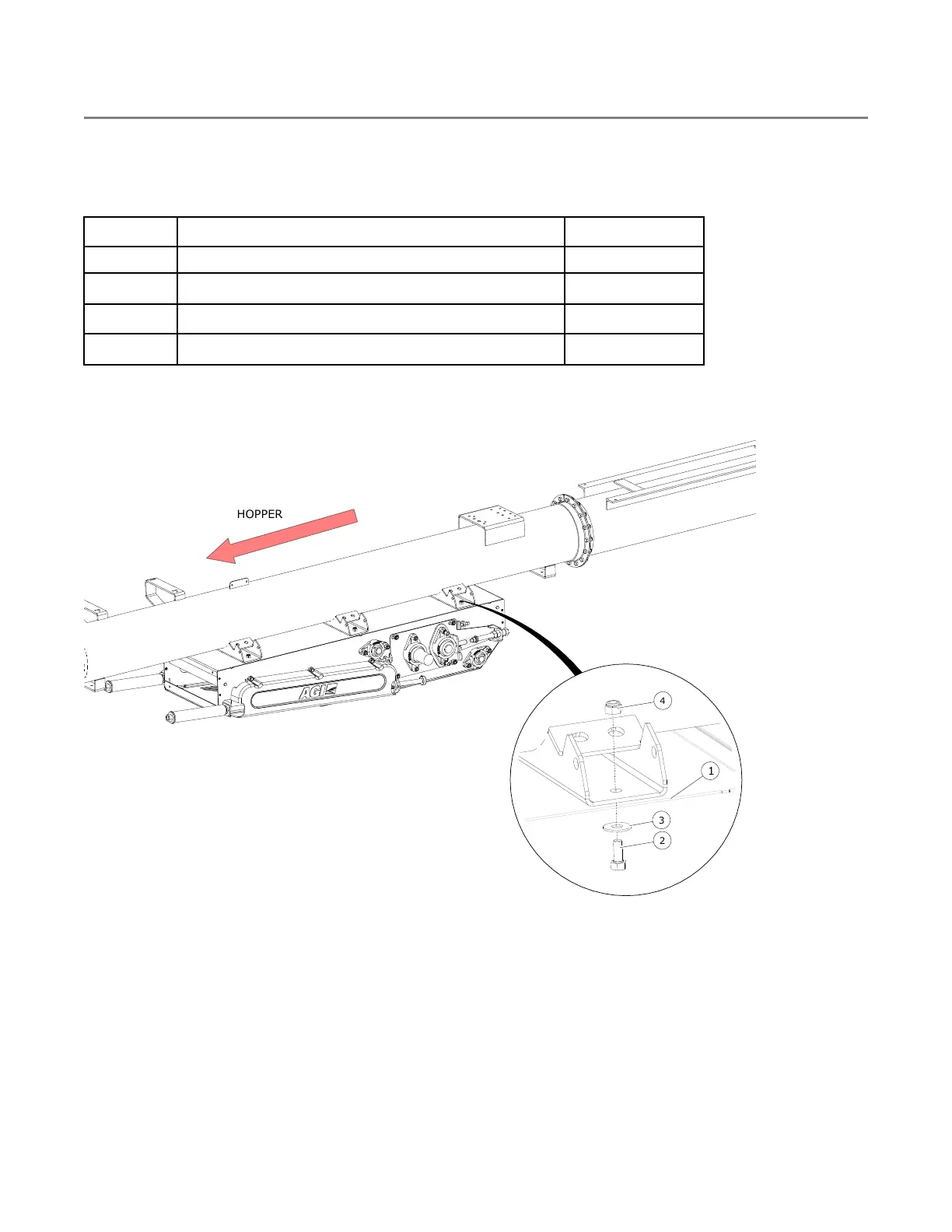
1. Attach the s-drive (1) to the brackets with 7/16" x 1" bolts (2), 7/16" flat washers (3), and 7/16" locknuts (4)
(see Figure 22).
Table 9. Components to Install S-Drive
Item
Description Quantity
1 S-Drive 1
2
1/2" x 1–1/4" Hex Bolt (GR8)
6
3
1/2" Flat Washer
6
4
1/2" Nylock Nut (GR8)
6
Hardware Kit: HRDW-15-40
Figure 22. Attaching the S-Drive
FIELD LOADER S-DRIVE – PORTABLE GRAIN BELT CONVEYOR 3. ASSEMBLY


 To Next Page