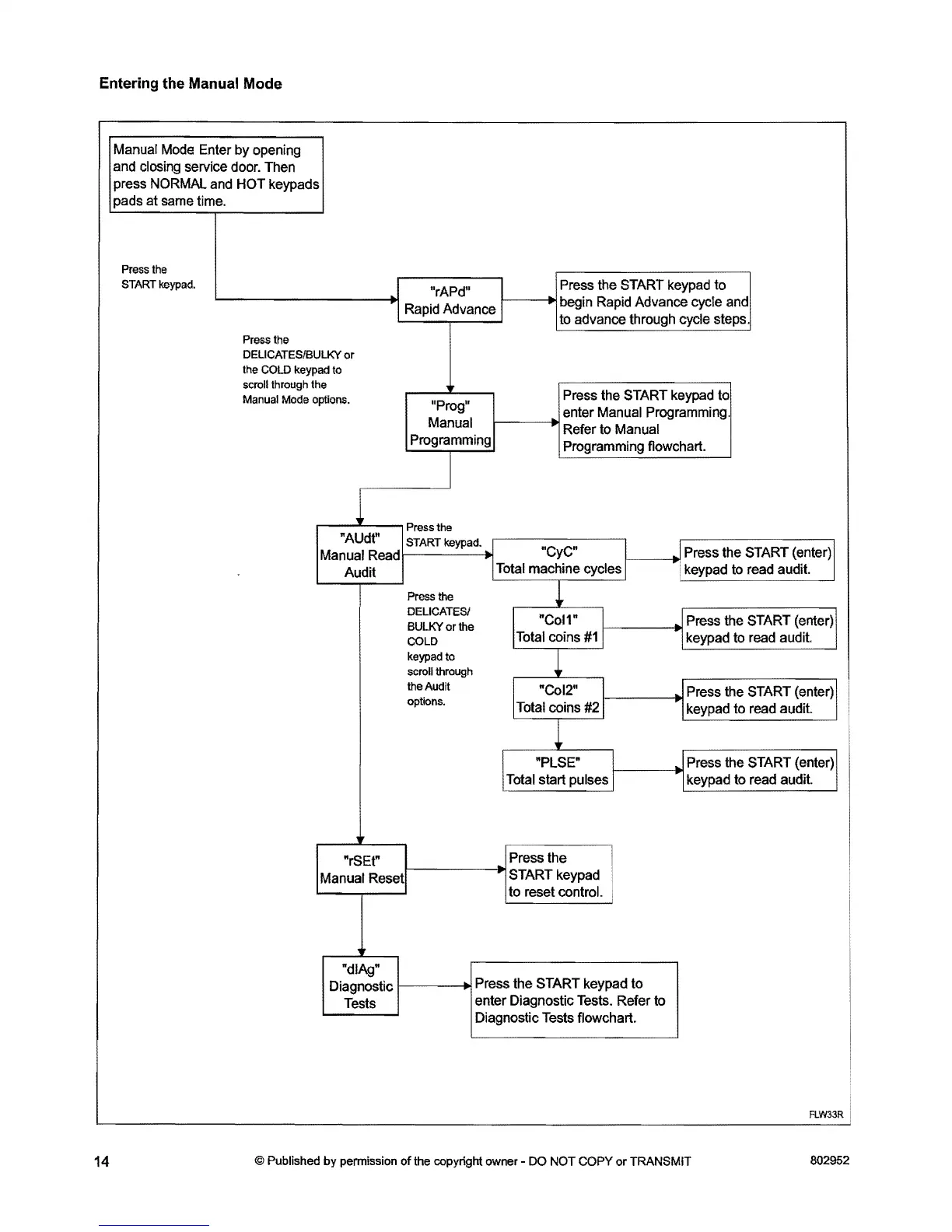
Entering the Manual Mode
Manual Mode Enter by opening
and closing service door. Then
press NORMAL and HOT keypads
pads at same time.
Press
the
START
keypad.
"rAPd" Press the
START keypad to
Rapid Advance
1------..1
begin Rapid Advance cycle and
to advance through cycle steps.
Press
the
DELICATES/BULKY
or
the
COLD
keypad
to
scroll
through
the
Manual
Mode
options.
Press the START keypad to
"Prog"
enter Manual Programming.
Manual
l----~
Refer to Manual
Programming Programming flowchart.
Press
the
"AUdt"
START
keypad.
Manual Read
"CyC"
1
. Press the START (enter) 1
Total machine cycles 1 . keypad to read audit.
Audit
Press the
~
DELICATESI
BULKY
or the
I.
"CoW
1
.I
Press the START (enter) 1
COLD
Total coins
#1
1
1keypad to read audit.
keypad
to
scroll
through
~
the Audit
1
"CoI2"
1
JPress the START (enter) 1
options.
Total coins
#21
1keypad to read audit.
"PLSE"
1
.I
Press the START (enter) 1
Total start pulses 1
·1
keypad to read audit.
Press the
I
.
to reset control.
Diagnostic
l----~
Press the START keypad to
enter Diagnostic Tests. Refer to
Diagnostic Tests flowchart.
"rSEt"
Manual
Resetl-------JoI
START keypad
"dIAg"
Tests
FLW33R
14
© Published by permission of
the
copyright
owner
-
DO
NOT
COPY or TRANSMIT
802952



 To Next Page