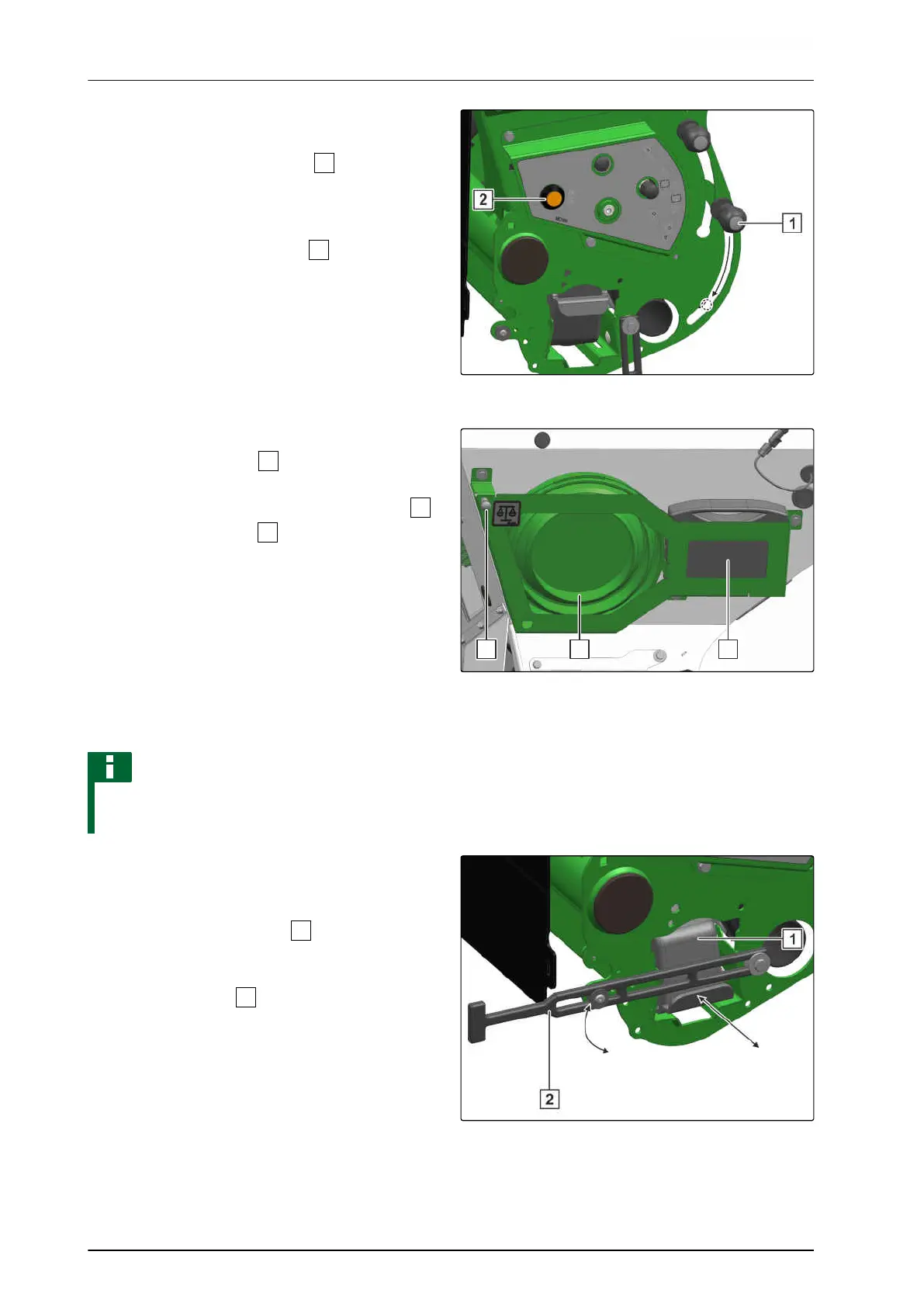
6. To move the calibration lever to the
calibration position,
press and hold the lock button
and push it
down.
7. To the fertiliser metering unit,
Actuate the calibration button
for 10 seconds.
8. Empty the calibration bucket.
9. To calibrate the spread rate for the fertiliser,
refer to the ISOBUS software operating manual,
"Calibrating the spread rate for fertiliser or
micropellets".
CMS-I-00001933
10. Fill the fertiliser from the calibration buckets into
the collapsible bucket
.
11. Hook on the collapsible bucket with the scale
on the weighing point
.
12. Enter the determined value on the control
terminal.
13. To enter the spread rate for the fertiliser on the
control terminal,
refer to the ISOBUS software operating manual,
"Calibrating the spread rate for fertiliser or
micropellets".
NOTE
To prevent overflowing of the calibration bucket,
monitor the fill level.
CMS-I-00001956
14. Empty the calibration bucket.
15. To prevent soiling of the calibration buckets,
slide the calibration bucket
under the metering
unit with the opening facing down.
16. Swivel up the lock
and close it.
17. To move the calibration lever into working
position,
press and hold the lock button and push it
upwards.
CMS-I-00001932
6 | Preparing the machine
Preparing the implement for operation
MG6660-EN-II | D.1 | 27.09.2021
130





 To Next Page