CPS100 SERIES OPERATION MANUAL
SECTION 9:
USB Driver Installation
Entire Contents Copyright 2018 by Adaptive Power Systems, Inc. (APS) • All Rights Reserved • No reproduction without written authorization from APS.
APS CPS100 Series Power Source Operation Manual Page 190 of 231
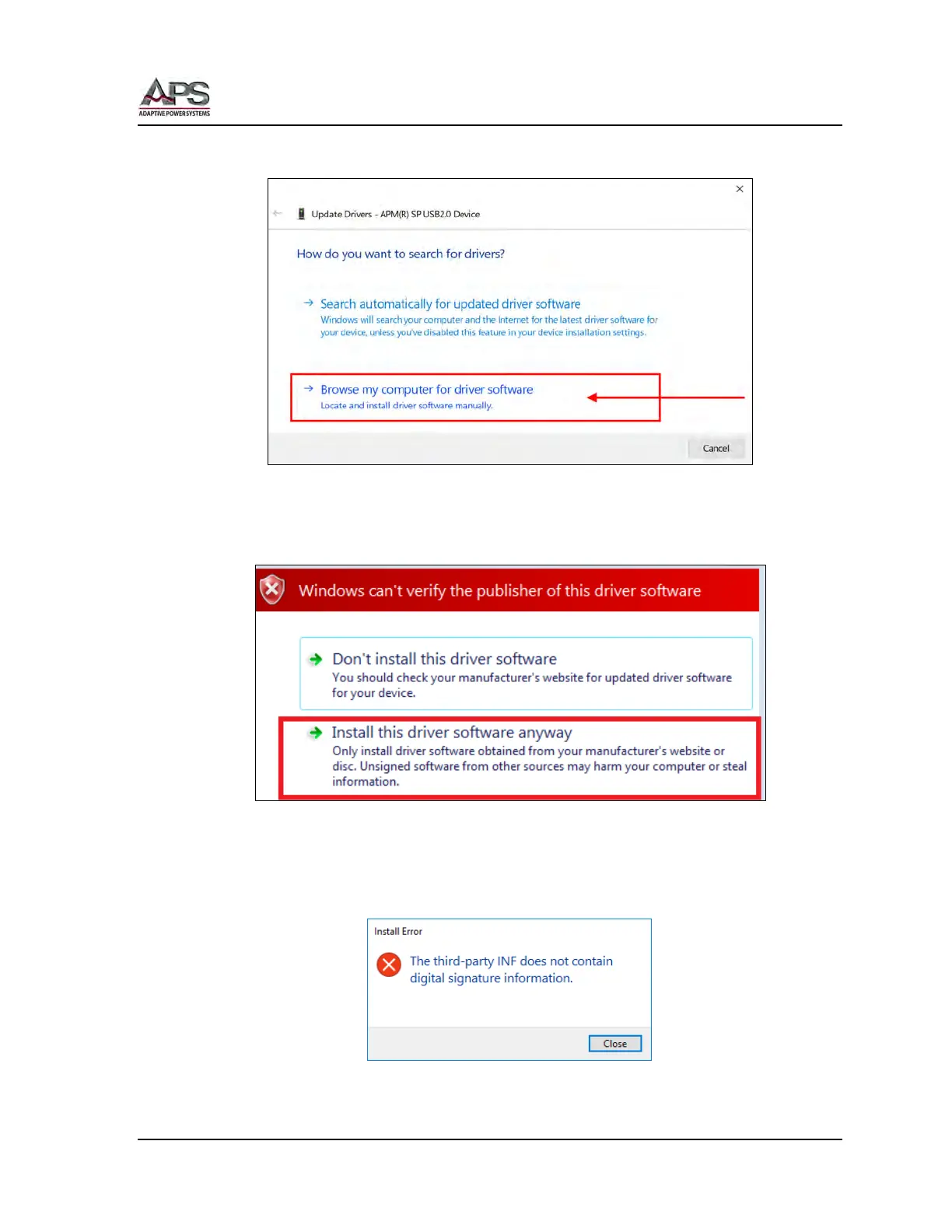
When prompted, select the Browse for driver entry as shown in Figure 9-2 below.
Figure 9-2: Driver installation prompt
A warning will appear regarding the driver software publisher verification. Select the second
entry “Install this driver software anyway”. See Figure 9-3.
Figure 9-3: Driver Publisher verification Prompt
If instead of the dialog box shown above, you encounter an “Install Error” like the one
shown here, you will need to disable your digital authentication mode in Windows 10 first.
See section 9.3, “Disabling Driver Signature Enforcement in Windows 10” on page 192.



 To Next Page