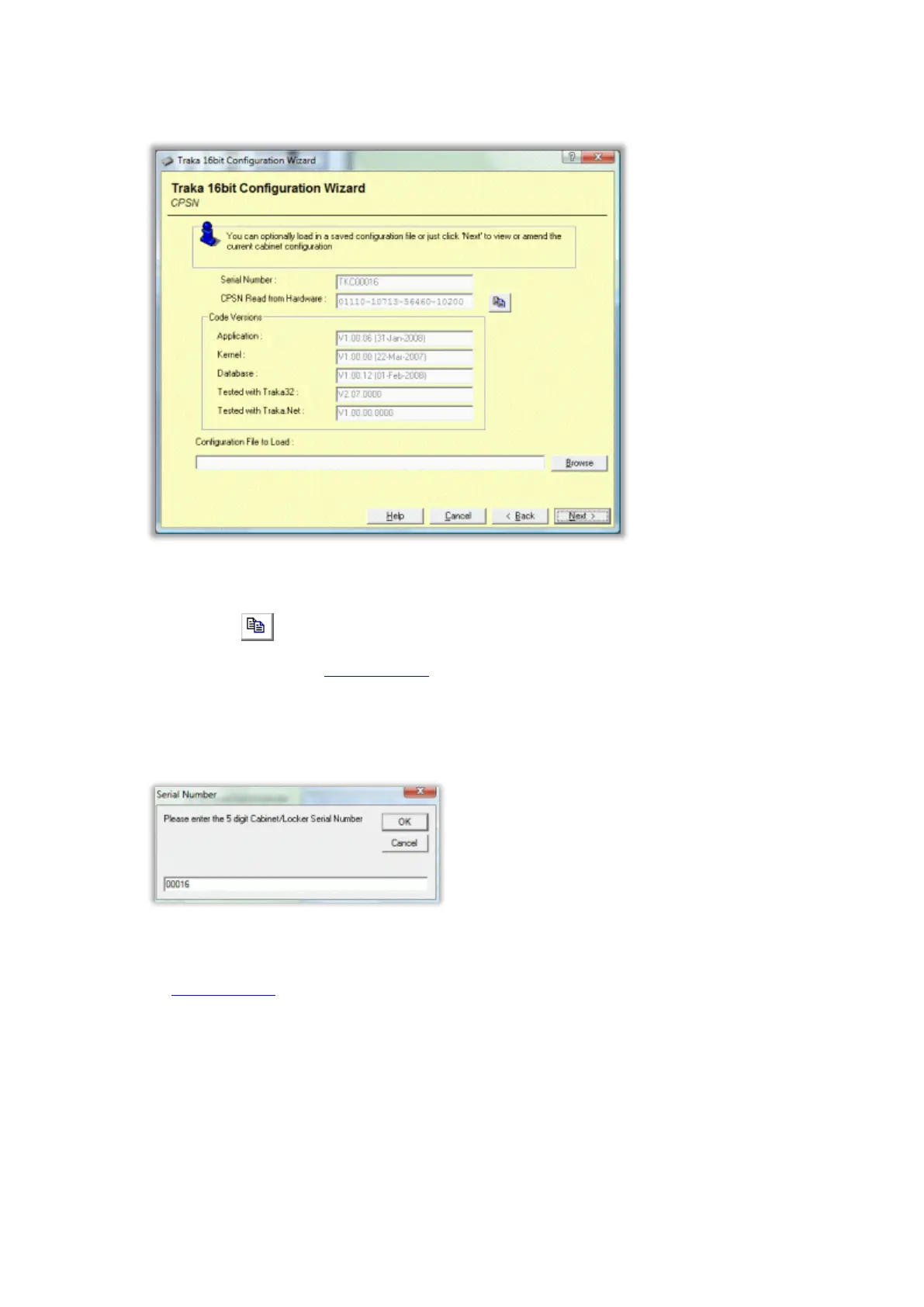
3. The CPSN window is displayed confirming the Serial Number, CPSN Read from Hardware, the Hardware and
Code versions and also the Traka32 version the firmware was tested with.
You will need to contact your distributor quoting the CPSN Read from Hardware. The distributor will them
be able to e-mail you with a configuration file for your hardware.
TIP: Click the button to copy the CPSN to the clipboard for pasting into a file or email.
4. Once you have obtained the configuration file from Traka or your distributor, save it to the machine from
which you wish to load it.
5. Click Browse to search for the configuration file.
6. Enter the 5 digit serial number of the Traka system (excluding TKC,TIL etc).
7. Click OK and browse to the location the configuration file was saved to. Only configuration files matching that
of the entered serial number will be available for selection.
The configuration file name is structured as follows:
<Serial Number> - <CPSN Number> - <Firmware Version>.TKCcfg
For example, for a system with a serial number TKC12345, a CPSN of 01041006164704010200 and a
firmware version of 1.00.00, the following file is required:
12345 - 01041006164704010200 - 010000.TKCcfg
8. When you have selected the path to the configuration file, click on Next.



 To Next Page