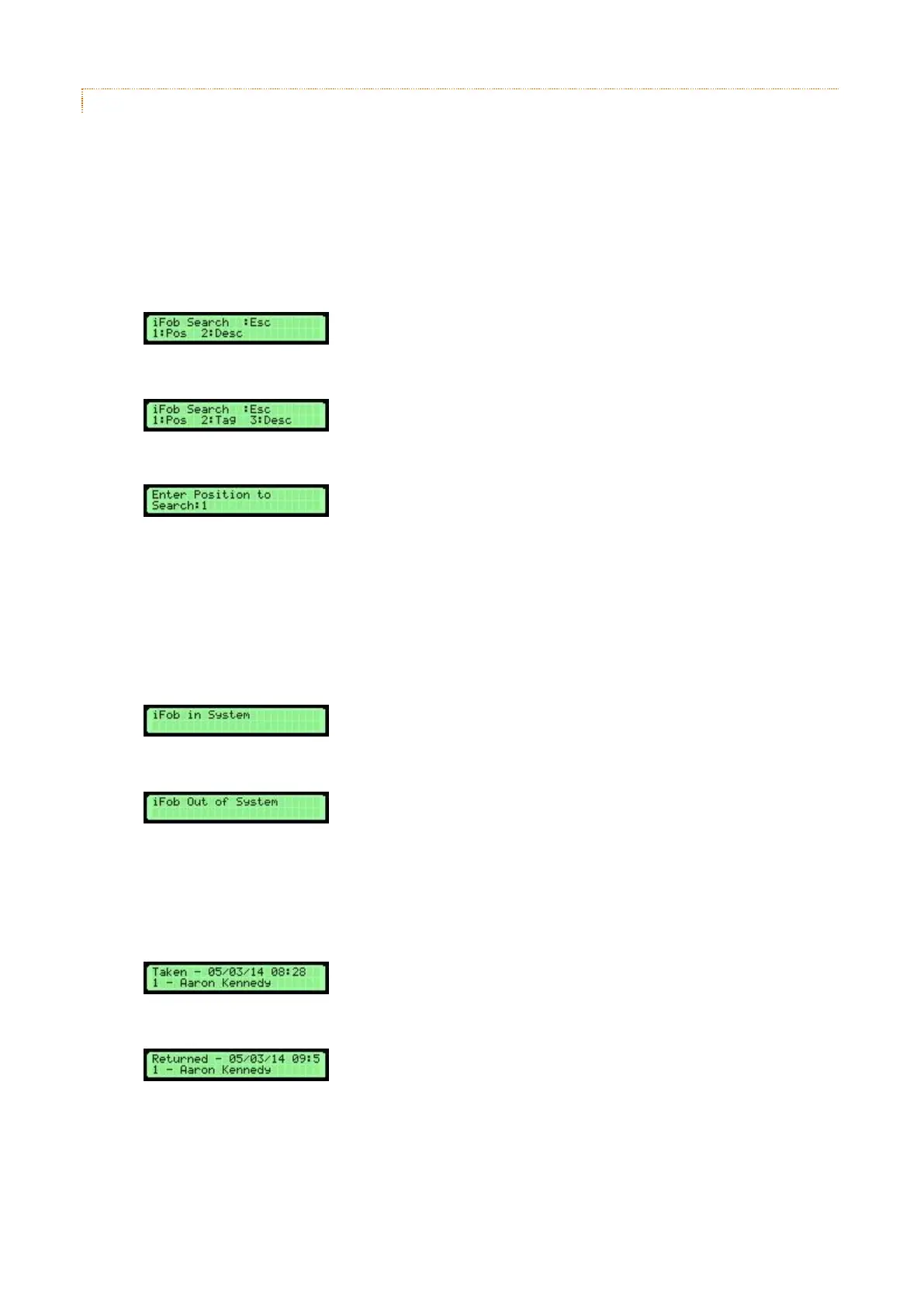
4.8.2.2 IFOB POSITION SEARCH
The iFob position search enables a user to search by a physical position within the system. This search is useful if
there is an unlabelled iFob / key in a position and you need to find out more information.
Using the position search facility
1. From the Traka System, press the * key on the keypad.
Fixed Return Systems:
Random Return Systems:
2. Select the Position option by pressing 1 on the keypad.
3. Using the alphanumeric keys, type in a position e.g. 1.
NOTE: Use the * key to delete mistakes.
4. When you are ready, press the # key to search.
5. If a match on the position is made, the current iFob status will be shown.
iFob In System:
iFob Out of System:
6. Press the # key to view more details about the iFob. This will first show information such as the description,
active curfew, current fault code, current location, mileage and fuel level.
7. Press the # key again to view recent events such as who has recently taken and returned the iFob.
iFob Taken:
iFob Returned:
NOTE: The number to the left of the user name is the related iFob Tag Number and will only show
if the firmware has Random Return enabled.



 To Next Page