16bit RS232 Installation
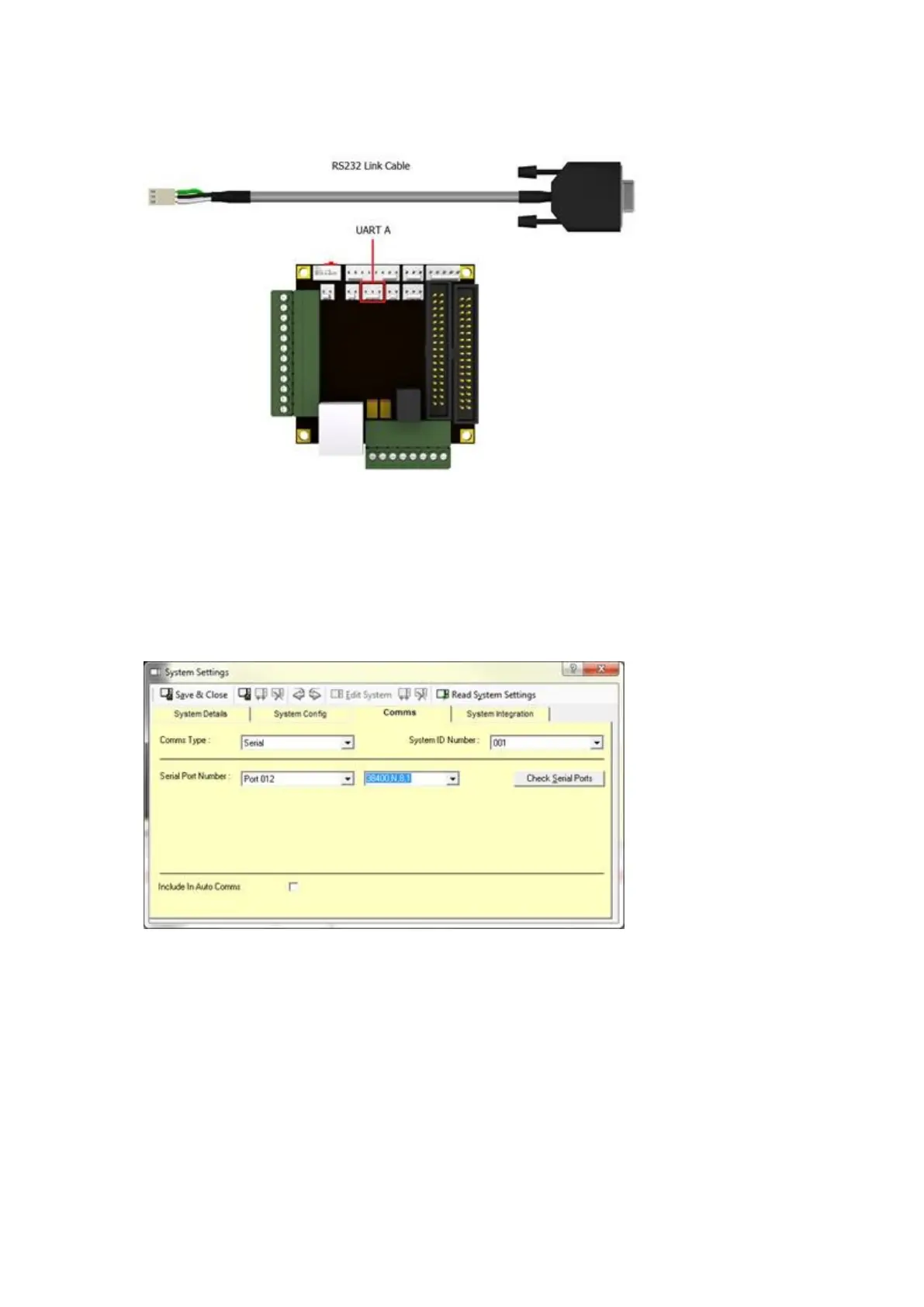
1. Connect the supplied RS232 link cable to the UART A connector on the 16bit I/O PCB.
2. Using the supplied RS232 cable, connect the male end to the RS232 link cable, and the female end to an
available serial port on the chosen PC.
3. In Traka32, right click on the Control Pod and select Configure System.
4. Select the Comms tab.
5. Select which serial port the RS232 cable is connected to on the PC and then specify the Baud Rate as
38400,N,8,1.
6. Click Save & Close.



 To Next Page