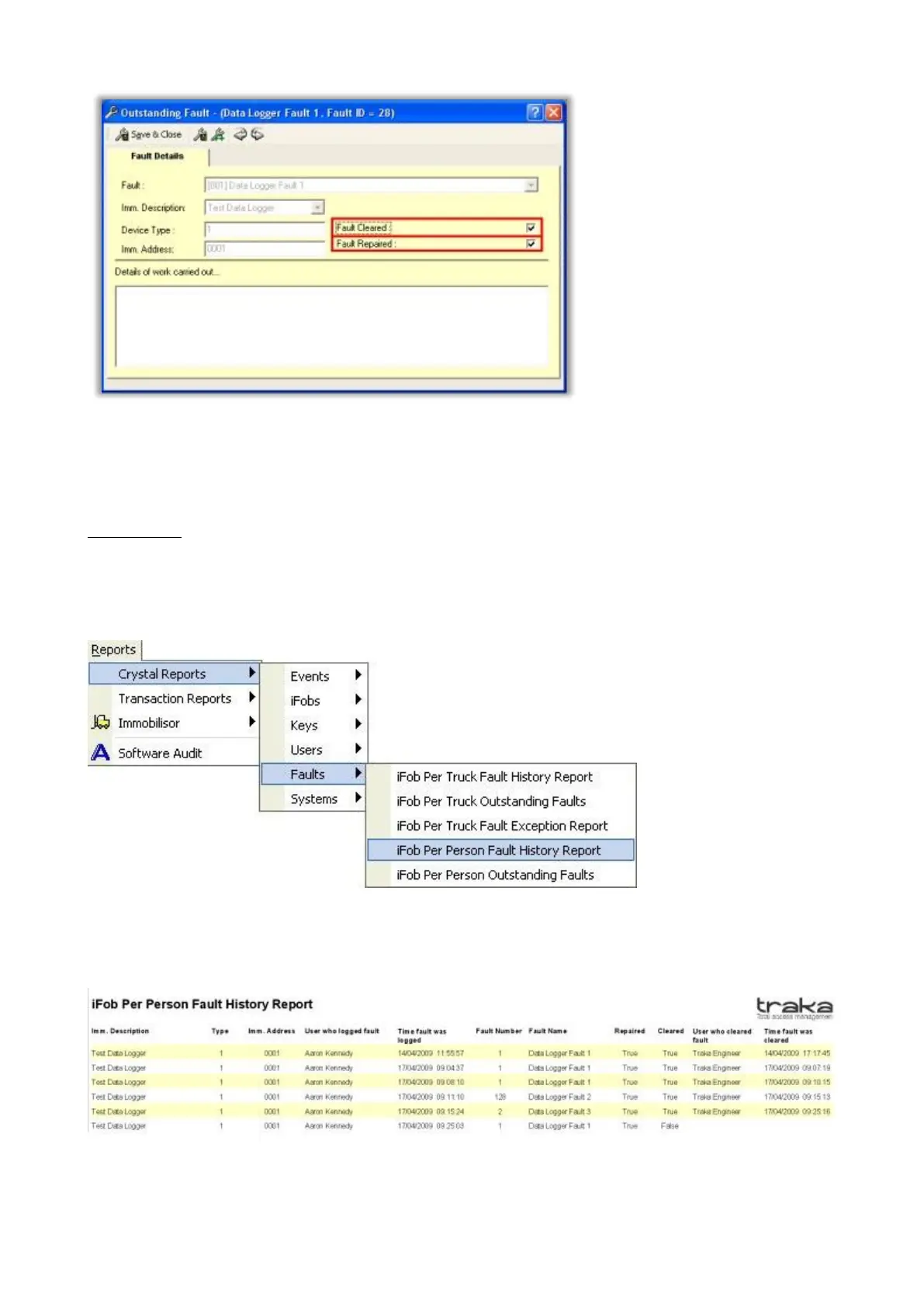
NOTE: If a fault is repaired then the fault will still be present in the outstanding fault list within Traka32,
also the box in the repaired section will now be ticked. Only when a fault is cleared will it be removed from
the Outstanding Fault List completely.
Fault Reports
Each Immobilisor fault that is logged to Traka32 is saved in a report. You are able to view reports for Outstanding
Faults and Fault History. To view the reports of the Immobilisors that have had faults logged against them and then
been cleared and/or repaired click in the top left corner Reports > Crystal Reports > Faults > iFob Per Person
Fault History Report.
This report gives information on every fault logged, whether it’s been cleared, repaired or just logged to the software.
The report will look as pictured below.
You will notice on the last line the sections that specify when the fault was cleared are empty because the fault has
only been repaired and not yet cleared.



 To Next Page