3.19.17.11.3.3 KEY BOOKING WEB PORTAL - CONFIGURATION OPTIONS
There are various configuration options which allow you to tailor the Web Portal to a customer’s needs.
The options are explained here.
1. For Fixed Return Systems, allowing a user to be able to see all iFobs/keys for a system and book any one
of them, in addition to just the iFobs/keys they have access to (default option).
2. Setting up a user as a Key Booking Admin user.
3. For Fixed Return Systems, show the iFobs that the user can book based on their Software Access Group.
4. For Random Return Systems, show the access levels that a user can book based on their Software Access
Group.
5. Restricting how long users can book an iFob/key in advance.
6. Restricting the duration a user can book an iFob/key.
7. Adding a buffer to the booking start and end times.
8. Validating if a user expires within the booking period.
9. Changing the booking start date and end date defaults.
10. Allowing users to view other users’ bookings.
1. Allow a user to see all iFobs/Keys
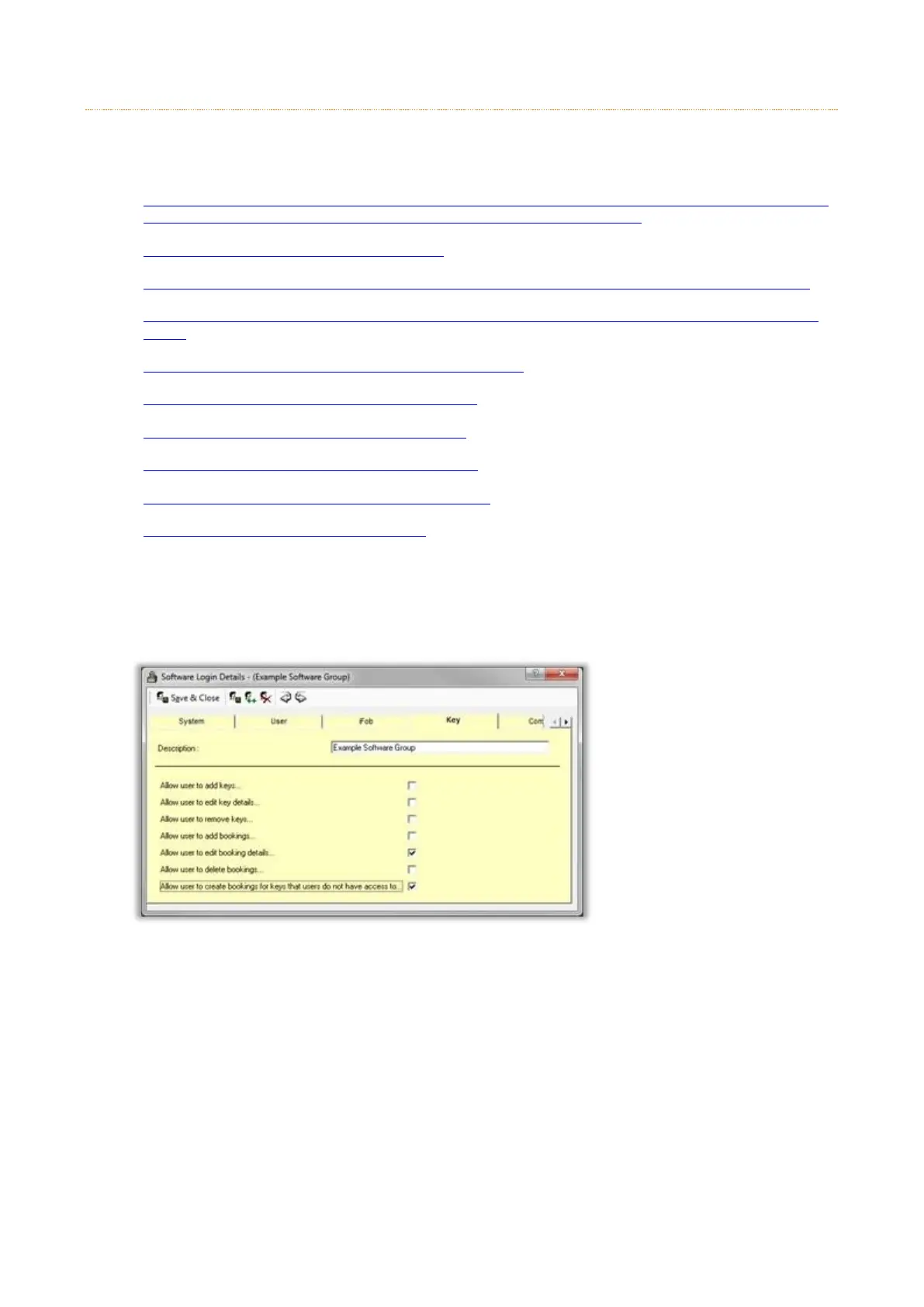
To allow a user to see all iFobs/keys for a system when creating a booking, the user must be in a software
access group in traka32. The software access group must have the option Allow user to create bookings for
keys that users do not have access to on the Key tab.
In the Web Portal they will then see the Accessible iFobs link and All iFobs link. The Accessible iFobs link
when clicked will show the iFobs/keys they have access to.



 To Next Page