2.6.6 CONFIGURING A USER
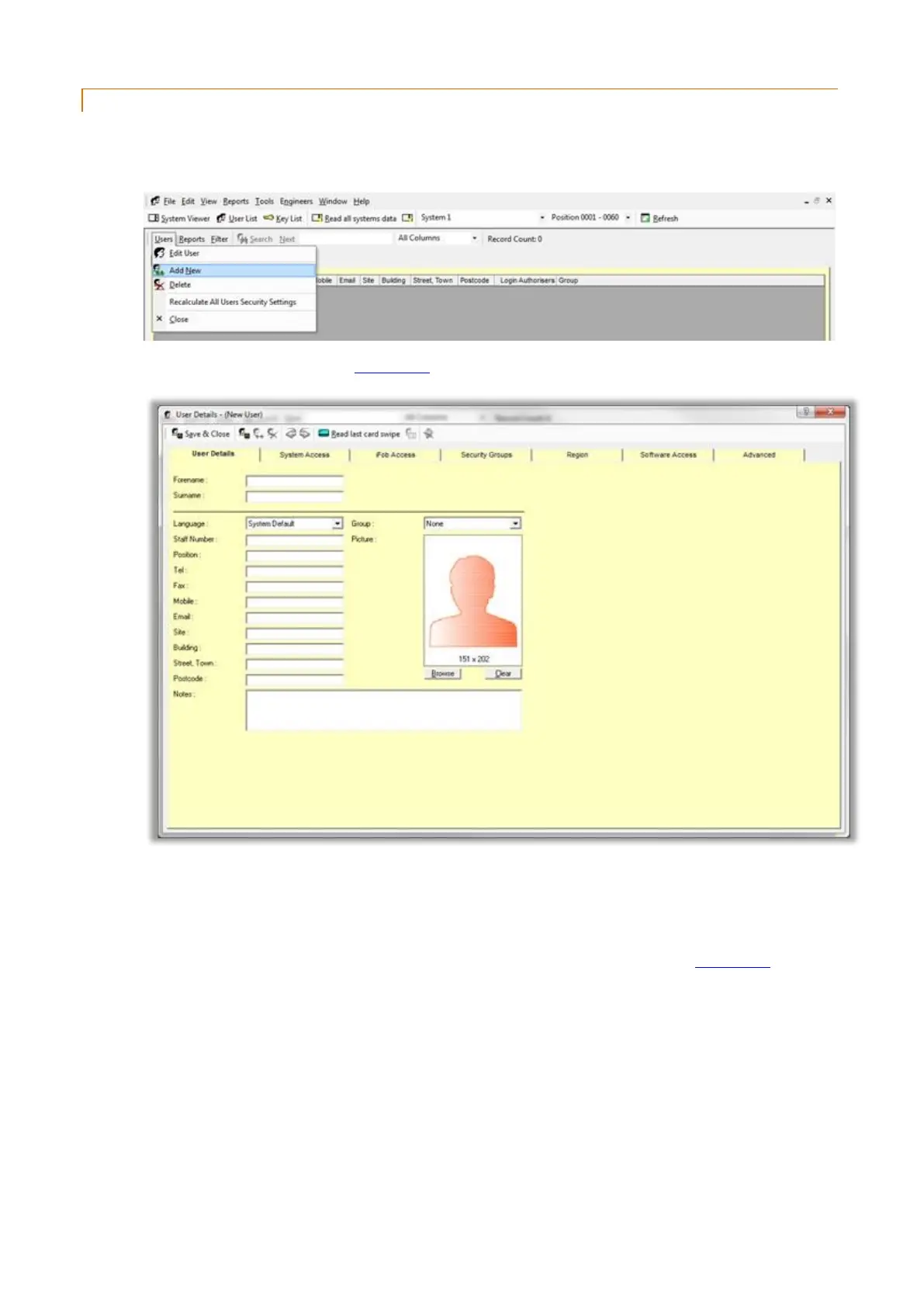
1. Click on the View menu followed by User List and you will be presented with the User List.
2. Click on the Users menu followed by Add New.
3. You will be presented with a new User Details window.
The user details tab allows you to input details about the users.
4. Enter a Forename and Surname for the user.
All the other fields in the User Details tab are for reference only and are not required for the commissioning
stage. For more in-depth information on configuring the user details please refer to the User Details section.



 To Next Page