3.19.14.4.3 EDITING IMMOBILISORS
1. From the main screen click on View followed by Immobilisor List and a list of the current immobilisors will
be shown.
2. From the immobilisor list simply double click on the immobilisor record you wish to edit or select the record
and click on the Configurations menu followed by Edit Configuration.
3. The selected user record will open.
4. Edit the appropriate details, for more details refer to the Immobilisor Details section.
5. To Save your changes, simply click on or .
6. To Cancel your changes, simply click on the X in the top right hand corner of the window and click on No to
the message.
Truck Type and Truck Address Filtering Overview
NOTE: This is a new feature is applicable to software versions 02.09.0000 and above.
If you wish to change the configuration of multiple trucks but do not wish to alter the Type or Address, then this option
will allow you to program every truck with the same iFob without having to re-configuring the iFob.
For example, if you have 10 trucks with Type 001-010 and Addresses 001-010 and you wanted to enable the cost
option 'Fault Logging', you would normally have to continuously go back and forth to the cabinet or Desktop
Programmer each time to change the unique Type and Address of each truck. By selecting the 'No Change' option
within the iFob Programmer, you will program the Data Logger with newly selected options without changing the Type
or Address.
How to set up Type and Address Filtering
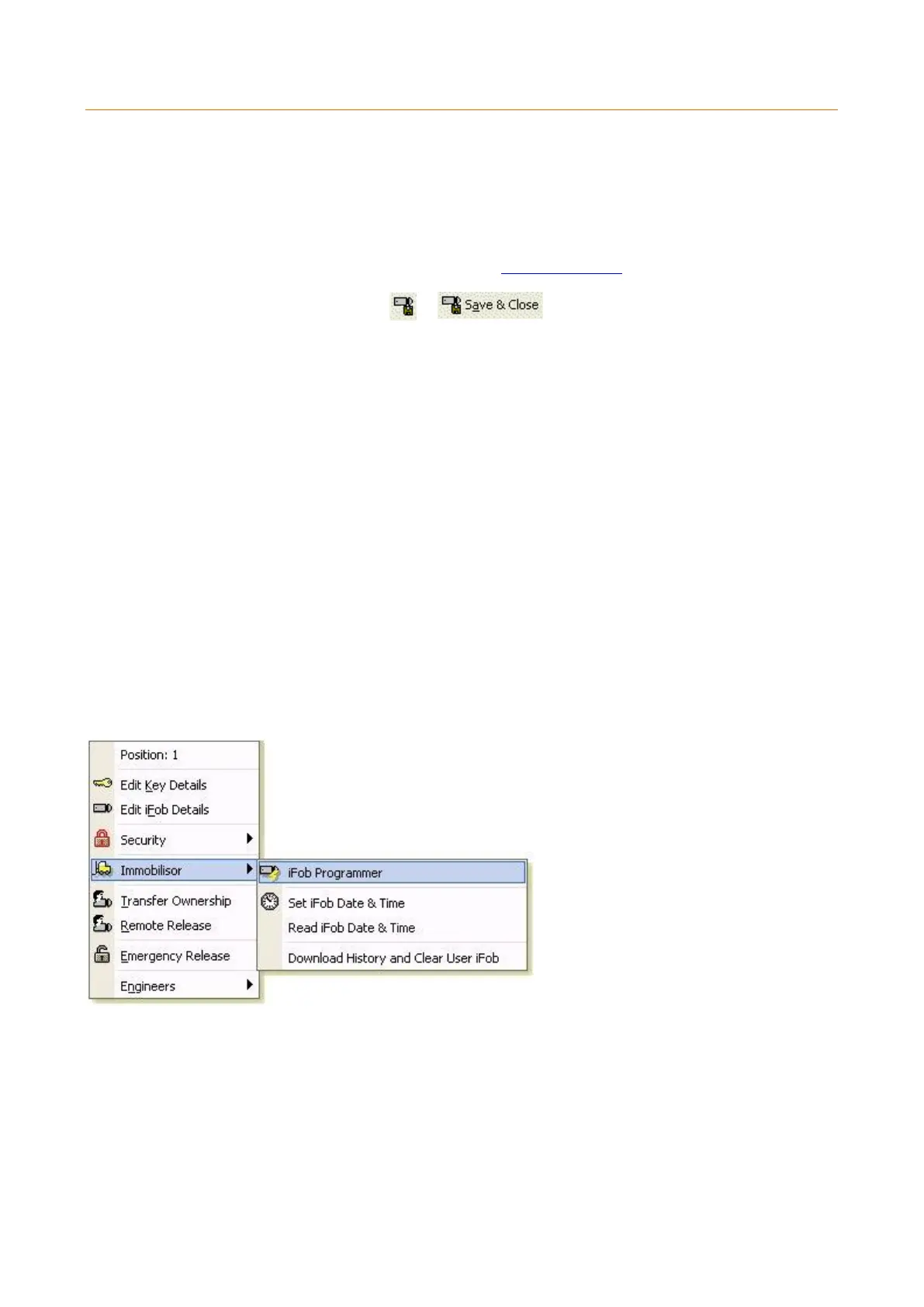
Right click the desired iFob you wish to turn into a Program iFob, and select iFob Programmer.
When you find yourself at the IPP tab, you will then have the option to set the device Type and Address to the 'No
Change' option. This will ensure that when you are re-programming your Immobilisors the Device 'Type' and 'Address'
won’t change.



 To Next Page