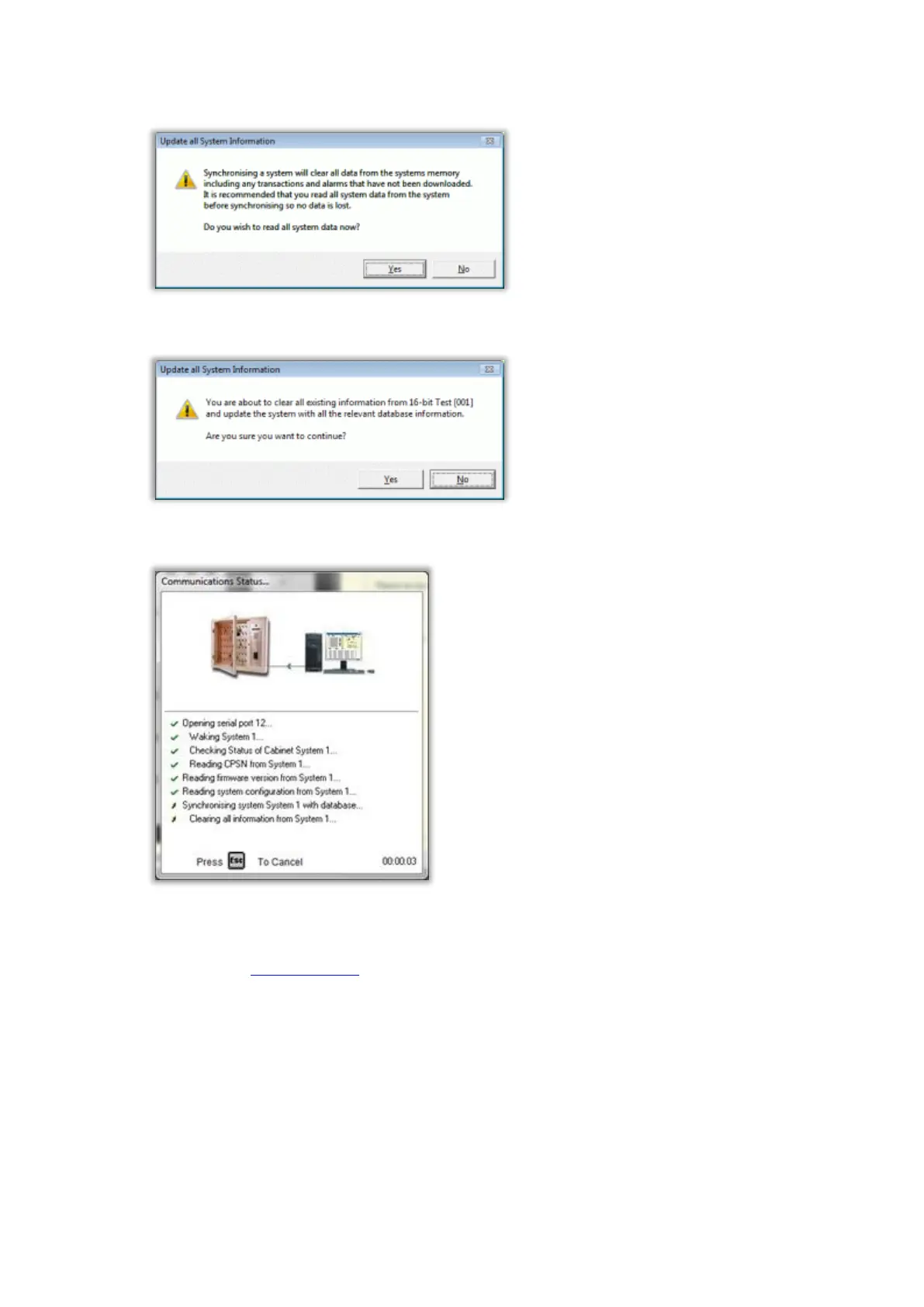
3. You will be asked if you wish to read all system data. Click on No.
4. When asked if you are sure you want to continue, click on Yes.
5. The software will then communicate with the Traka System.
This should only take a few seconds. If the communications fails, check the communications settings and
installation. If communications still fails you will need to contact your supplier for further help.
6. Now refer to the Configuring iFobs section.



 To Next Page