3.20 GENERAL
3.20.1 AUTO DATABASE BACKUP
If you are using a Microsoft Access Database, the Auto Database Backup automatically prompts the backup of the
database to a chosen location set in the Properties window.
NOTE: It is strongly recommended that you back up your database as regularly as possible.
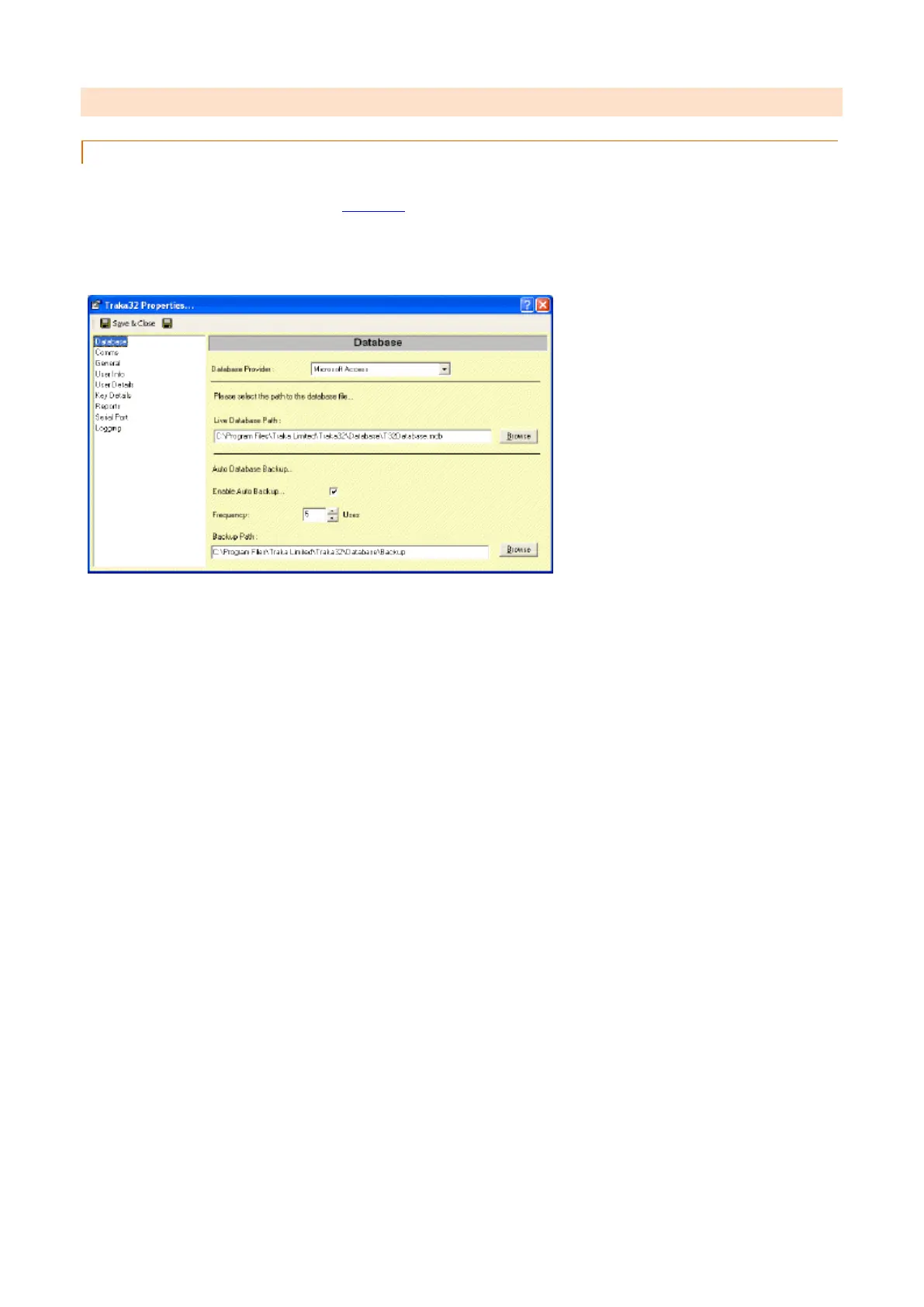
To enable the Automatic Database Backup reminder click on File, Properties...
1. In the Database section, check the Enable Auto Backup option.
2. Set the Frequency to the desired number of uses. This is the number of times the software has to be closed
before the auto backup utility will prompt you to back up the database.
3. Select the Backup Path to where you would like the database to be backed up to. This could be a directory
on your network or a floppy drive.
4. Click on Save & Close.


 To Next Page