This option is applicable if you already have Traka32 installed and wish to activate the USB Desktop iFob
Programmer Drivers.
Select... Control Panel\ Add or Remove Programs and select ‘Traka32bit Administrator’.
Select change, then next.
Check the box for ‘Modify’ and select next.
Expand the ‘Drivers’ menu.
Expand the 'USB Desktop iFob Programmer Driver', and select ‘This Feature Will be installed
on Local Hard drive’.
1. Now the Drivers have been enabled, they must be installed the setup file is located in C:\Program
Files\Traka Limited\Traka32\Drivers\USB Desktop Programmer\ (This file path may be custom
depending on how Traka32 was initially installed). Once you have opened the folder select the
‘Install_1_wire_drivers’ icon, and follow the instructions of the setup wizard.
2. When the drivers are fully installed the USB Desktop iFob Programmer is ready for use.
3. Insert the USB connector into a free port on the required PC.
4. Open the TRAKA32 software by double clicking on the icon on your desktop and select
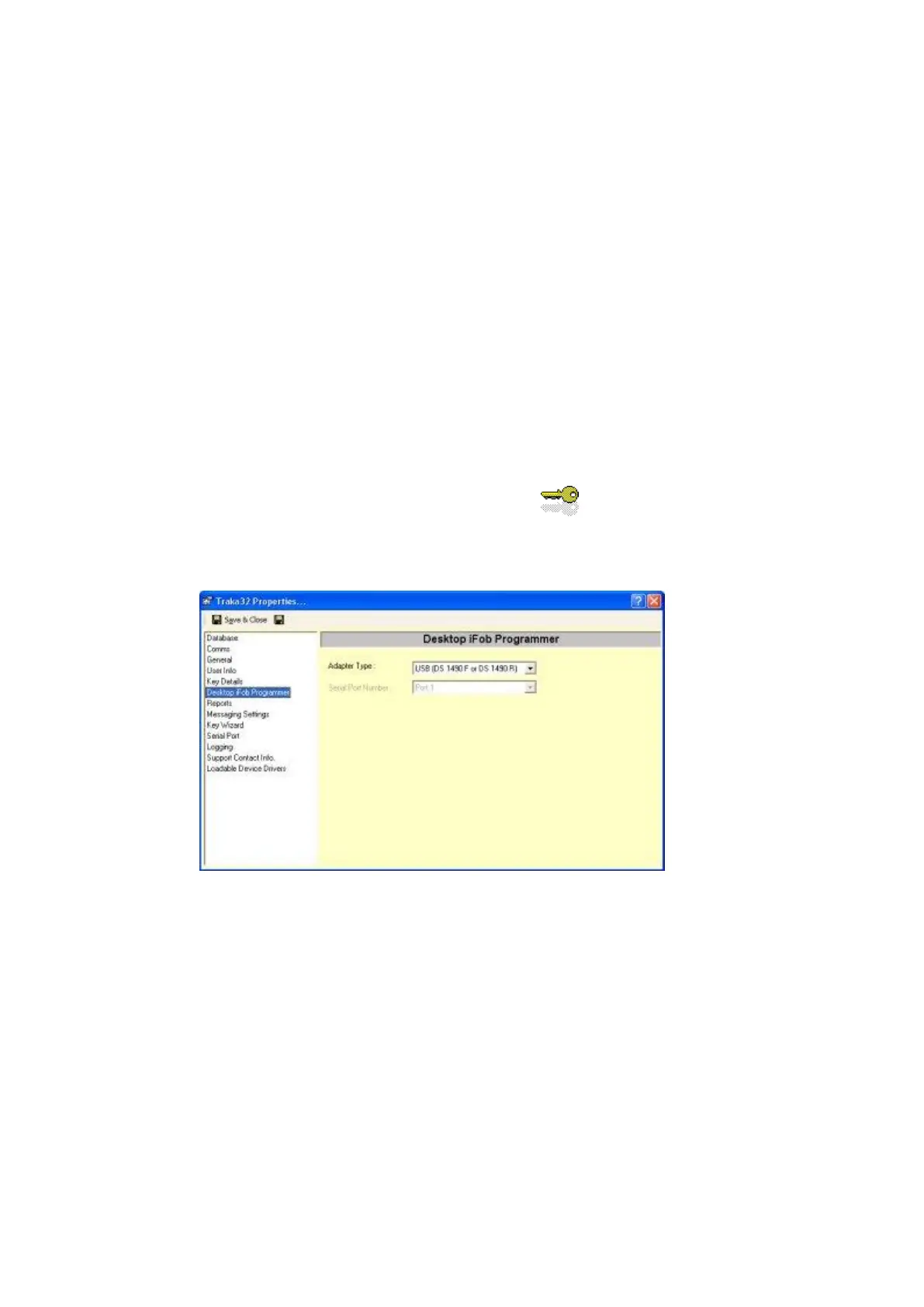
File/Properties, then select ‘Desktop iFob Programmer’. Now use the drop down box labelled ‘Adapter
Type’, and select ‘USB (DS 1490 F or DS 1490 R)’, (see below) now save and close. Installation is
now complete and you can now begin to use your Desktop Programmer.


 To Next Page