92 Chapter 5 Smart Battery
The liquid inside the smart battery is corrosive. If it leaks, please keep away from it. If it
accidentally contacts your skin or eyes, rinse immediately with clean water for at least
15 minutes and seek medical attention.
Do not disassemble, puncture, strike, crush, or burn a smart battery in any way. Otherwise, it
may lead to battery combustion or even explosion.
Do not short-circuit the positive and negative terminals of a smart battery.
If the battery connector of a smart battery is dirty, use a dry cloth to clean it. Otherwise, it
may cause poor contact, leading to energy loss or charging failure.
Before replacing the smart battery of the aircraft, make sure that the battery connector,
battery compartment interface, battery surface, and battery compartment surface are dry
and free of water, and then insert the battery into the aircraft.
Installing/Removing the Smart Battery
Install the Smart Battery
1. Turn off the smart battery before installing the battery. Make sure the batteries are oriented
correctly with the battery limit block facing the top of the aircraft.
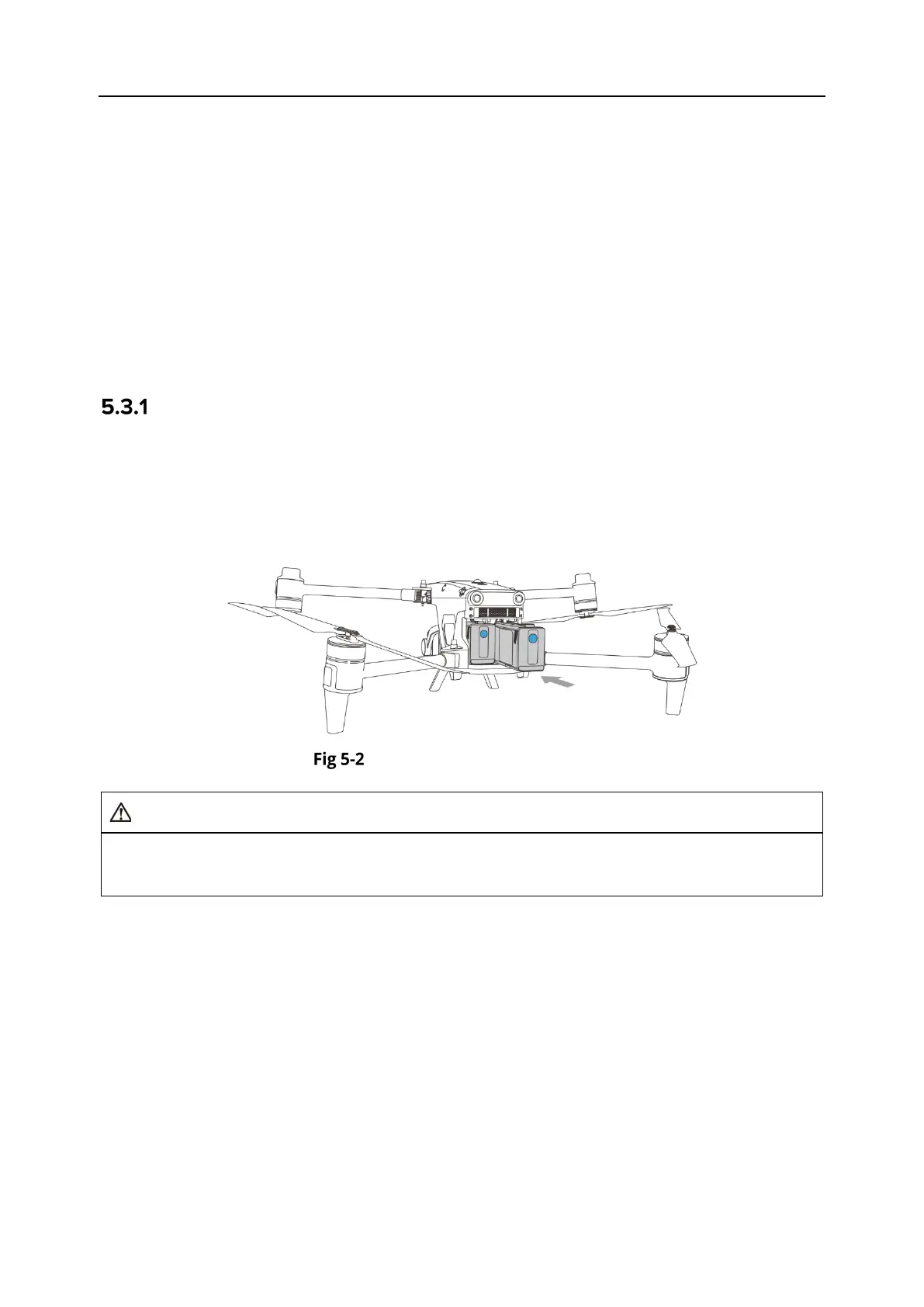
2. Slowly insert two smart batteries into the battery compartment one by one on the aircraft
fuselage. If installed properly, the battery unlock lever will lock onto the battery limit block.
Install the Smart Battery
If the smart battery is not installed properly, it may cause the battery to fall off during the
flight, damage the aircraft, or even cause personal injury.
Remove the Smart Battery
1. Turn off the smart battery before removing the battery.
2. Move the battery unlock levers on the left and right sides of the aircraft's battery
compartments outward until they cannot be rotated. Then, pull out the smart batteries from
the left and right battery compartments as shown in the figure.












 To Next Page