82 Chapter 4 Remote Controller
Do not hand over the remote controller to persons who have not learned how to use the
remote controller.
If you are operating the aircraft for the first time, please keep the force gentle when moving
the command sticks until you are familiar with the operation.
The flight speed of the aircraft is proportional to the degree of the command stick
movement. When there are people or obstacles near the aircraft, please do not move the
Setting Stick Mode
You can set the stick mode according to your preference. For detailed setting instructions, see “
6.5.3 RC Settings” in Chapter 6. The default stick mode of the remote controller is "Mode 2".
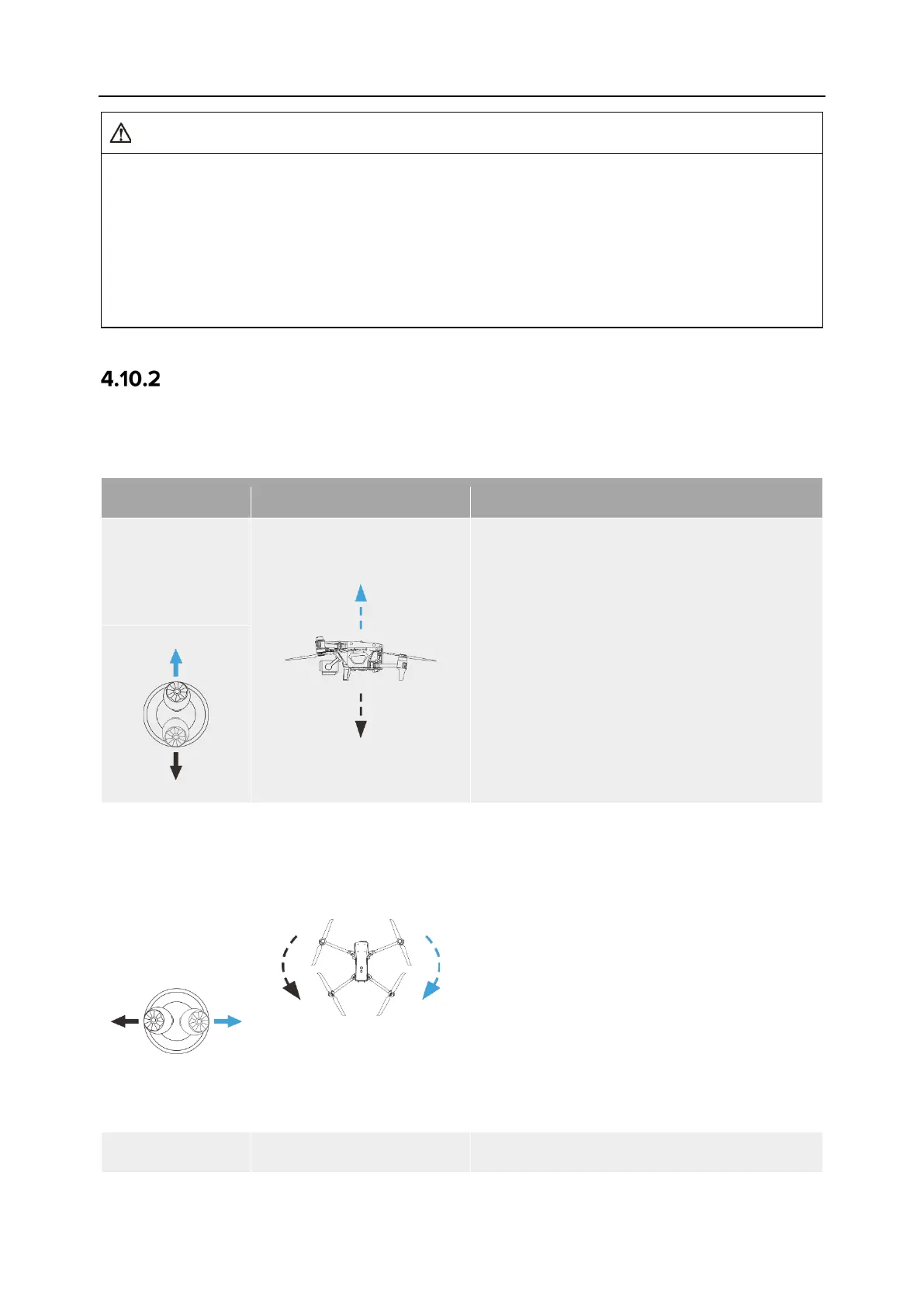
Table 4-14 Default Control Mode (Mode 2)
Left Command
Stick
Move Up or
1. The up-and-
down direction of the left
stick is the throttle stick, which is used to
control the vertical lift of the aircraft.
2. Push the stick up, and the aircraft will rise
vertically; pull the stick down, and the
aircraft will descend vertically.
3. When the stick is returned to the center,
the altitude of the aircraft remains
unchanged.
4. When the aircraft takes off, please push
the stick up to above the center, and the
aircraft can lift off the ground.
Stick
Move Left or
1. The left-and-right direction of the left stick
is the yaw stick, which is used to control
the heading of the aircraft.
2. Push the stick to the left, and the aircraft
will rotate counterclockwise; push the
stick to the right, and the aircraft will
rotate clockwise.
3. When the stick is returned to the center,
the rotational angular velocity of the
aircraft is zero, and the aircraft does not
rotate at this time.
4.
The larger the degree of the stick
movement, the greater the rotational
angular velocity of the aircraft.












 To Next Page