106 Chapter 6 Autel Enterprise App
19
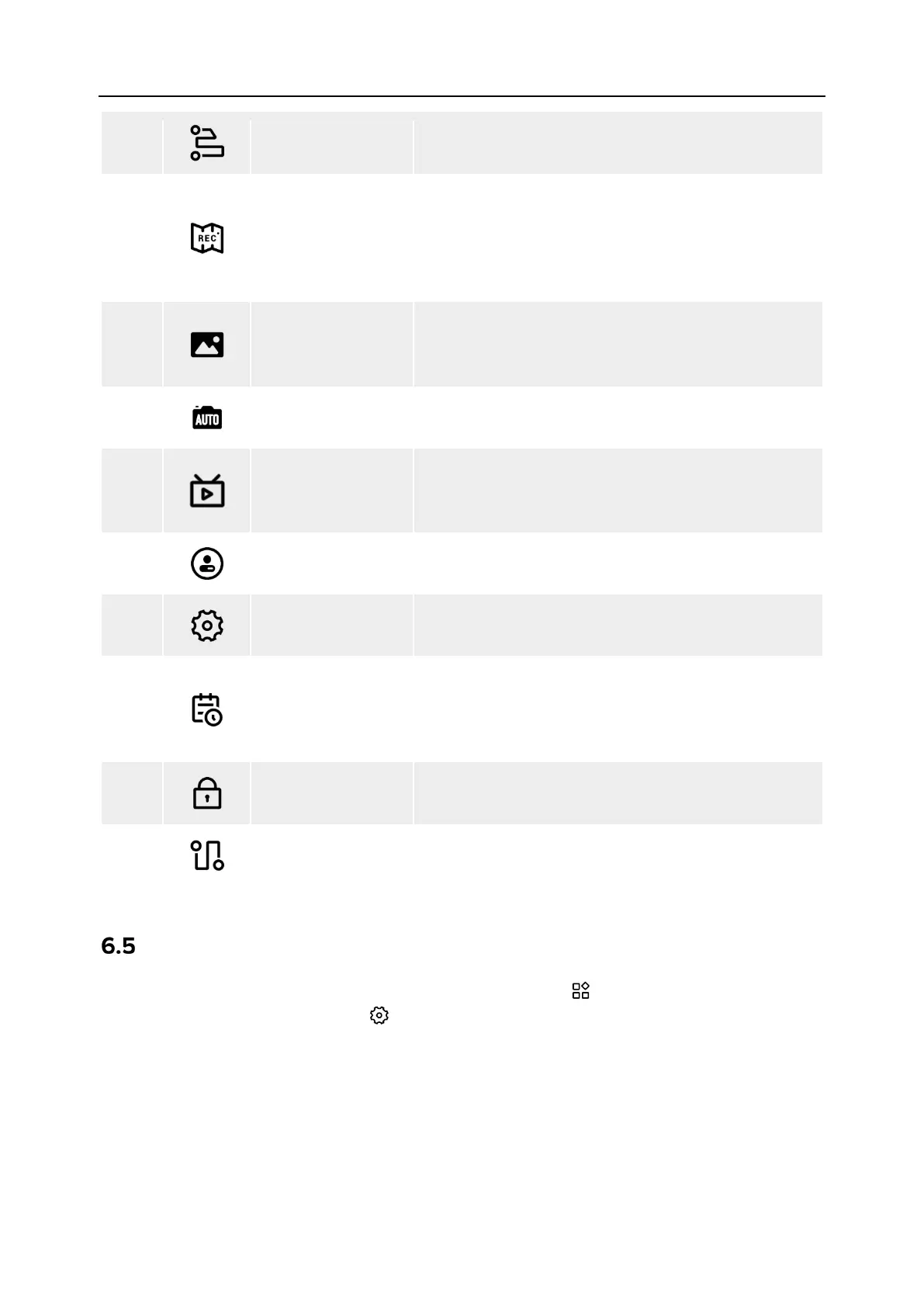
Polygon
Tap this icon to enter the "Polygon" mission editing
interface.
20
Record
Tap this icon to record real-time attitude, motion,
and other parameters of the aircraft and gimbal
camera during a flight mission, which allows for
repeating the operation
mission.
21
Album
Tap this icon to view materials from the aircraft's
album and the local album and download or delete
22
Imagery
Tap this icon to make professional settings for the
gimbal camera parameters.
23
Live-RC
Tap this icon to set live streaming of real-time aerial
videos from the aircraft. Two streaming methods,
that is, RTMP and GB28181, are supported.
24
Support
Tap this icon to enter the "Personal Center"
interface.
25
Settings Tap this icon to enter the “Settings” interface.
26
Flight Log
Tap this icon to view the flight logs of the aircraft or
synchronize them to a third-party platform. To use
this function, you need to log in to your Autel
account.
27
Encrypt
Tap this icon to set a security password for
encrypting captured media materials.
28
Rectangle
Tap this icon to enter the "Rectangle" mission editing
interface.
“Settings” Interface
On the main interface of the Autel Enterprise App, tap the “ ” icon on the right side of the
shortcut toolbar, and then tap the “ ” icon to enter the "Settings" interface.
In the "Settings" interface, you can set parameters such as flight control, obstacle avoidance,
remote controller, image transmission, battery, and gimbal.












 To Next Page