56 Chapter 3 Aircraft
It is recommended to label the batteries for better management. The two batteries used
for replacement should have similar power levels and cycle counts to ensure consistent
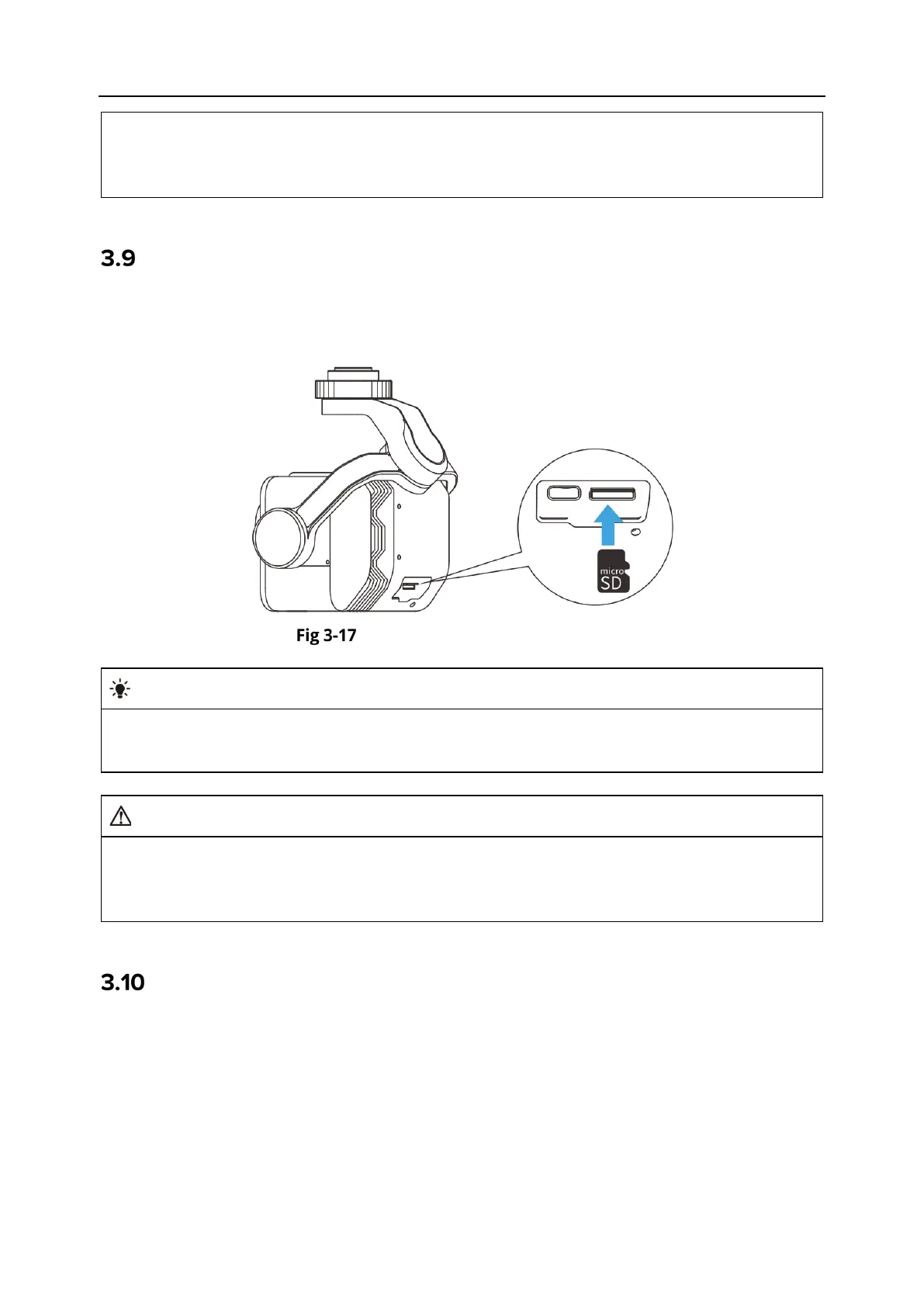
Installing the microSD Card
The aircraft comes with a 128 GB microSD card (pre-installed in the microSD card slot of the
payload at the factory). If you want to replace it with a higher-capacity microSD card, please
follow the steps below.
Installing the microSD Card
If you plan to shoot high-definition videos, we recommend using a Class 10, UHS-
3, or
higher microSD card.
To prevent data loss, please turn off the aircraft before removing the microSD card.
After installing the microSD card, close the rubber protective cover over the interface area
promptly to avoid affecting the protective performance of the gimbal.
Connecting to PC/MAC
To transfer photos and videos to a PC, MAC, or other devices, please use a data cable to connect
to the device through the USB-C interface of the gimbal.












 To Next Page