94 Chapter 5 Smart Battery
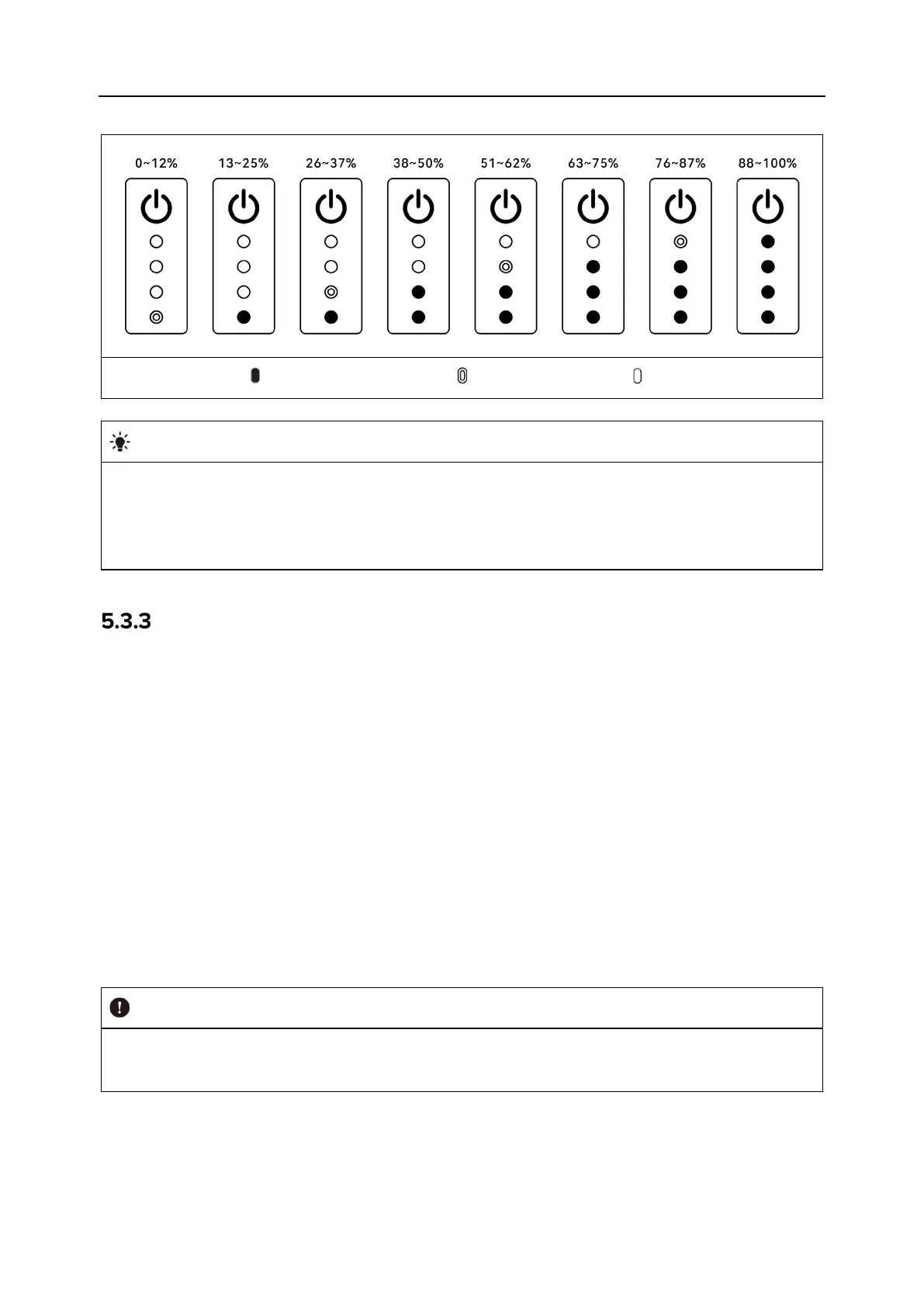
Table 5-2 Battery Level Indicator Status (While Not Charging)
: Green light is always on : Green light blinking : Off
After the aircraft is connected to the remote controller, you can check the current smart
battery level of the aircraft in the top status notification bar or on the "Battery Information"
page of the Autel Enterprise App. For more information, see “6.3 Status Notification Bar
”
and “6.5.5 Aircraft Battery” in Chapter 6.
Smart Battery Self-heating
The smart battery has a self-heating function, which can increase the battery temperature in
low-temperature environments, helping maintain good output performance.
When the smart battery is installed in the aircraft and the battery power is turned on, if the
battery temperature is lower than 15℃, the battery self-heating function will be activated.
After the aircraft takes off, the battery self-heating function will be automatically turned off.
If the smart battery is not installed in the aircraft, short press the power button for 1 second
and then long press the power button for 2 seconds to activate the battery self-heating
function to keep the battery temperature between 15℃ and 20℃ for 10 minutes. At this
point, if you want to exit the battery self-heating function, short press the power button for
1 second, and then long press the power button for 2 seconds.
When the smart battery is connected to the battery charger and the battery power is turned
on, if the battery temperature is lower than 10℃(50℉), the charger will supply power to the
smart battery for self-heating. Once the battery temperature reaches 15℃, the self-heating
function will be turned off.
When the self-heating function of the smart battery is manually activated, the battery
should have at least around 10% of remaining power for self-heating.
When the smart battery is in the states of self-heating and heat preservation, the statuses of the
battery level indicators are shown in the following table.












 To Next Page