26 Chapter 2 Flight Safety
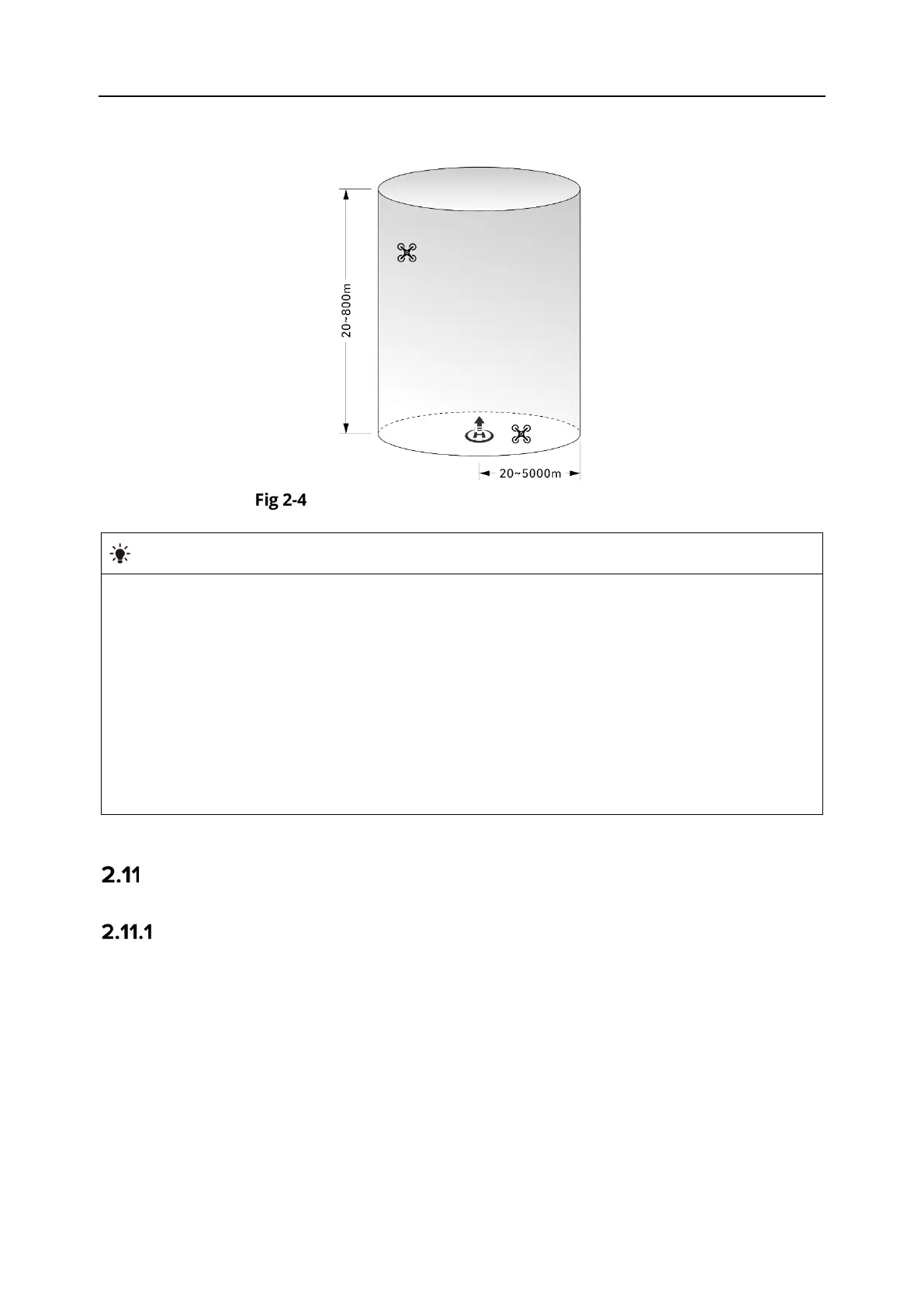
You can set altitude and distance limits in the Autel Enterprise App to ensure the safe flight of
the aircraft. For more information, see “6.5.1 Flight Control Parameter Setting” in Chapter 6.
Diagram of altitude and distance limits
In the Autel Enterprise App, the altitude limit should be set between 20 meters and
800
meters, and the distance limit should be set between 20 meters and 5000 meters.
During actual flights, the maximum altitude
limit should be set no greater than the
maximum altitude specified by local laws and regulations. For example, Chinese Mainland,
the United States, and the European Union all limit the maximum flight altitude of aircraft
to no more than 120 meters or 400 feet.
When setting the maximum altitude limit, consider the reasonableness of the RTH altitude,
which should not exceed the maximum altitude limit.
The RTH altitude should be set higher than the altitude of the highest obstacle in the flight
Aircraft Calibration
Compass Calibration
The compass (magnetometer) has been calibrated at the factory, and no user calibration is
required under normal conditions.
If the Autel Enterprise App prompts that the compass displays an error message, the flight
direction of the aircraft is inconsistent with the control input direction of the remote controller,
or the flight location deviates too much from the calibration location, please follow the steps
below to calibrate it.












 To Next Page