Chapter 2 Flight Safety 27
The compass is very easy to be affected by electromagnetic interference. Electromagnetic
interference may lead to compass errors and degradation in flight quality.
Please choose an open outdoor area for calibration.
During calibration, please stay away from areas with a strong magnetic field or large metal
objects, such as magnetic ore mines, parking lots, construction areas with underground
reinforcing steel bars, underground areas, or locations near overhead power transmission
lines.
During calibration, do not carry ferromagnetic materials or metal objects on your person,
such as mobile phones and watches.
During the calibration
process, please stay away from charged objects and make the
aircraft fly 1.5 meters above the ground.
During the calibration process, please do not turn off the power of the aircraft or start the
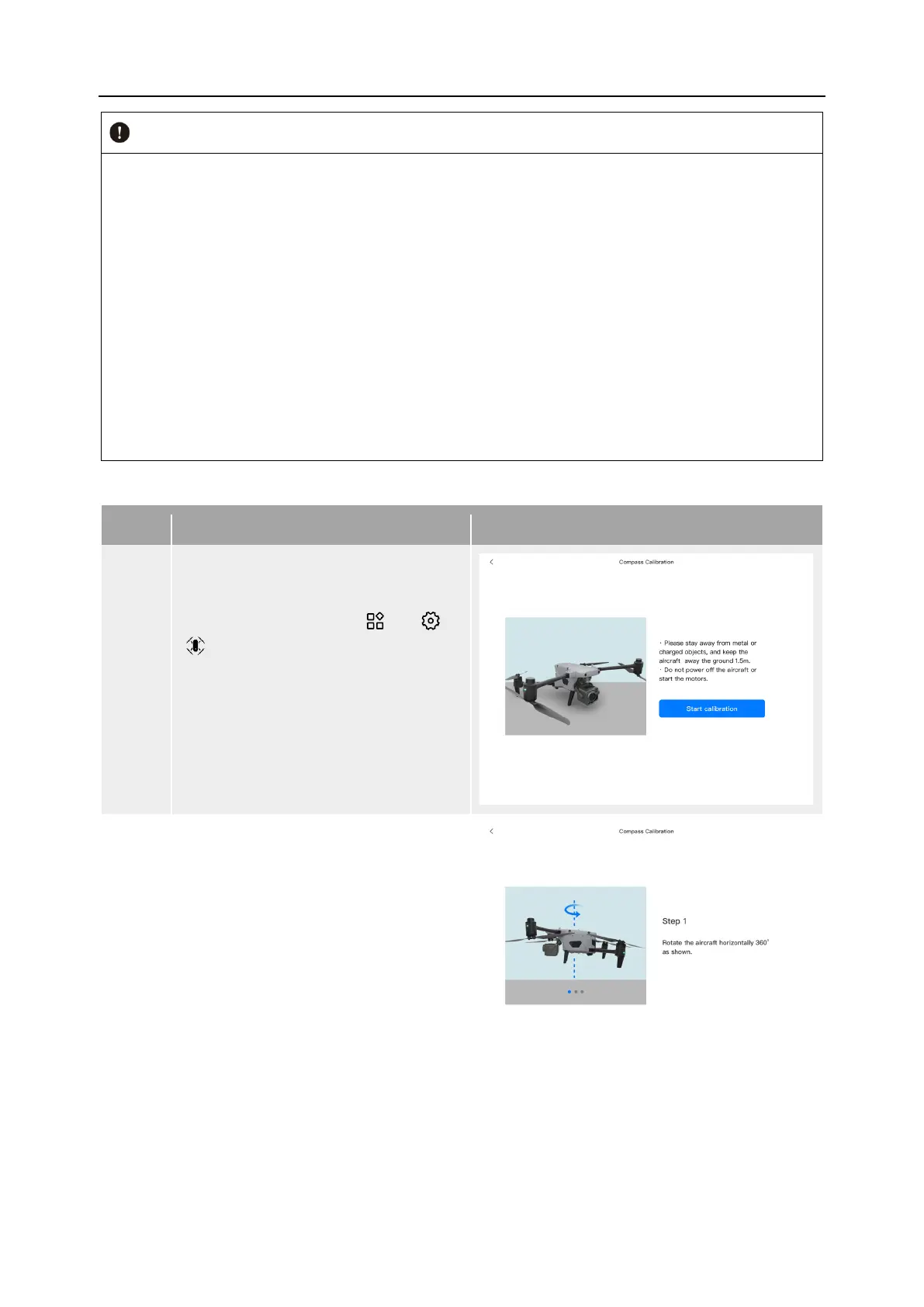
Table 2-4 Compass Calibration
1
After turning on the aircraft and the
remote controller, tap " " > “
“ ” > "Compass Calibration" > "Start
Calibration" in the main interface of
the Autel Enterprise App.
When the calibration process begins,
the rear arm light of the aircraft turns
yellow and blinks.
2
Hold the aircraft to keep it in a
horizontal direction.
Rotate the aircraft 360° horizontally
until the rear arm light of the aircraft
turns green and blinks.












 To Next Page