50 Chapter 3 Aircraft
After using the gimbal for a long time, the gimbal may become hot due to heat dissipation,
please wait until the gimbal cools down to avoid any risks of burns.
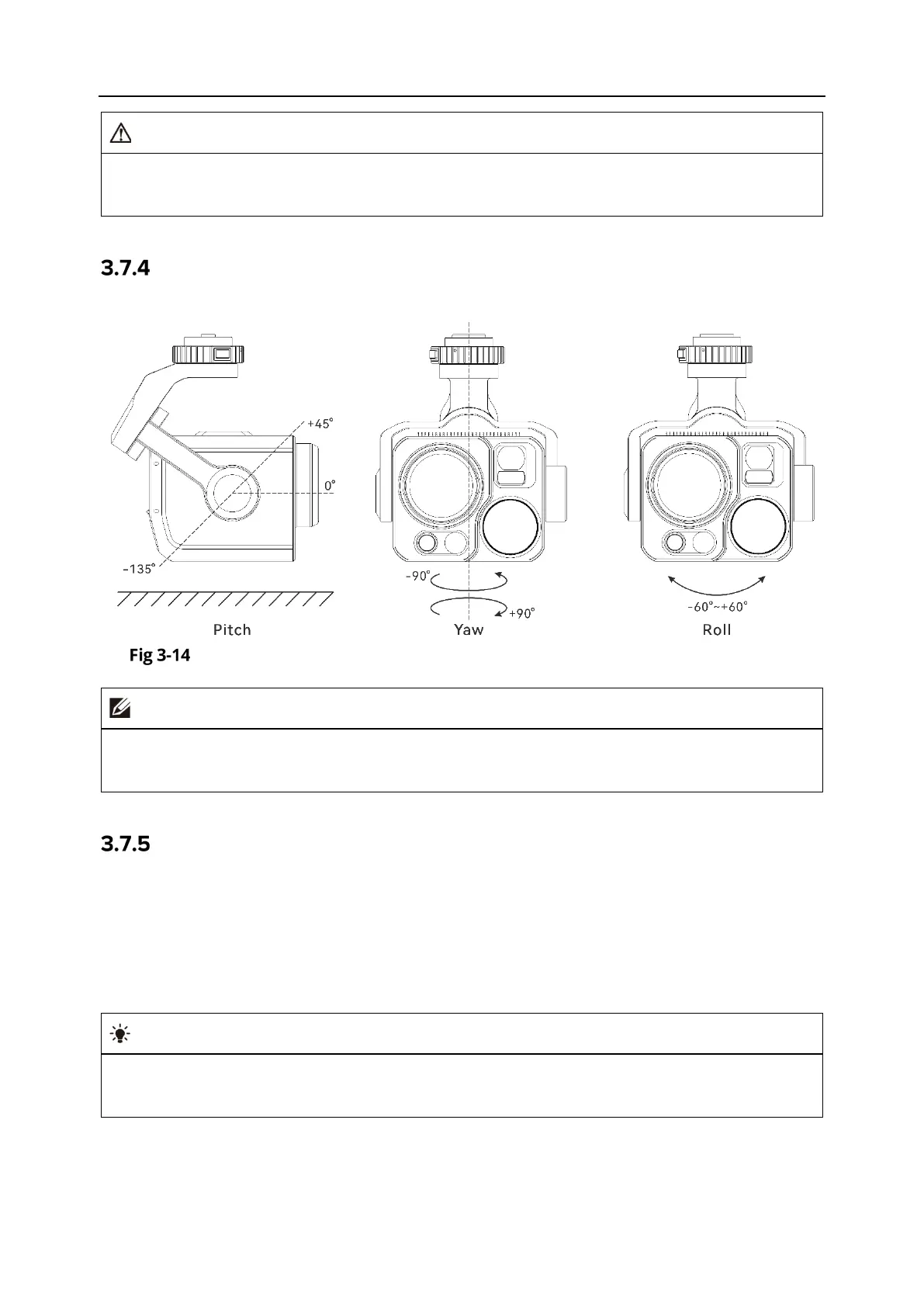
Gimbal Mechanical Rotation Range
The mechanical rotation ranges of the pitch, yaw, and roll axes of the gimbal are shown below.
Mechanical Rotation Range of the Gimbal of the Autel Alpha Aircraft
You can control the rotation range of the gimbal pitch, ranging from -90° to 30°. For more
setting details, see “6.5.6 Gimbal Settings” in Chapter 6.
Gimbal Operations
Remote Controller Control
Left dial wheel: Used to adjust the gimbal pitch. Turn left to rotate the gimbal down, and turn
right to rotate the gimbal up.
Custom keys C1/C2: After setting the C1 or C2 key to "Gimbal Pitch Recenter/45°/Down", you
can press the key to switch the gimbal angle.
For the control operations of the remote controller, see “
4.1.1 Remote Controller
Components” and “4.11.1 Custom Keys C1 and C2” in Chapter 4.












 To Next Page