Chapter 4 Remote Controller 63
Remote Controller
Introduction
The Autel Smart Controller V3 is installed with the Autel Enterprise App by default, allowing you
to operate and set the aircraft and the gimbal camera and transmit high-definition videos from
the gimbal camera in real time. It offers a maximum communication distance of 15 kilometers.
Note
The maximum communication distance of the Autel Smart Controller V3 is measured under
unblocked and interference-free conditions and is for references only.
It supports adaptive frequency hopping transmission, selects the optimal channel
according to the electromagnetic interference situation, and has strong anti-interference
ability.
Data link transmission uses AES-128 encryption, and data storage uses AES-256 encryption
to ensure end-to-end data security.
Remote Controller Components
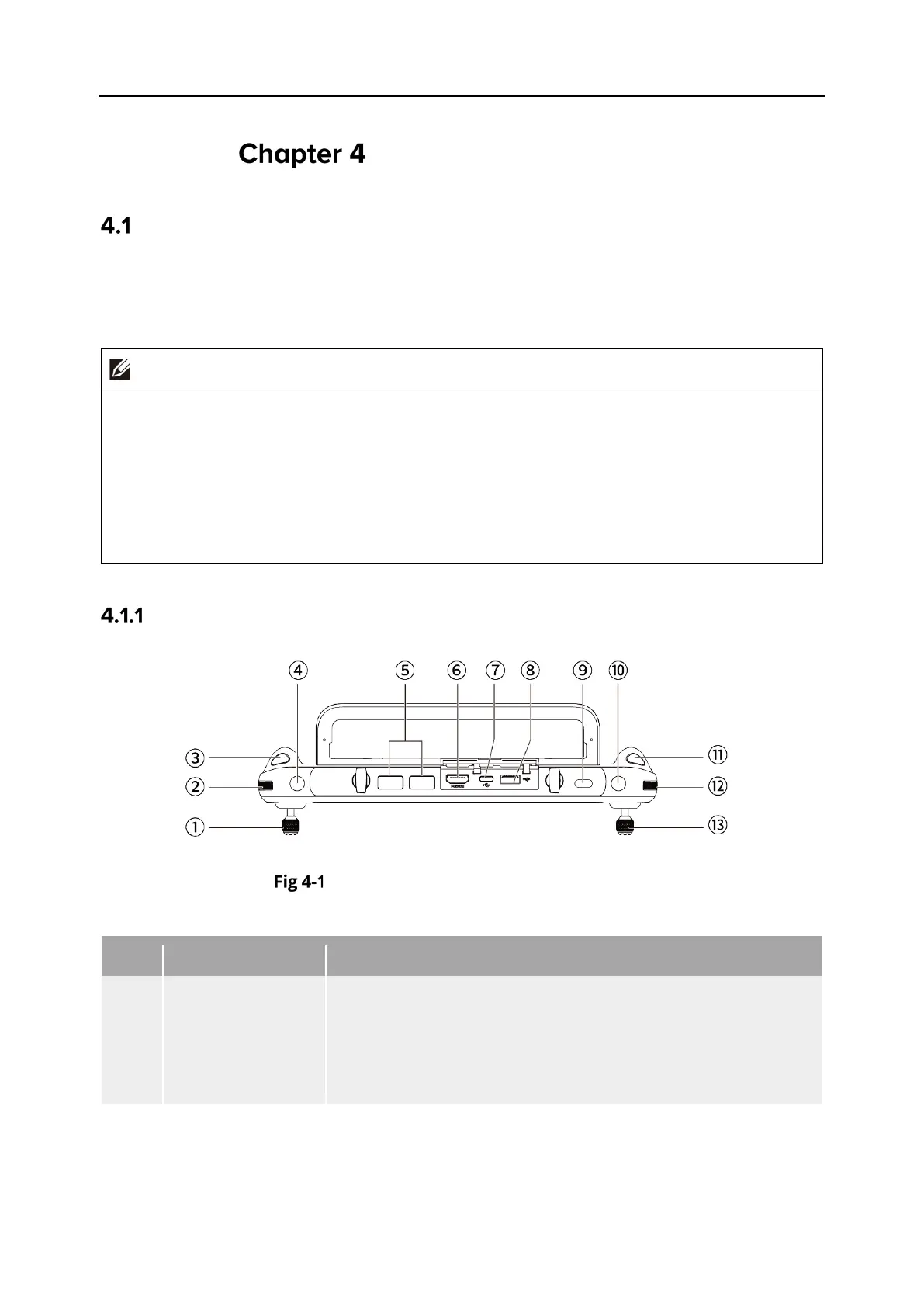
Remote Controller Top-Down View
Table 4-1 Remote Controller Top-Down View Details
1
Left Command
Stick
Controls the state of motion of the aircraft. The default stick
mode is Mode 2. In this mode, you can use the stick to control
the ascent, descent, and heading of the aircraft. You can set
the stick mode in the Autel Enterprise App. For more
information, see “6.5.3 RC Settings” in Chapter 6.
Turn the dial wheel to adjust the gimbal pitch.












 To Next Page