Chapter 6 Autel Enterprise App 111
In the current version, when the OA mode is set to "Bypass", the aircraft will ascend to an
altitude that allows it to bypass obstacles. In future versions, the aircraft will have the
capability to prioritize bypassing obstacles from the left or right side of the obstacles.
RC Settings
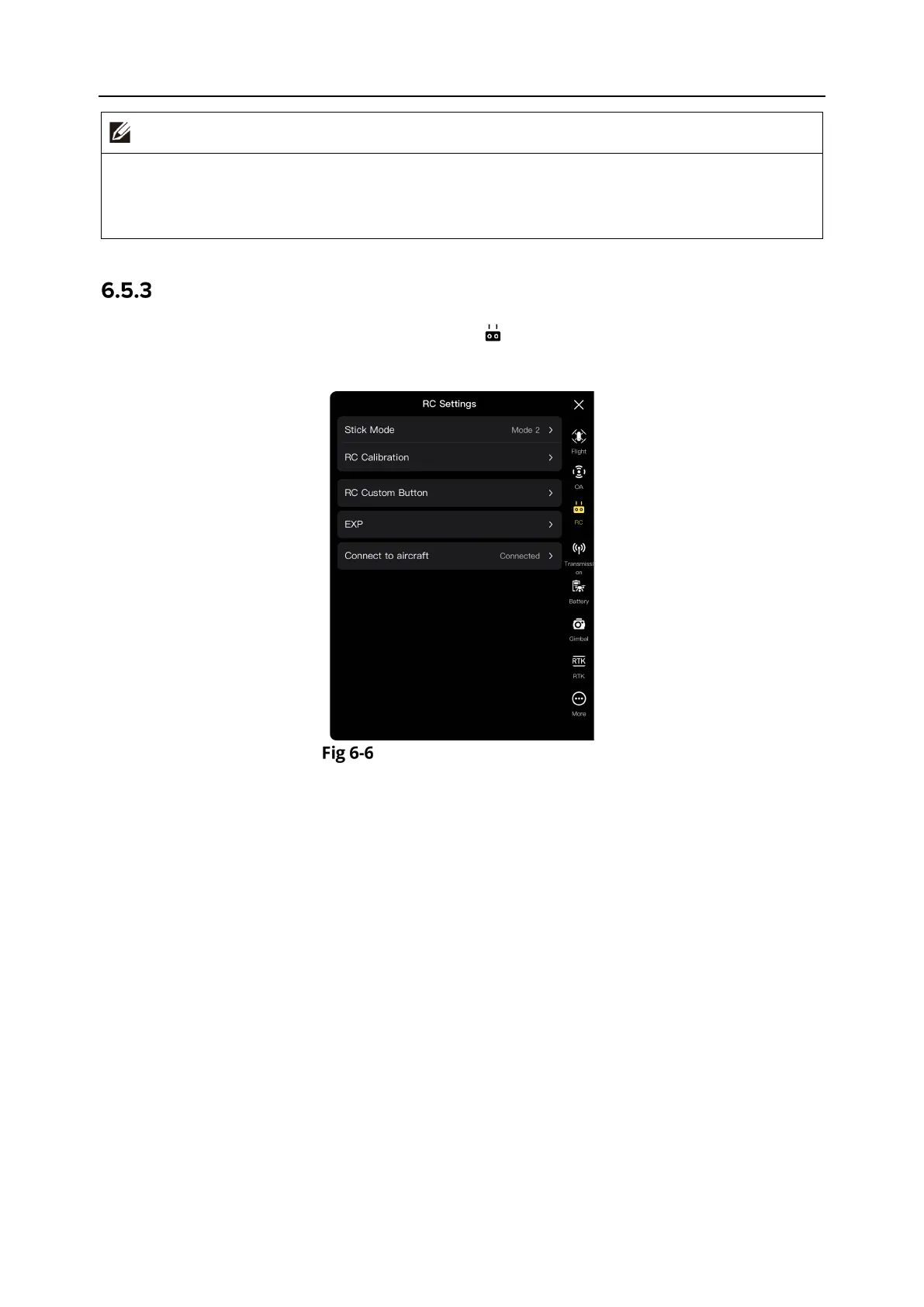
In the sidebar of the “Settings” interface, tap the " " icon to enter the "RC Settings" interface,
where you can set the stick mode, RC custom buttons, and EXP, and calibrate the remote
controller, as shown below.
“RC Settings” Interface
Set Stick Mode
Tap "Stick Mode" and select one of the three stick modes, that is, Mode 1, Mode 2, and Mode 3,
according to your preferences. For the differences between the three stick modes, see "4.10.1
Stick Modes" in Chapter 4. The default stick mode is Mode 2.
Calibrate the Remote Controller
Perform the calibration operation as instructed in the Autel Enterprise App. For more
information, see “4.13 Calibrating the Remote Controller” in Chapter 4.
Set RC Custom Button C1/C2
Tap "RC Custom Button", and then tap the drop-down list of C1 or C2, and select the customized
function according to your needs. For more information, see “4.11.1 Custom Keys C1 and C2” in
Chapter 4.
Set EXP
After tapping "EXP", drag the coordinate system curves of "Ascend - Descend", "Turn Right – Turn
Left", and “Forward/Move Right – Backward/Move Left” according to your needs, or input
coefficients (in the range of 0.2-0.7) in each edit box.












 To Next Page